APKPure에서 안전하고 빠른 APK 다운로드
APKPure는 바이러스 없는 Remote Desktop - Touchpad++ APK 다운로드를 위해 서명 확인을 사용합니다.

그것은 당신이 당신의 전화 / 태블릿 PC를 제어 할 수 있습니다.
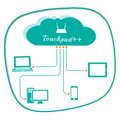
Want to feel your normal PC screen to touch screen. Then Try Touchpad++. It will realize you are working with touch screen computer. It allows you to control your PC with your phone/tablet.
How to use?
Download Touchpad++ server setup for window PC : http://bit.ly/1jfpyHO
•Install program on Pc, then Run it as administrator.
•Make sure PC and Android phone are in the same network. You can use android phone as portable hotspot and connect to PC.
•Run app on Android phone, then input IP address of PC and click “connect”.
Thank you.
Hope you Enjoy it.


등급과 피드백에 감사드립니다!
당신은 이미 평가했습니다.