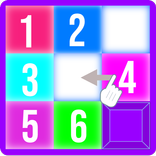
關於Texture Packer Maker
使用手動和自動打包工具建立紋理包和精靈圖。
Texture Packer Maker 是一款用於建立紋理包和精靈圖的工具,提供手動和自動打包功能。
功能
專案管理:使用“+”按鈕建立新專案。初始設定期間匯入的影像會自動打包到圖集中。
手動和自動打包:新匯入的影像會出現在圖集外部。使用「自動打包」按鈕可以立即排列所有紋理,或啟用「拖曳紋理」進行手動放置。
自訂間距:透過「間距」按鈕設定紋理之間的特定像素距離。此值在使用「磁吸」或「自動打包」工具時生效。
磁吸系統:啟用「拖曳紋理」會自動啟動磁吸功能。當將影像拖曳到另一張影像附近或圖集邊緣時,它們會自動吸附在一起,以實現精確對齊。
圖集調整大小:在「拖曳紋理」模式下,圖集的頂部、右側和底部會出現三個調整大小的控制把手。拖曳這些控制柄可以調整圖集的尺寸。
匯出
點擊“匯出”後,您可以選擇所需的格式。該應用程式會在專案資料夾中產生兩個檔案:
PNG 檔案:打包後的紋理貼圖。
元資料檔案:包含每個紋理的座標和尺寸的 JSON 或 XML 檔案。
JSON 元資料包含:
應用資訊:名稱、版本和原始映像檔名。
貼圖規格:格式 (RGBA8888) 和貼圖總尺寸(寬/高)。
紋理資料:每個精靈的單獨座標 (x, y) 和尺寸 (寬, 高)。
XML (Sparrow) 檔案包含:
子紋理資料:名稱、位置和尺寸。
標準相容性:適用於大多數 2D 動畫工具的業界標準格式。
最新版本1.3.1的更新日誌
Last updated on 2026年06月14日
Project Management: Easily create and manage new projects.
Manual and Auto Packing: Instant arrangement or manual placement with "Drag Texture."
Magnet System: Precise snapping for alignment with other textures and sheet edges.
Custom Padding: Adjustable pixel distance between assets.
Sheet Resizing: Interactive handles to modify dimensions.
Advanced Export: Generates optimized PNG and JSON or XML metadata (coordinates and sizes).
Manual and Auto Packing: Instant arrangement or manual placement with "Drag Texture."
Magnet System: Precise snapping for alignment with other textures and sheet edges.
Custom Padding: Adjustable pixel distance between assets.
Sheet Resizing: Interactive handles to modify dimensions.
Advanced Export: Generates optimized PNG and JSON or XML metadata (coordinates and sizes).
Texture Packer Maker APK信息
安全檢查已完成
無病毒
無間諜軟體
無惡意軟體
無病毒
無間諜軟體
無惡意軟體
套件名稱:com.elideveloper.texturepackermaker
顯示更多
驗證者: APKPURE