







Thanks for your rating and feedback!
You have already rated.

Automus is an Apple Music player for Android Automotive dashboards.
Developed by lindehammar-konsult, Automus focuses on one clear need: bringing Apple Music playback directly to supported car screens without phone mirroring. It is built for drivers who want familiar music access from the dashboard, and the main tools are easy to understand at a glance. Key features include:
Automus lets drivers stream Apple Music from the Android Automotive interface, so music can be managed from the car screen instead of relying on phone mirroring. With an active Apple Music subscription, users can access a large catalog of songs, albums, artists, curated playlists, and recommendations directly from supported vehicles.
The experience fits everyday driving situations, such as starting a saved playlist before leaving home or finding a familiar album during a longer trip. Because it runs as an Apple Music Player for Android Automotive, the app works best in cars with built-in Android Automotive support and a stable internet connection. Offline playback is not included, so users who often drive through weak signal areas should plan around streaming limits.
Automus gives users a clear way to browse saved Apple Music content from the dashboard. The library area covers playlists, albums, artists, and songs linked to the user’s account, while the home screen keeps recently played music, favorites, and quick access items close to the front.
Search is useful when the driver or passenger wants a specific song, album, artist, playlist, or recommendation from the Apple Music catalog. The interaction stays simple: open search, enter the music title or artist, then choose from the results shown on the car display. Legacy iTunes Match tracks or personally uploaded songs may not always behave like regular catalog music, so users who depend heavily on those libraries should expect some limits.
Automus uses a QR code sign-in flow that avoids typing Apple account details on the car screen. The login process goes through official Apple servers, and the app does not store the account password in the vehicle, which is important for shared cars or dashboards used by more than one driver.
In practice, the car screen shows a QR code, and the user scans it with a smartphone to connect the Apple Music account. This feels more suitable for a vehicle display than entering long passwords with touch controls. It also makes setup easier when parked before a drive, while keeping the actual account authentication on the phone where users are more comfortable managing it.
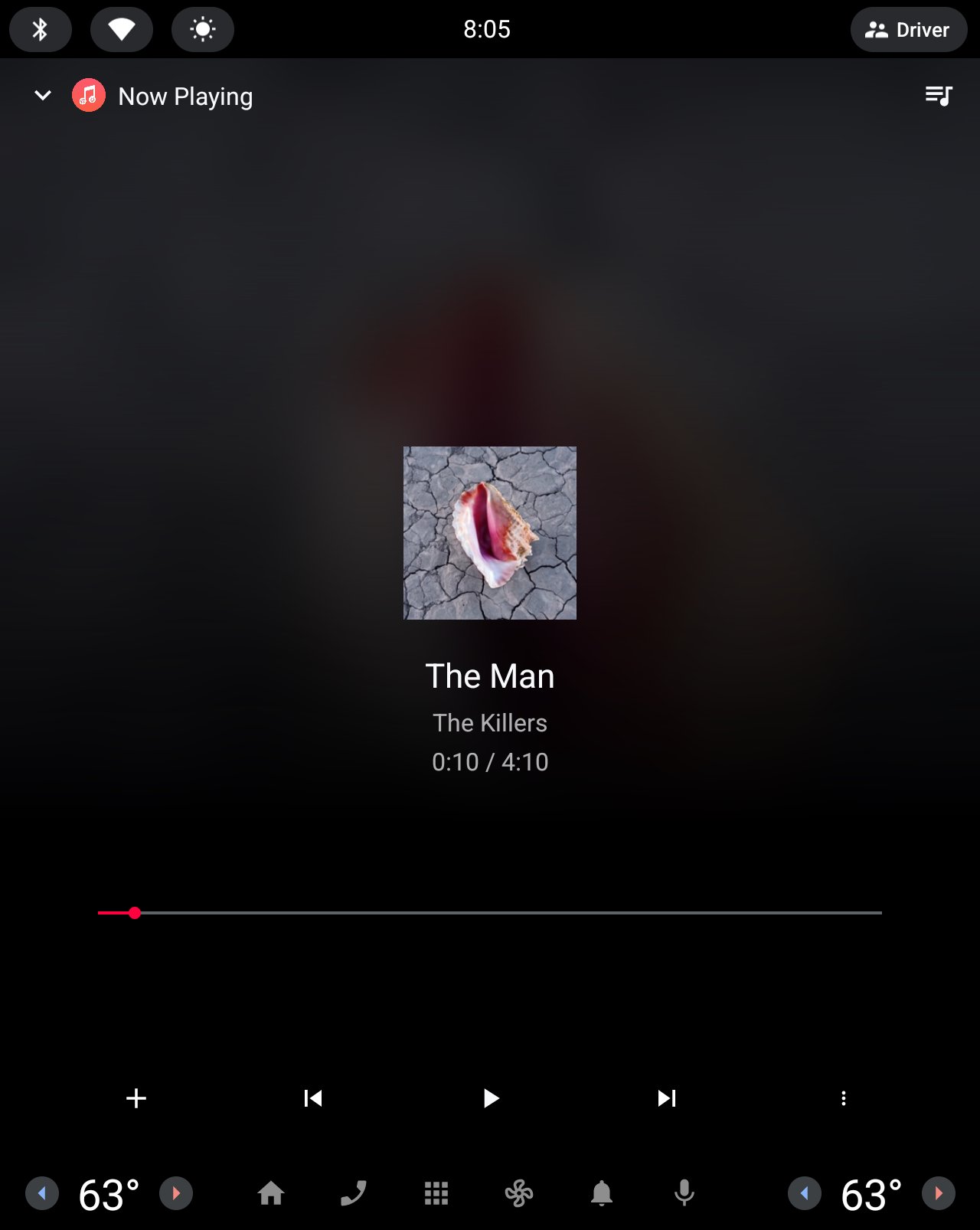
Automus places core playback tools where they make sense for a dashboard. The Now Playing screen includes large controls for play, pause, skip, seek, and queue management, along with album artwork that is easy to recognize at a glance.
Supported steering wheel buttons can handle common actions, which helps reduce screen touches while driving. Google Assistant voice search is also available on compatible setups, so users can request music hands-free when conditions allow. Optional Last.fm scrobbling adds value for listeners who like tracking music history, although it is not required for normal playback. User feedback suggests the app works well for its purpose, but it may not feel as polished as an official native Apple Music app.
These points reflect how Automus performs as a focused Apple Music client for Android Automotive, especially for drivers who want dashboard-based streaming without phone mirroring.
ProsUsers can download Automus APK from APKPure to get the latest available version for compatible Android Automotive vehicles. The Automus latest version listed is 2026.05.02, and it appears as a paid APK. Since the provided file information does not list a normal download size, users should check available storage and use a steady network before starting the download.
After installation, Automus can be opened from the Android Automotive app screen or Media Center, then selected as the music source. Before driving, it is safer to complete QR code login while parked, confirm the Apple Music subscription is active, and test playback from the dashboard controls.





One-click to install XAPK/APK files on Android!
Thanks for your rating and feedback!
You have already rated.