








Thanks for your rating and feedback!
You have already rated.

Transform your big‑screen TV into a personal gallery and dynamic photo wall.
Transform your big-screen TV into a personal gallery, dynamic photo wall, and ambient art display — all in one app.
Canvas Gallery brings your photos and favorite visuals to life on Android TV. Whether you want to revisit precious memories, stream photos directly from your NAS, or set the mood with immersive ambient visuals, Canvas Gallery handles it all.
PHOTO COLLECTION — Your Memories, on the Big Screen
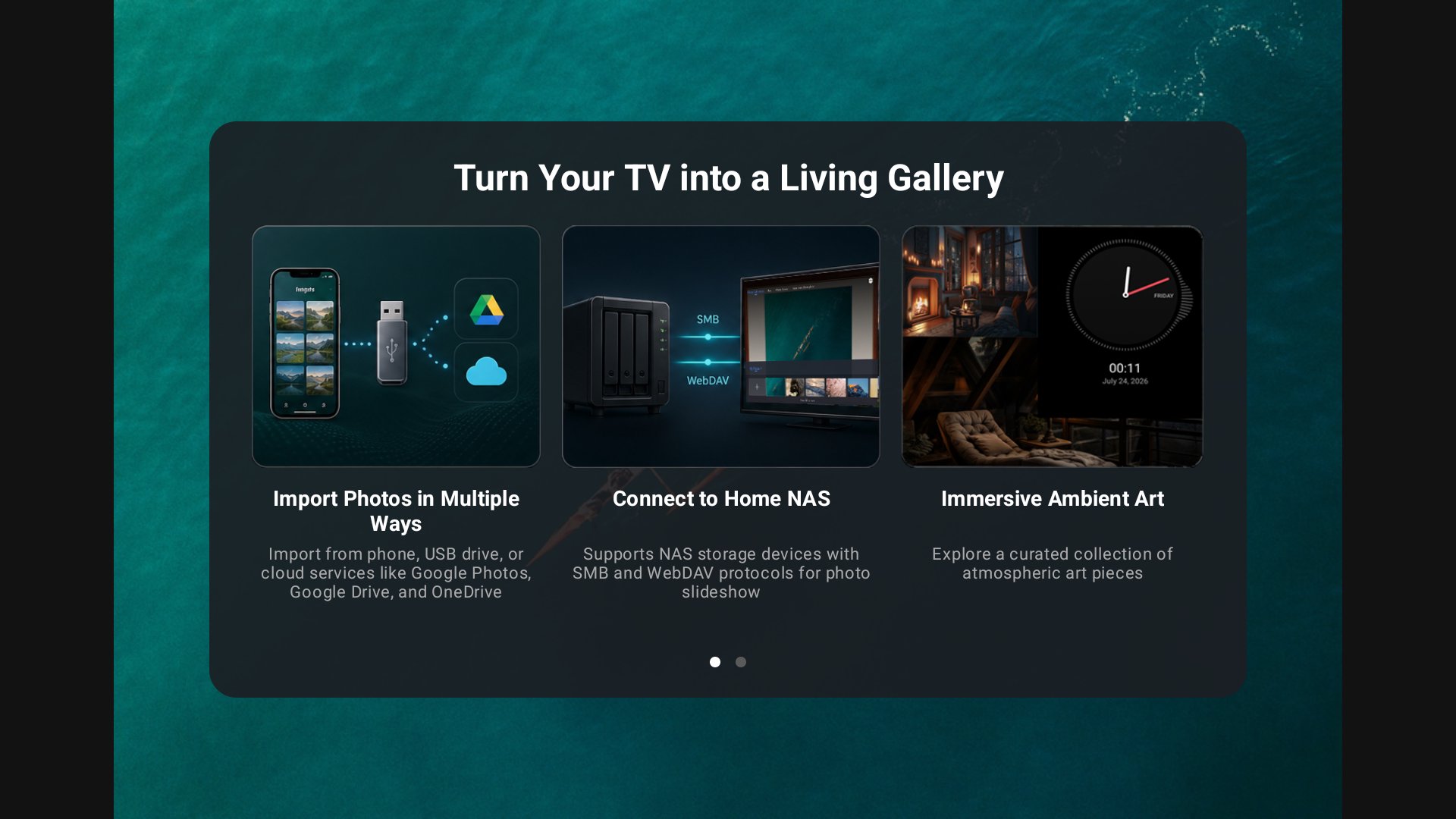
• Import photos from your phone via Wi-Fi, USB drive, Google Photos, Google Drive, or OneDrive — choose the method that works best for you
• Arrange photos into virtual folders and reorder them with simple controls
• Over 10 transition animations to keep your slideshows engaging, with additional updates planned
• 9 stylish photo frames (wood grain, European-inspired textures, and more) — customize size, style, texture, and color; adjust matte borders (including color and style)
• Basic photo editing: rotate images before they appear on screen
• Background music support: play audio files from your USB drive during slideshows
• Adjustable slide interval: set timing from 3 seconds up to 2 hours at your preferred pace
NAS STREAMING — Play Directly From Your Network Drive
• Stream photos from your home NAS over SMB or WebDAV — no local downloads required
• Browse and select multiple folders on your NAS for playback
• Frame and matte customizations are fully compatible with NAS-sourced photos
• Background music and slide interval settings are fully supported
• Ideal for large photo libraries stored on your home network
PHOTO THEMES — Dynamic Photo Wall Experience
• 5 built-in dynamic photo themes: Dynamic Album, Lifestyle Snapshots, Magazine Layout, Collage, and Time Memories
• Multi-photo layouts featuring text, icons, and motion effects for an animated photo-album feel
• Each theme creates a distinct atmosphere for your big-screen TV
IMMERSIVE AMBIANCE — Set the Mood in Any Room
• 3 atmosphere-focused clock styles: flip clock, minimalist clock, and wave clock — all optimized for large-screen TV viewing
• 2 calming ambient videos to create a warm, cozy home vibe
• Seasonal visual effects: birthday and New Year petal-fall effects, along with refined particle animations
• Designed to expand with more ambient content over time
SYSTEM INTEGRATION
• Set CanvasGallery as your TV screensaver. Feature availability varies by device model and firmware.
• Enable auto-launch when turning on your TV. Feature availability varies by device model and firmware.
Designed exclusively for Android TV and Google TV. Fully optimized for standard remote controls and the 10-foot living-room viewing experience.
Bring your TV screen to life with CanvasGallery.





One-click to install XAPK/APK files on Android!
Thanks for your rating and feedback!
You have already rated.