Package Name:com.netmeter.app
Show More

3.8 MB
File Size
Everyone
Android 7.0+
Android OS
Live speed or ping in your status bar, plus speed tests and data usage tracking
Internet Speed Meter & Ping puts a live network monitor in your status bar. View current internet speed or ping, run a speed test and track Wi-Fi and mobile data usage from one app.
Live internet speed meter
See download and upload activity in real time. Choose speed or ping for your status bar indicator, follow a live traffic graph and view network statistics in your notification shade. The live meter shows current traffic; the speed test measures your connection with active downloads and uploads.
Internet and Wi-Fi speed test
Test download speed, upload speed, ping and jitter on Wi-Fi or mobile data. Review recent successful speed tests to compare your results over time.
Ping monitor and latency tests
Check network response times with short or continuous ping tests. Compare supported public test targets and view average, minimum and maximum latency, jitter and failed probes.
Data usage monitor
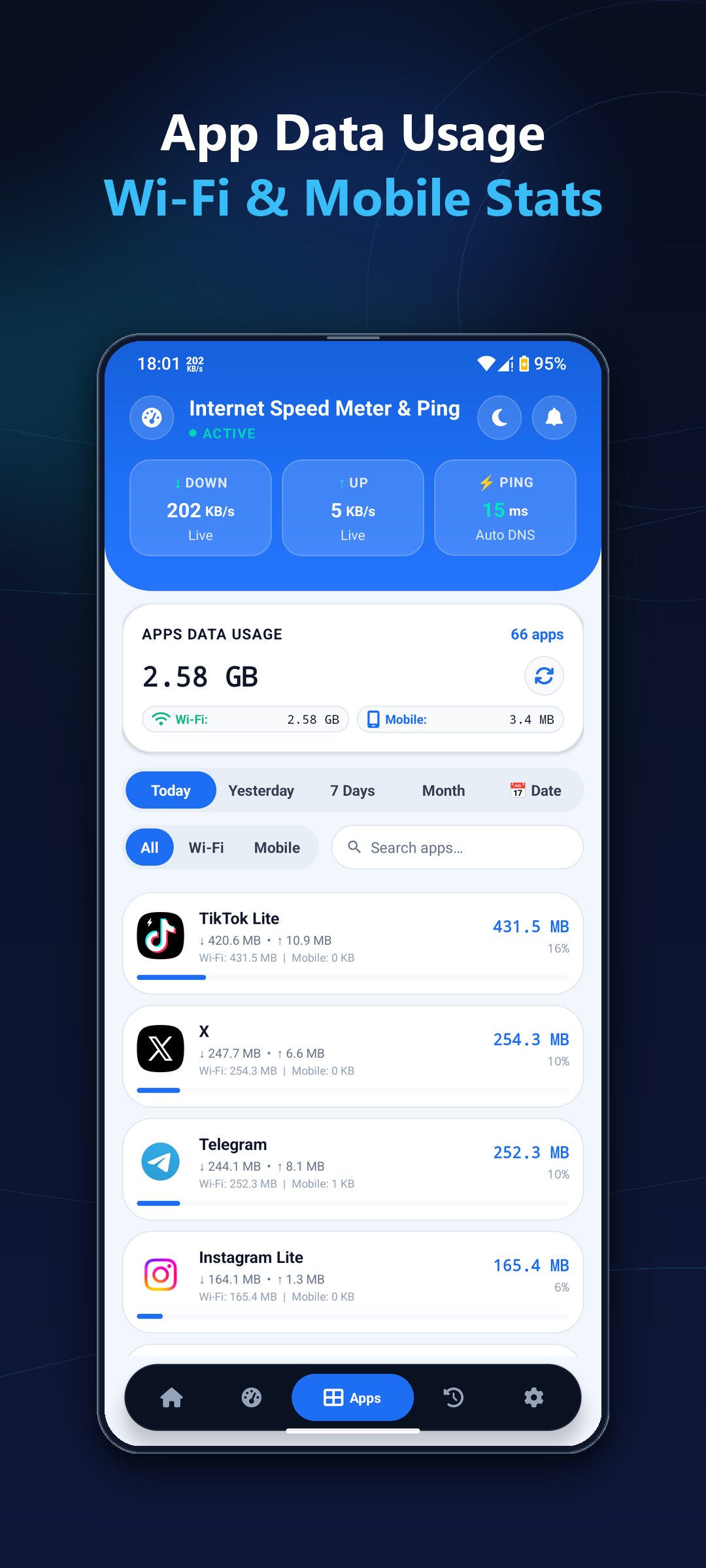
Check Wi-Fi and mobile data totals, compare data usage by app and use date filters to see which apps use the most data. Search the app list and switch between Wi-Fi, mobile and combined traffic.
Traffic history and data limits
Review daily and monthly data usage with clear traffic charts. Set a monthly data allowance and reset date, view estimated remaining usage and receive alerts as you approach your limit.
Floating speed and ping monitor
Keep network speed and ping visible over other apps or games with a movable floating HUD. Adjust its position, transparency and layout to fit your screen.
Wi-Fi device scanner
Discover responding devices on your local network and view available details such as IP addresses, device names and response times.
Customize your network monitor
Choose your speed units, status bar font, indicator mode and refresh interval. Personalize the notification layout and switch between light, dark and AMOLED themes.





One-click to install XAPK/APK files on Android!

Thanks for your rating and feedback!
You have already rated.