Package Name:io.github.danielphingston.metro
Show More

Live tiles home screen: smart search, your photos, icon packs, tiny battery use
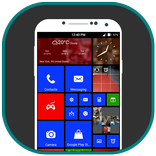
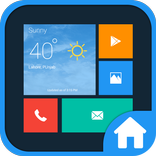
Metro Launcher turns your home screen into a grid of live tiles that show what matters at a glance: messages, music, weather, calendar and the time, without opening a single app.
MAKE IT YOURS
• Small, medium, wide and large tiles you arrange freely, with undo for every change
• Customise any tile: name, icon, icon pack glyph, your own photo, colour and transparency
• Icon packs (ADW, Nova, Apex) and themed icons
• 20 accent colours, light or dark, solid background, photo tiles, full photo or your wallpaper
• Folders that open right under the tile, with their own styles
• Works on phones, tablets and foldables
LIVE TILES
• Weather with a flip side for the forecast
• Music with album art and controls
• Messages and unread counts on app tiles
• Me tile: all your waiting notifications in one place
• Calendar with your next event
• People, photos, clock and more
• Pin widgets and shortcuts from any app, resize widgets right on start
SMART SEARCH
Pull down and type. Metro Launcher finds apps even with typos or initials, and answers right in the list:
• Calculator and unit conversions
• "timer 5 min", "alarm 7:30", "note buy milk"
• Phone settings, contacts, calendar events and chats
• Search inside apps such as YouTube, Play Store, Maps and Amazon
• Your own short keywords: type "yt cats" to search YouTube
• Ask your AI assistant app straight from search
• Pin any result to start
APP LIST
• Alphabetical list with a jump grid and a "recently added" group
• Alphabet scrubber with a wave effect on the edge
FAST AND LIGHT
• Smooth turnstile, slide, zoom or fade animations, with adjustable speed
• Barely touches your battery: tiles update only when something changes
• Back up and restore your tiles and settings to a file
• No ads, no accounts, no tracking. What you see on your home screen stays on your phone.
METRO PLUS
An optional one-time purchase unlocks:
• Layouts: several start screens, such as work and weekend, each with its own tiles and wallpaper. Switch with a tile, from search, or from automation apps
• Gestures: double tap, two-finger swipe and pinch on the start screen
• Smart search, search in apps, keywords and ask assistant
• Assistant tile with your assistant's latest reply
• Quick settings tiles: flashlight, do not disturb, ringer, auto-rotate, brightness and battery
ACCESSIBILITY SERVICE (OPTIONAL)
Metro Launcher includes an optional accessibility service, "Metro gestures", used for one thing: when you set up a start screen gesture (double tap, two-finger swipe or pinch) to turn the screen off, open recent apps, the notification shade or quick settings, Metro uses Android's Accessibility API to perform that action. The service is off by default, and Metro explains it and asks for your consent in Settings → gestures before you turn it on. It does not read or collect anything on your screen, what you type or which apps you use, and nothing is stored or shared. Without it, every other feature works; only those gestures do nothing.
Weather data by Open-Meteo.com (CC BY 4.0).



One-click to install XAPK/APK files on Android!

Thanks for your rating and feedback!
You have already rated.