Package Name:com.pocketlap
Show More

204.3 MB
File Size
Everyone
Android 10.0+
Android OS
Turn your phone or tablet into a desktop for work and PC games.
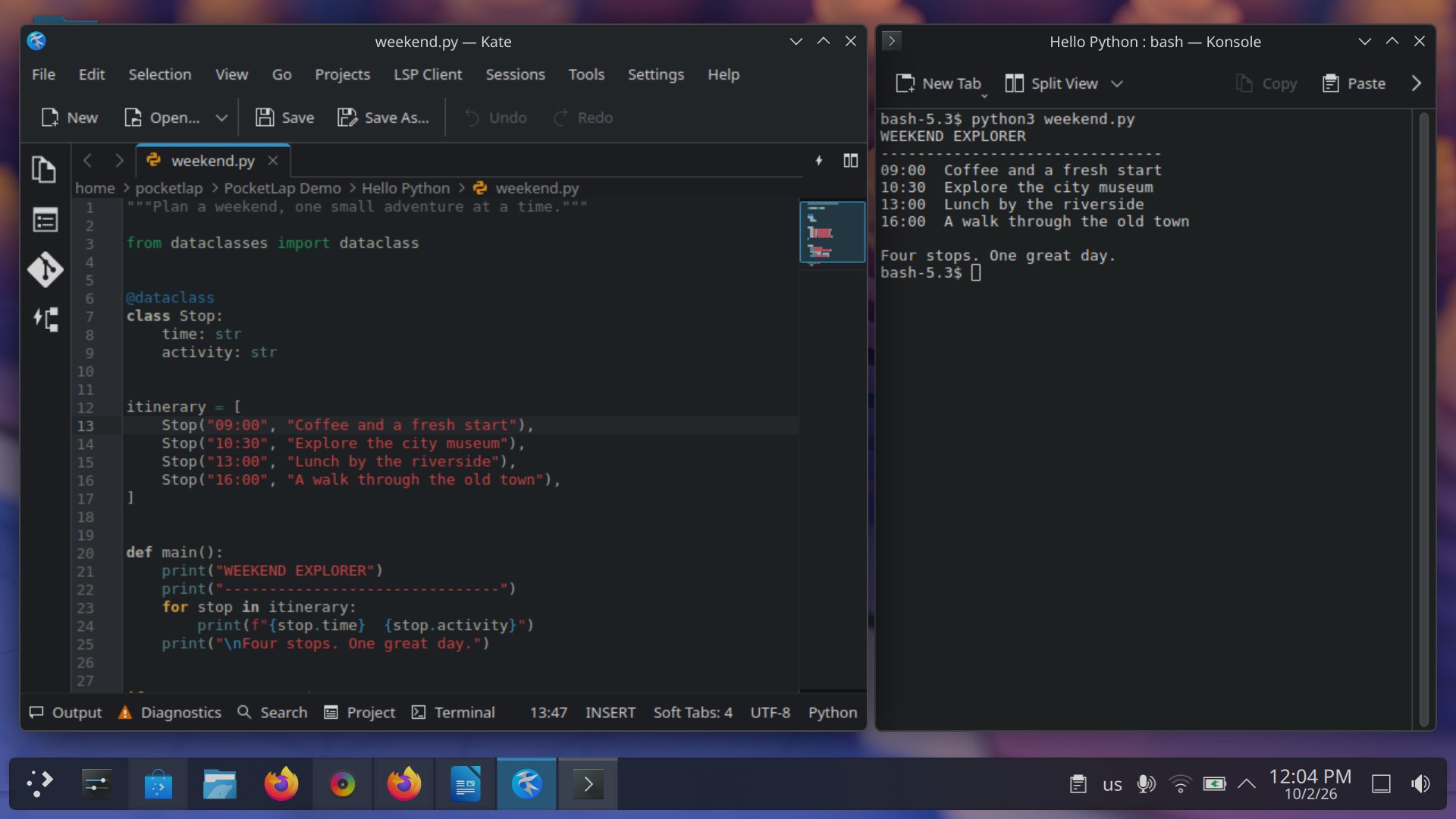
💻 PocketLap lets you use your Android phone, tablet or foldable as a desktop computer. Install desktop applications, work with your own files and play compatible PC games.
It runs Ubuntu with KDE Plasma directly on your device. You can install Linux software and run compatible Windows applications through built-in Wine support. No root access or remote computer is needed.
📱 Put your foldable to work
On compatible foldables, Flex Mode places the desktop on the upper half of the screen and a keyboard and touchpad below. Set your phone down and start working without having to carry a separate keyboard.
⌨️ On other phones and tablets, the on-screen controls are available too. Edit your keyboard layouts to keep useful keys and shortcuts within reach, or connect a physical keyboard and mouse.
✍️ Draw with your stylus
Use desktop drawing software on your tablet, with pen pressure support in compatible applications. Work on your illustration with the brushes and layers you’re used to, then switch to another window when you need something else.
🖥️ Connect a monitor when you need more space
PocketLap works with Samsung DeX and supported external displays, so you can spread your work across a larger screen.
Use a keyboard and mouse, or enable the optional mode that turns your phone into a keyboard and touchpad while the desktop stays on the monitor.
📂 Keep your files close
Share a folder between Android and Linux and copy and paste text across apps. Your Android apps remain available, so you can move between them and your desktop as you work.
🔌 Plug in a USB drive to open and manage files on external storage.
📷 Supported desktop applications can also use your device’s camera and microphone.
🎮 Play compatible PC games
Install Linux games or use Wine to run compatible Windows titles. Play with a keyboard and mouse, or set up an on-screen keyboard layout for the controls you need.
What runs well depends on the game and your device. Games are installed separately and are not included with PocketLap.
🆓 Get started for free
PocketLap has no ads. You can try it with your device and the software you want to use before deciding whether you need Pro.
⭐ PocketLap Pro is an optional, one-time purchase that unlocks additional features and higher usage limits.
📥 Setting things up
The first launch downloads the Linux system, so you’ll need an internet connection and enough free storage. Additional applications and games may require downloads or licenses.
ℹ️ Compatibility
Not all applications, games, launchers or anti-cheat systems are supported. Performance depends on your hardware and Android’s system restrictions.
Flex Mode, external displays and pen pressure require compatible hardware and software. Access to your camera, microphone and files requires the relevant permissions.




One-click to install XAPK/APK files on Android!

Thanks for your rating and feedback!
You have already rated.