Package Name:app.web.hiddencam
Show More

Hidden camera detector: scan Wi-Fi, find lenses, spot AirTag trackers
Hidden Camera Detector is a spy camera finder for travelers, renters and anyone who wants to check a room before they relax in it. Scan the Wi-Fi network for IP cameras, look for AirTag, SmartTag and Tile trackers over Bluetooth, locate a lens with your phone's flashlight, switch to an infrared view, and follow a guided room sweep. It gathers clues from your phone's own sensors and shows what looks unusual, so you know where to look closer in a hotel room, Airbnb, rental, locker room or fitting room.
NETWORK AND BLUETOOTH SCANNERS
- Wi-Fi network camera scanner: join the Wi-Fi of the place you are staying, then it lists the devices on that network and flags ones that look like IP cameras, using open camera ports, known camera vendors and ONVIF and RTSP discovery. It is strictly read-only and never logs in to any device.
- Bluetooth tracker detector: finds nearby BLE trackers such as AirTag, SmartTag and Tile, and shows signal strength so you can walk around and see whether one gets stronger.
- Likelihood ratings: every scan ends in None found, Low, Medium or High likelihood.
OPTICAL AND SENSOR TOOLS
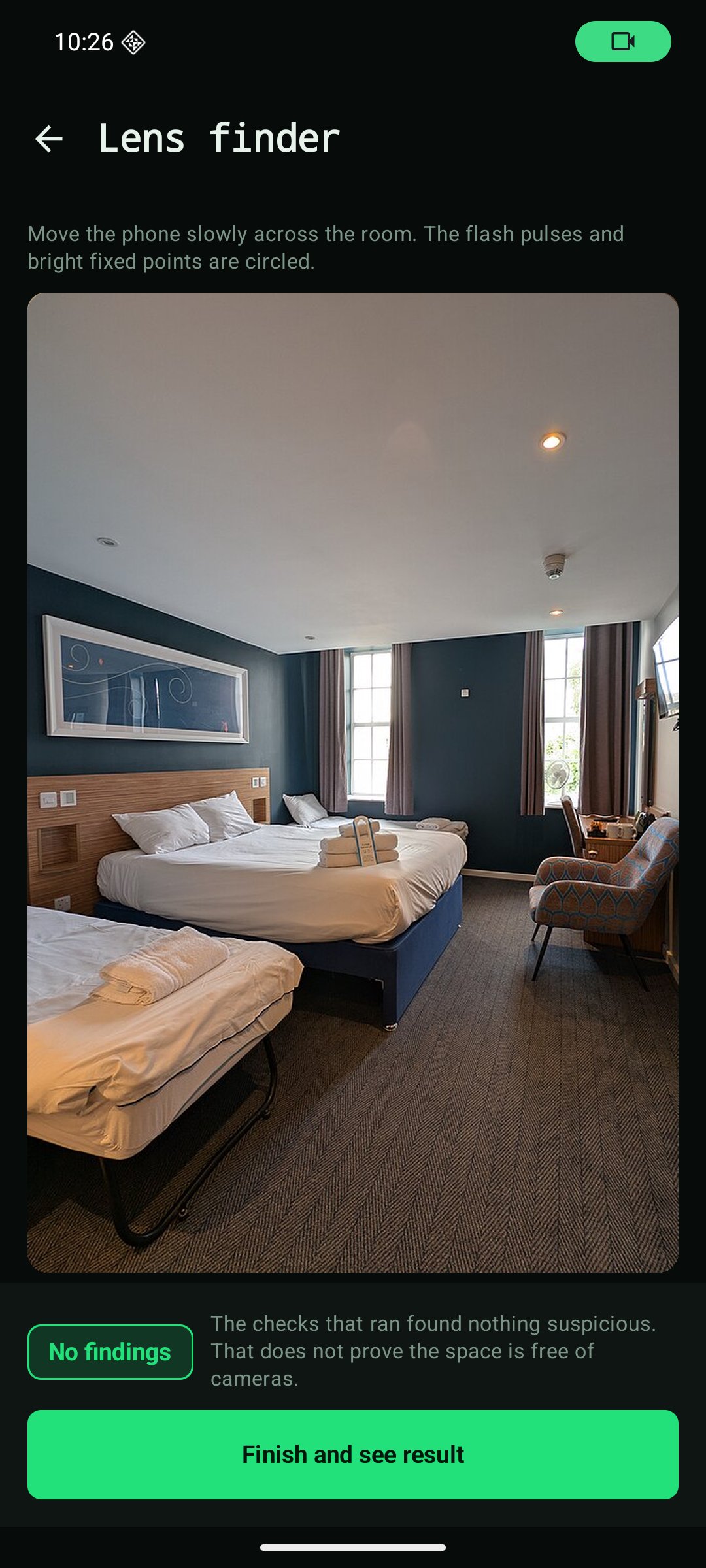
- Lens finder: turn on the flashlight and move slowly. A camera lens is curved glass that can bounce back a tiny, sharp glint.
- IR camera detector view: some night-vision cameras emit infrared light that a phone camera can sometimes show as a faint glow in a dark room.
- Magnetic field meter: shows magnetic changes near electronics so you know which object to check first. Metal, speakers and wiring also trigger it, so treat it as a pointer only.
- Mirror test guide: a simple fingertip method to check whether a mirror may be two-way.
GUIDED ROOM SWEEP AND REPORTS
- Step-by-step sweep: a checklist that takes you past the bed and headboard, vents, smoke detectors, clocks, USB chargers, speakers, TV, plants and mirrors, with a short tip on what to look for at each spot.
- What was checked: every result lists which checks ran, which did not and why, so you know how complete it is.
- Compared with your last visit: sweep the same place again and see what is new and what is gone.
- Save and export: keep each result in your history and export a PDF report for your own records.
- AI inspector (Pro): take a photo of the room and it highlights small dark spots that could be hiding places, so you can mark which ones to check. It is a visual aid, not a camera detector.
HONEST LIMITS
Hidden Camera Detector never says a place is "safe". Results are clues, not proof. It cannot detect cameras that are switched off, cameras that record only to local storage, or cameras that do not use Wi-Fi or Bluetooth. It cannot scan radio frequencies, detect microphones or see through walls. Combine every result with a careful visual search. If you feel unsafe, leave and contact local authorities.
PRIVACY
Camera, Bluetooth and Wi-Fi data are processed on your device. Your location is not stored. No ads. Anonymous usage statistics and crash reports (Firebase Analytics and Crashlytics) help us fix problems; you can turn both off in Settings. Privacy policy: https://hiddencam.web.app/privacy
How each check works: https://hiddencam.web.app/blog/how-hiddencam-works
FREE AND PRO
The core scans are free, and results are never locked behind a paywall. Your first full guided sweep is free with real results. Pro unlocks unlimited guided sweeps, PDF reports, unlimited history, the AI inspector, the high-sensitivity lens mode and the Wi-Fi signal locator. Choose a monthly or yearly subscription (yearly includes a 3-day free trial) or a one-time lifetime purchase. Manage or cancel subscriptions anytime in Google Play.





One-click to install XAPK/APK files on Android!

Thanks for your rating and feedback!
You have already rated.