
Safe & Fast APK Downloads on APKPure
APKPure uses signature verification to ensure virus-free MotionCut AI - Video Editor APK downloads for you.

AI video editor: add VFX, effects & motion to your videos with a prompt
MotionCut is an AI video editor that adds cinematic VFX and effects to videos you've already filmed. Upload a clip, describe the look you want, and let AI do the editing — no timelines, no keyframes, no manual work.
Most editors make you do everything by hand. MotionCut flips that: you bring the footage and the idea, and the AI handles the rest. Type a prompt and watch your clip transform with AI-powered effects, color, and motion.
✨ WHAT YOU CAN DO
• Add AI VFX and motion effects to your own videos
• Apply cinematic color grades and stylized looks from a text prompt
• Turn everyday clips into polished, share-ready videos
• Edit completely hands-free — no manual timeline, no editing skills needed
• Get a finished result in just a few taps
🎬 HOW IT WORKS
1. Upload your own video.
2. Describe the effect or style you want in plain words.
3. The AI applies the VFX and returns your edited clip — ready to save or share.
Try prompts like "add a cinematic teal-and-orange grade," "make this slow-motion and dreamy," or "give it a vintage film look." If you can describe it, the AI video editor can try it.
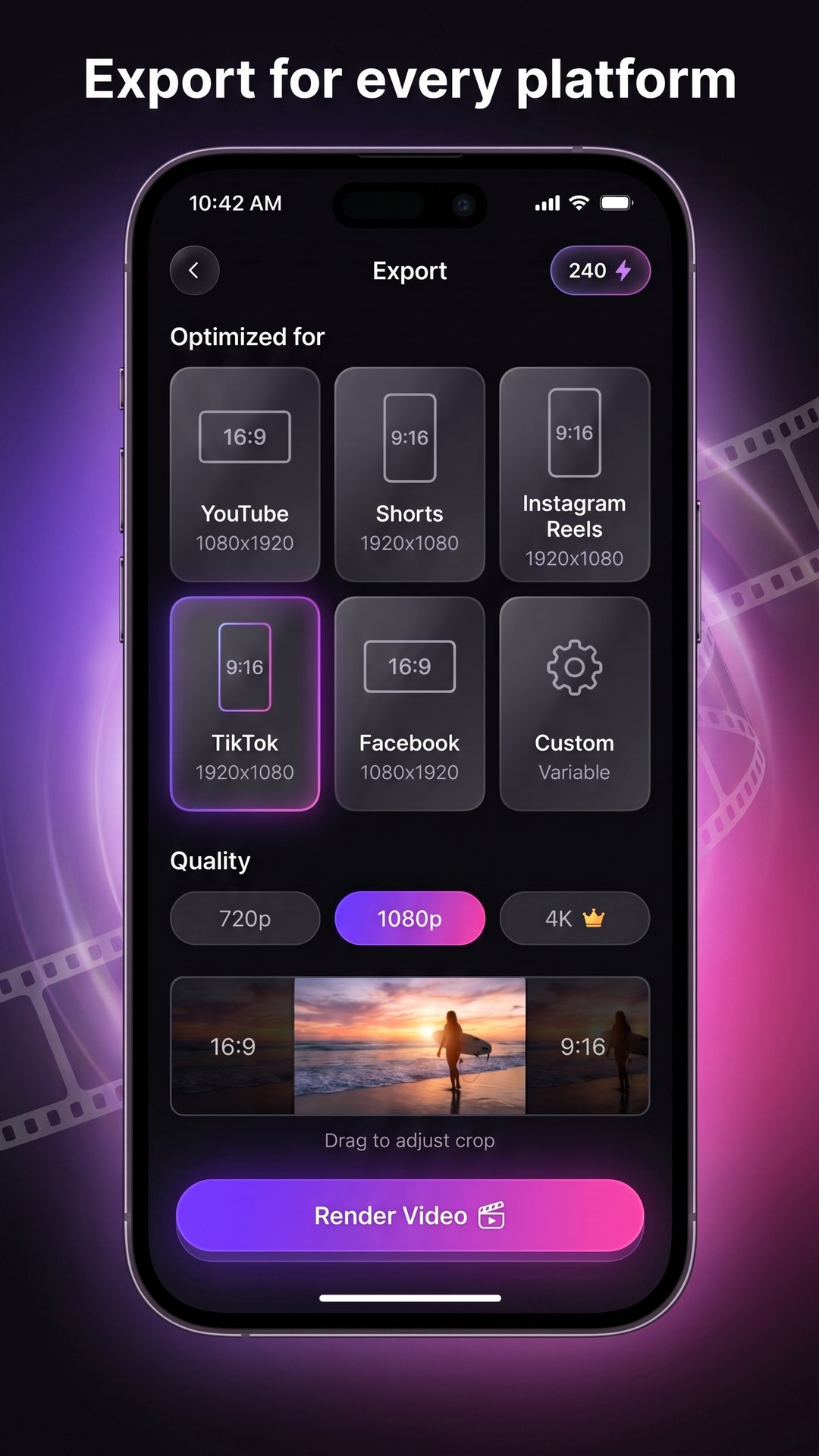
📤 EXPORT FOR EVERY PLATFORM
• Export in HD with presets for YouTube, YouTube Shorts, Instagram Reels, TikTok, and Facebook
• Pick the aspect ratio that fits where you're posting — vertical, square, or widescreen
• Save straight to your device or share in a tap
🎯 MADE FOR
• Creators who want pro-looking video effects without complex software
• Social videos for Shorts, Reels, and TikTok
• Anyone who wants to add AI effects to video quickly
• Editing on the go, straight from your phone
💡 WHY MOTIONCUT
• A prompt-driven AI video editor — describe it, don't build it
• Works on your own footage (it's an editor, not a from-scratch video generator)
• Clean, modern interface designed for mobile
• Powered by advanced generative AI for studio-style results
MotionCut uses a simple credit system for AI edits. Credits are available as in-app purchases, so you only pay for what you create.
Whether you want a quick stylized clip or a full cinematic transformation, MotionCut brings AI video effects to your phone and does the heavy lifting for you.
Questions or feedback? Email [email protected]
Privacy policy: https://motioncutai.com/privacy





One-click to install XAPK/APK files on Android!

Thanks for your rating and feedback!
You have already rated.