Package Name:com.rf.svgeditor
Show More

Vector design on plain SVG: palettes, pen, type, PDF and Sketch, and AI drawing.
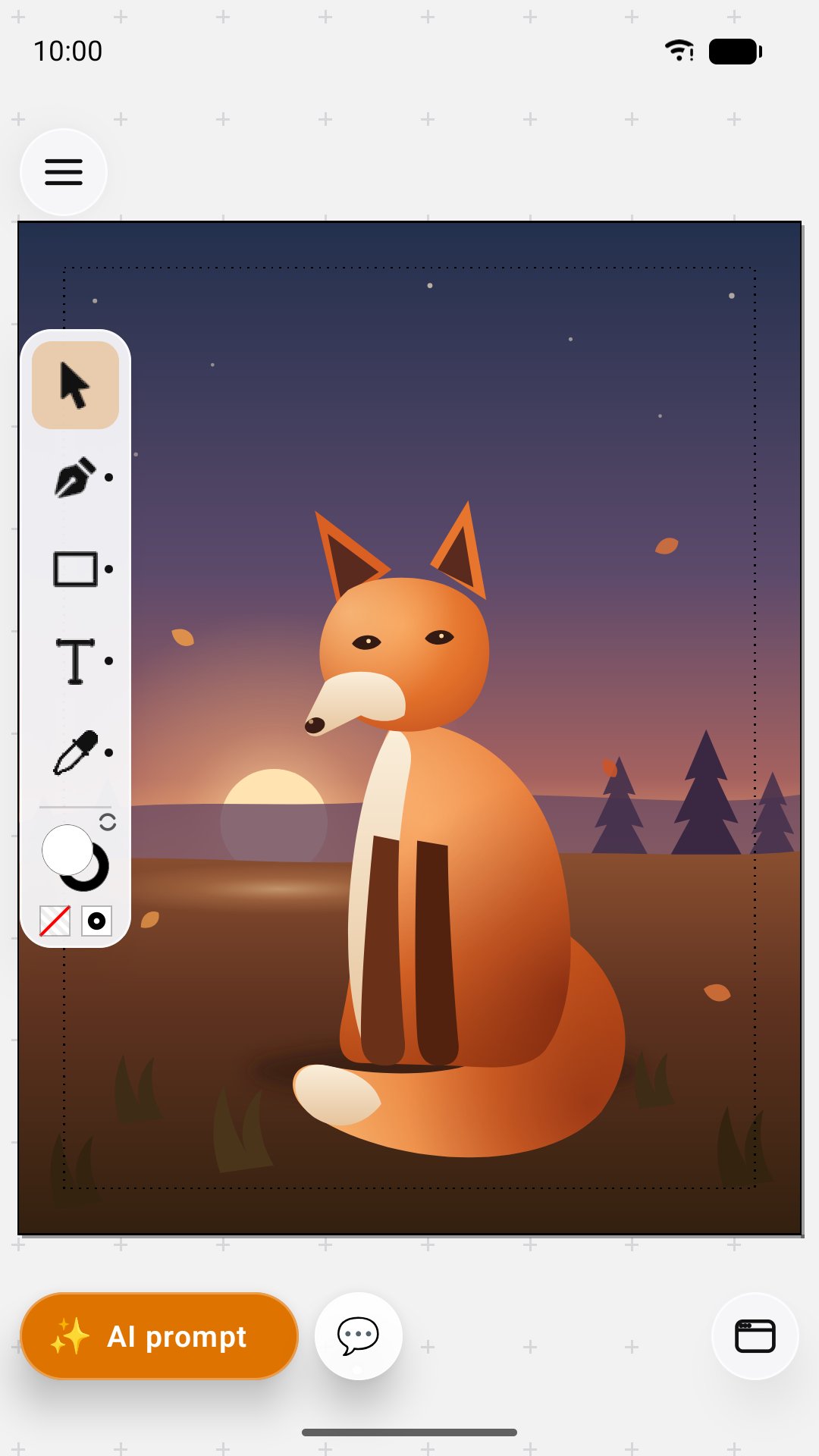
Vector Designer is a classic-feeling vector editor, now native on Android: floating palettes, classic menus and precise measurement fields on a GPU canvas. It is built desktop-first for Googlebook, Chromebook and large tablets with a keyboard and mouse, and has a compact layout for phones. Design logos, icons, app screens, illustrations and print artwork, and keep everything as editable SVG.
OPEN WHAT YOU ARE SENT
• Open Sketch (.sketch) and Figma (.fig) files as editable documents
• File ▸ Import from Figma… loads a file by its link with your personal access token
• Export Sketch… writes .sketch files
• Illustrator (.ai), EPS and PDF files open as editable vectors; a PDF opens a page, a range or every page as artboards
• A .zip of images, SVGs, PDFs or design files opens as one document, one artboard per file
• Layered TIFF and Photoshop (PSD) files open with their layers
LIBRARIES, SYMBOLS & ASSETS
• More than twenty bundled open-licence libraries and icon families, from Material Design 3 and Bootstrap to Lucide and Font Awesome Free
• Libraries palette: search, thumbnails, drag or double-click to place a component; add your own libraries from .svg files
• Assets palette: components by category with previews, and Open in Artboard
• Symbols palette with a built-in symbol library
DRAW WITH PRECISION
• Pen and Curvature tools, add/delete/convert anchor points and direct-selection editing
• Shapes, live corners with per-corner control, Shape Builder, Blend, Knife, Scissors and Eraser
• Pathfinder, compound paths, clipping masks, Offset Path and Outline Stroke
• Image Trace turns a raster image into editable vectors; Object Mosaic turns it into tiles
COLOR & TYPE
• Swatches, pattern swatches, linear and radial gradients with stops editable on the canvas, and Gradient Mesh
• A CMYK workflow: CMYK documents, process and tint swatches, DeviceCMYK PDF output
• Point, area and path type, threaded text frames, live font preview, Character and Paragraph palettes
• Includes the Liberation fonts, metric-compatible with the classic sans, serif and monospaced faces
ARTBOARDS & DOCUMENTS
• Artboards palette with a thumbnail of each artboard; double-click to centre it
• New Document presets for popular phones, tablets and watches
• Open Recent, and open SVG and design files straight from your file manager
• A workspace colour around the artboards, kept from imported Figma files
AI CONSOLE
• Describe what you want and get editable vector artwork back, not a flat picture
• A real chat: it remembers the conversation, sees your canvas and asks when a request is unclear
• The drawing appears on the canvas while it is written; every result is a state you can restore, compare or insert
• Fast or Max effort, chosen per document
• Runs on the device with Gemini Nano where supported, or with your own Claude or Gemini key in Settings
• Report any answer from the chat with one tap
AUTOMATION
• .jsx scripts from the Scripts palette
OUTPUT
• Export PDF with presets, marks and bleed, PDF/A, one page per artboard
• Export PNG, JPG, SVG, TIFF (flat or layered) and Photoshop PSD
• Share as SVG, PNG or PDF and print through Android printing
WORKSPACE
• Floating palettes and saved workspaces
• Several windows at once, drag and drop between windows, and the desktop keyboard shortcuts, listed in the Keyboard Shortcuts Helper
• Rulers, guides, smart guides, grid, pixel preview and outline view
• Palm rejection when you draw with a stylus or finger
• A feedback chat inside the app, with screenshots
• Interface in English, French, German, Italian, Spanish, Dutch, Portuguese, Russian, Japanese, Korean and Chinese (Simplified and Traditional)
No ads, no account, no in-app purchases.



One-click to install XAPK/APK files on Android!

Thanks for your rating and feedback!
You have already rated.