Package Name:com.firstaction.ai
Show More

32.2 MB
File Size
Everyone
Android 7.0+
Android OS
Tilt-to-move live wallpapers, a year progress dot calendar & your photo framed.
WallVerse is a clean, beautiful wallpaper app for Android – with stunning wallpapers, motion wallpapers that move as you tilt your phone, a year-in-dots live calendar, and a photo frame wallpaper made from your own pictures. Free to use, no account needed.
DISCOVER WALLPAPERS YOU'LL LOVE
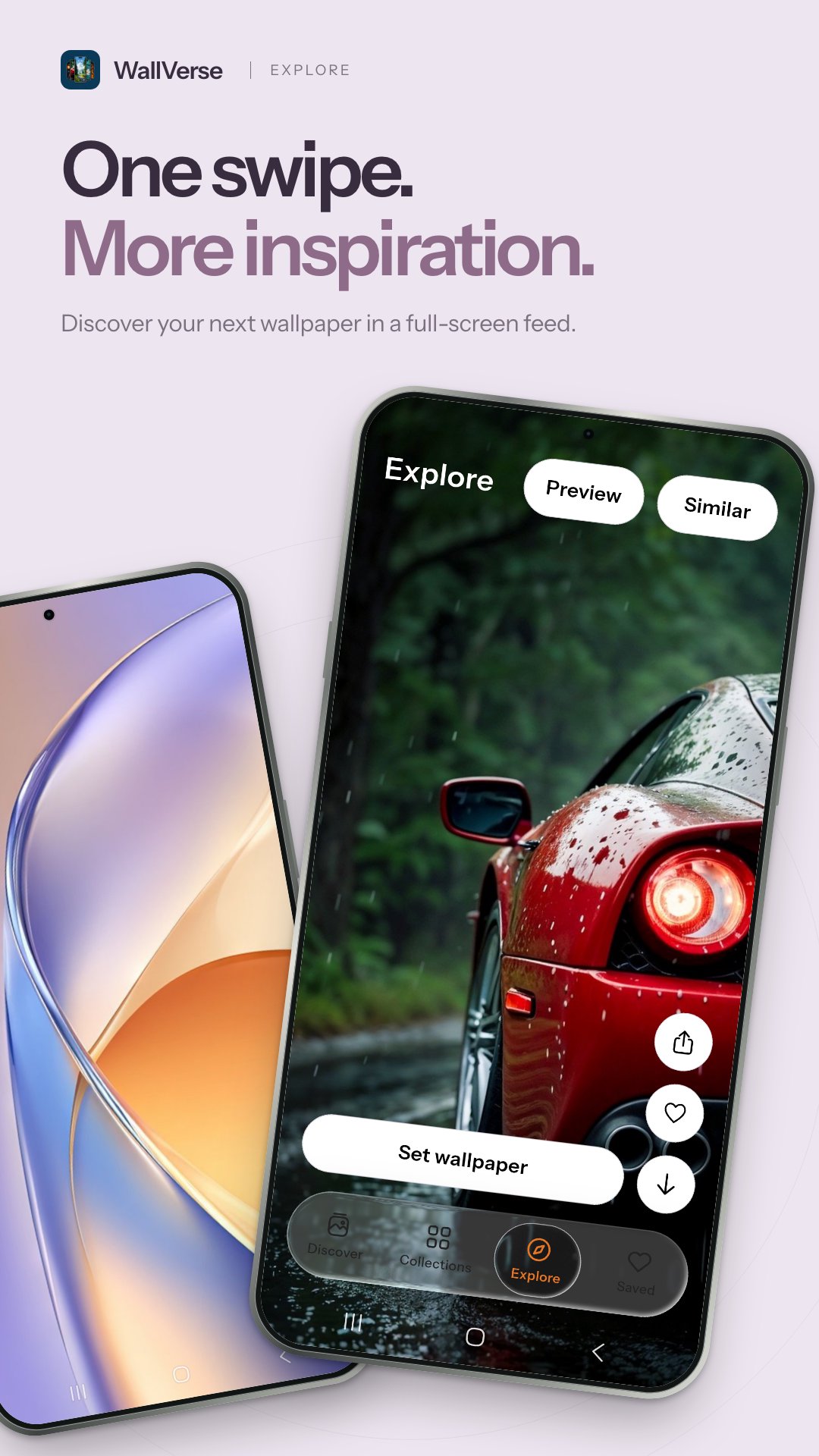
Scroll a fresh, shuffled feed of wallpapers every time you open the app. Tap any wallpaper to see it full screen, swipe to browse more, and pull down to refresh. New wallpapers appear right in the app – no update needed.
EXPLORE – SWIPE THROUGH FULL-SCREEN WALLPAPERS
Explore is a full-screen, vertical wallpaper feed. Just swipe up to see the next one – like scrolling short videos, but for wallpapers.
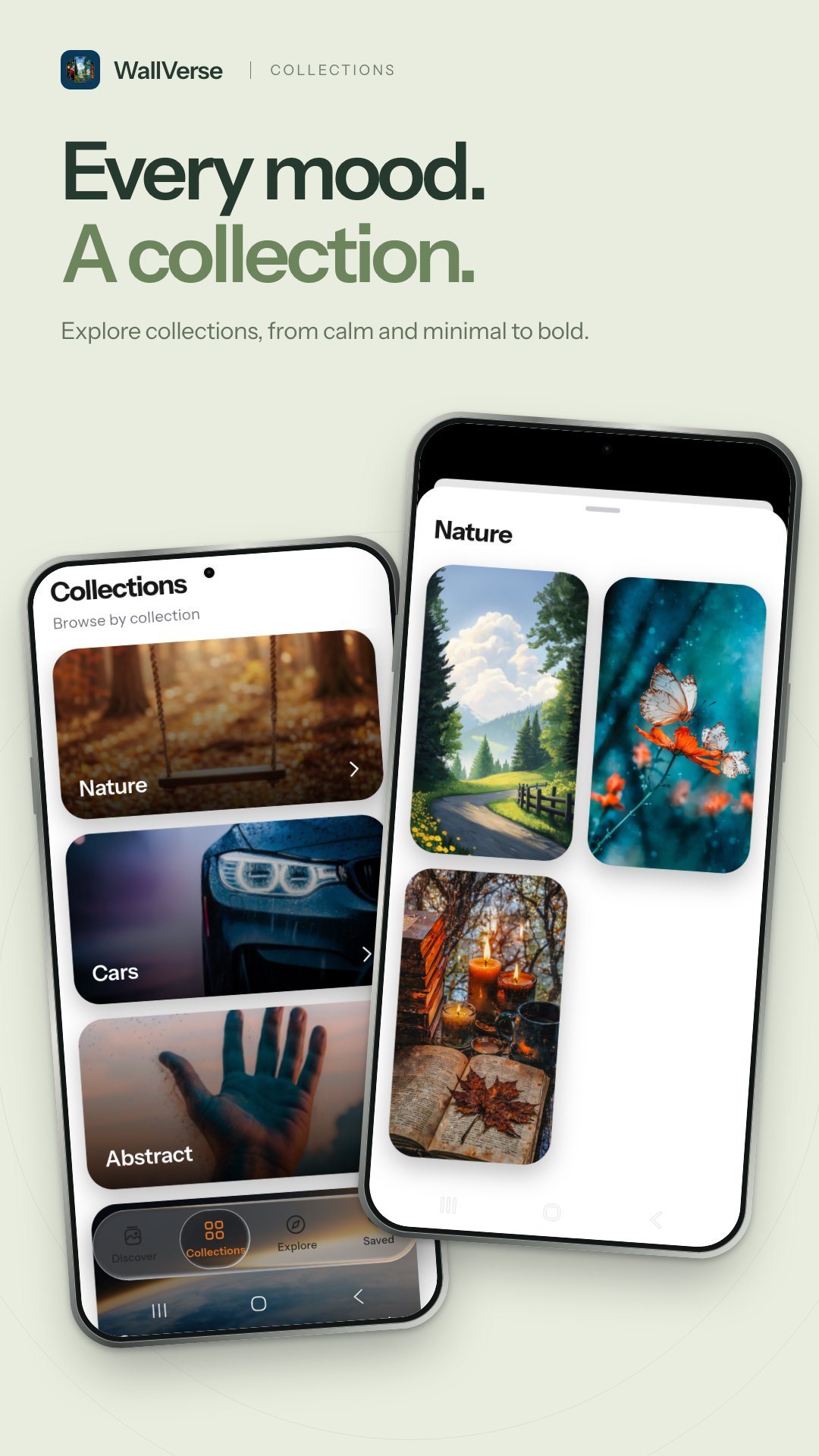
COLLECTIONS
Browse wallpapers by collection and open any collection in one tap. Found one you like? See similar wallpapers and more from the same collection instantly.
MOTION WALLPAPERS – TILT TO MOVE
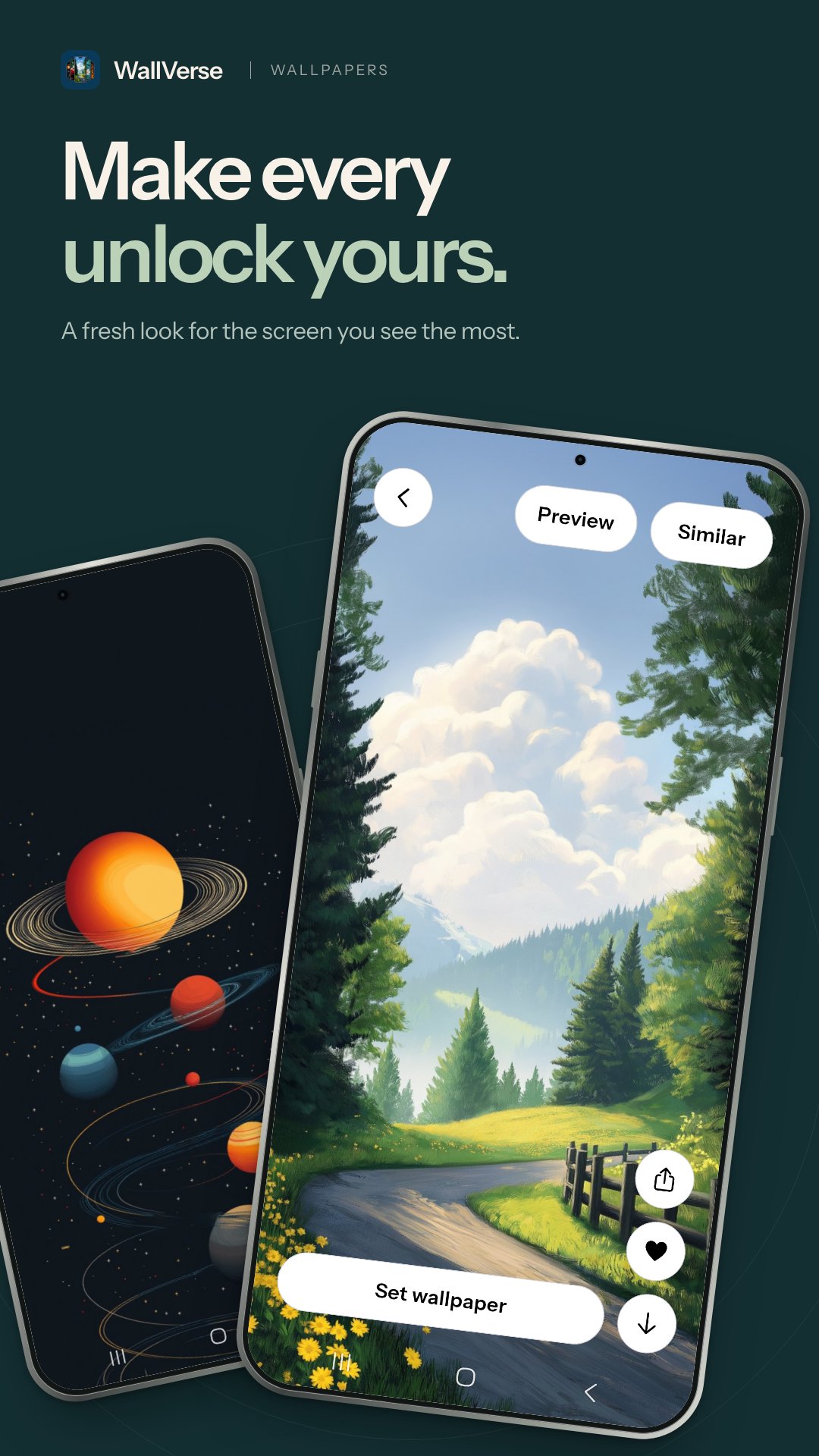
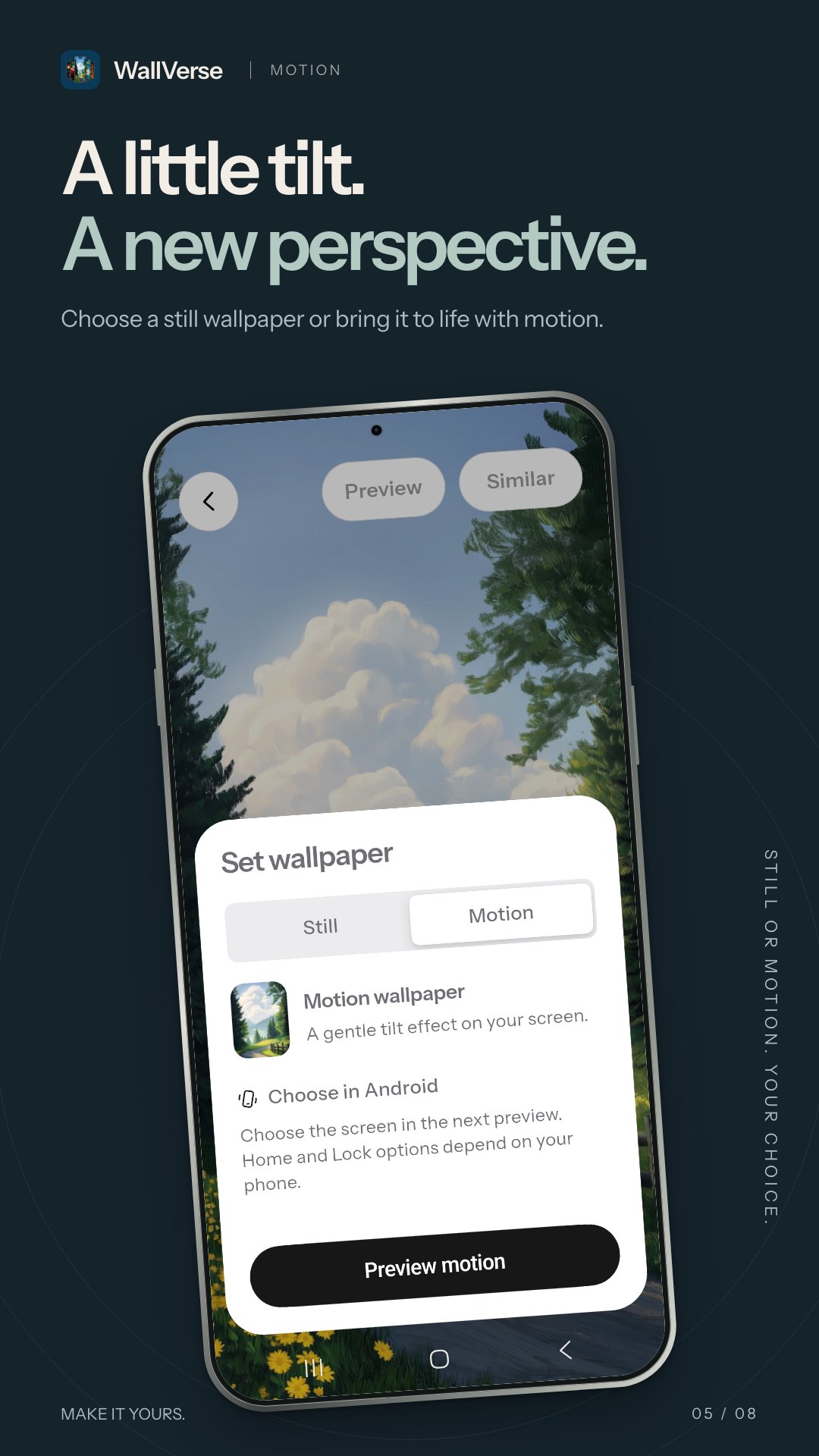
Turn any wallpaper into a live motion wallpaper. Choose Motion when you set it, and the image moves gently as you tilt your phone for a subtle 3D parallax feel. It pauses when your screen is off to save battery.
CHRONOLIFE – YOUR YEAR IN DOTS
A minimal life calendar live wallpaper that shows the whole year as 365 dots (366 in a leap year). Every day you live fills one more dot, so you can see your year progress at a glance. Mark special days like fasting days with individual dates, weekday shortcuts, the 1st or 15th of every month – or clear them all in one tap.
FRAMED – YOUR PHOTO, BEAUTIFULLY FRAMED
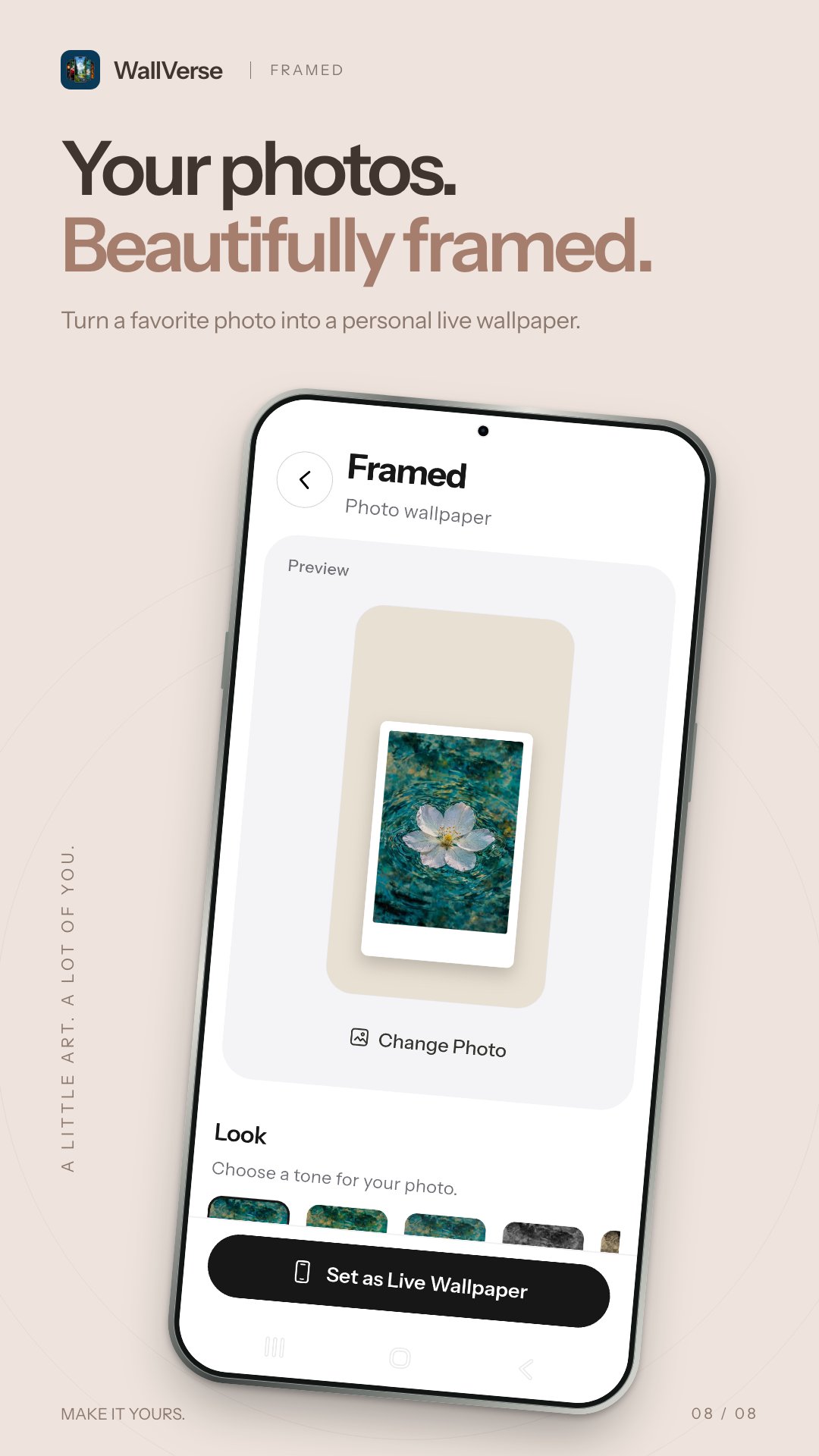
Turn your own photo into an elegant framed live wallpaper. Pick a picture, add a filter – Original, Warm, Faded, Mono or Sepia – then add vignette or grain. Choose an automatic background color or one of 9 background swatches.
PREVIEW ON YOUR LOCK SCREEN
See exactly how a wallpaper looks before you use it. The lock screen preview shows the live date and time, and the preview moves slightly as you tilt your phone.
SET IN SECONDS
Choose Still or Motion, then set your wallpaper on the Home screen, Lock screen, or both. Long-press any wallpaper for quick actions: set, save, download or share.
SAVE & DOWNLOAD
Save wallpapers you love to your Saved tab – no login or account needed. Download any wallpaper straight to your gallery in its own WallVerse album.
WORKS EVEN WITH WEAK INTERNET
Wallpapers you've viewed are cached on your phone, so you can keep browsing them offline. ChronoLife and Framed work fully offline.
MADE FOR PHONES AND TABLETS
A light, minimal design with smooth animations and a glass-style navigation bar. On tablets and foldables, WallVerse shows a bigger grid and a sidebar for easy browsing.
FEATURES
- Beautiful wallpapers in a shuffled Discover feed
- Full-screen vertical Explore feed
- Wallpaper collections
- Similar wallpapers and more from the same collection
- Motion wallpapers that move as you tilt your phone
- ChronoLife: live year-progress wallpaper with 365 dots
- Mark special days on ChronoLife
- Framed: your own photo as a framed live wallpaper
- 5 photo filters plus vignette and grain
- Lock screen preview with live date and time
- Set on Home screen, Lock screen or both
- Long-press quick actions
- Save favorites – no account needed
- Download to your gallery
- Share wallpapers with friends
- New wallpapers without app updates
- Offline browsing of viewed wallpapers
- Phone and tablet layouts
- Battery-friendly live wallpapers
HOW TO SET A WALLPAPER
1. Open any wallpaper from Discover, Explore, Collections or Saved
2. Tap Preview to see it on your lock screen
3. Tap Set and choose Still or Motion
4. For Still, pick Home screen, Lock screen or both
5. Enjoy your new look!
PERSONALIZE YOUR PHONE YOUR WAY
A calm background, a wallpaper that moves with you, your year in dots or your favorite photo – all in one simple app.
Download WallVerse and give your phone a fresh new look today!




One-click to install XAPK/APK files on Android!

Thanks for your rating and feedback!
You have already rated.