













Thanks for your rating and feedback!
You have already rated.

Live cameras, recordings, alarms and alerts from your security system.
Flynet Security 360 is the official app for monitoring your video surveillance system from your mobile phone. Log in with your account and see in real time what's happening at your home, business, or company, wherever you are.
LIVE CAMERAS
• View live video from all your cameras simply by opening the app.
• List or grid view, with online/offline status for each camera.
• Full screen with one tap and easy playback controls.
RECORDINGS AND MY VIDEOS
• View recordings from each camera by date.
• Save the segment you're interested in by specifying the start and end times, and give it a title.
• All your saved clips are stored in the "My Videos" section to view or share whenever you need them.
MOSAICS AND SMART MOSAICS
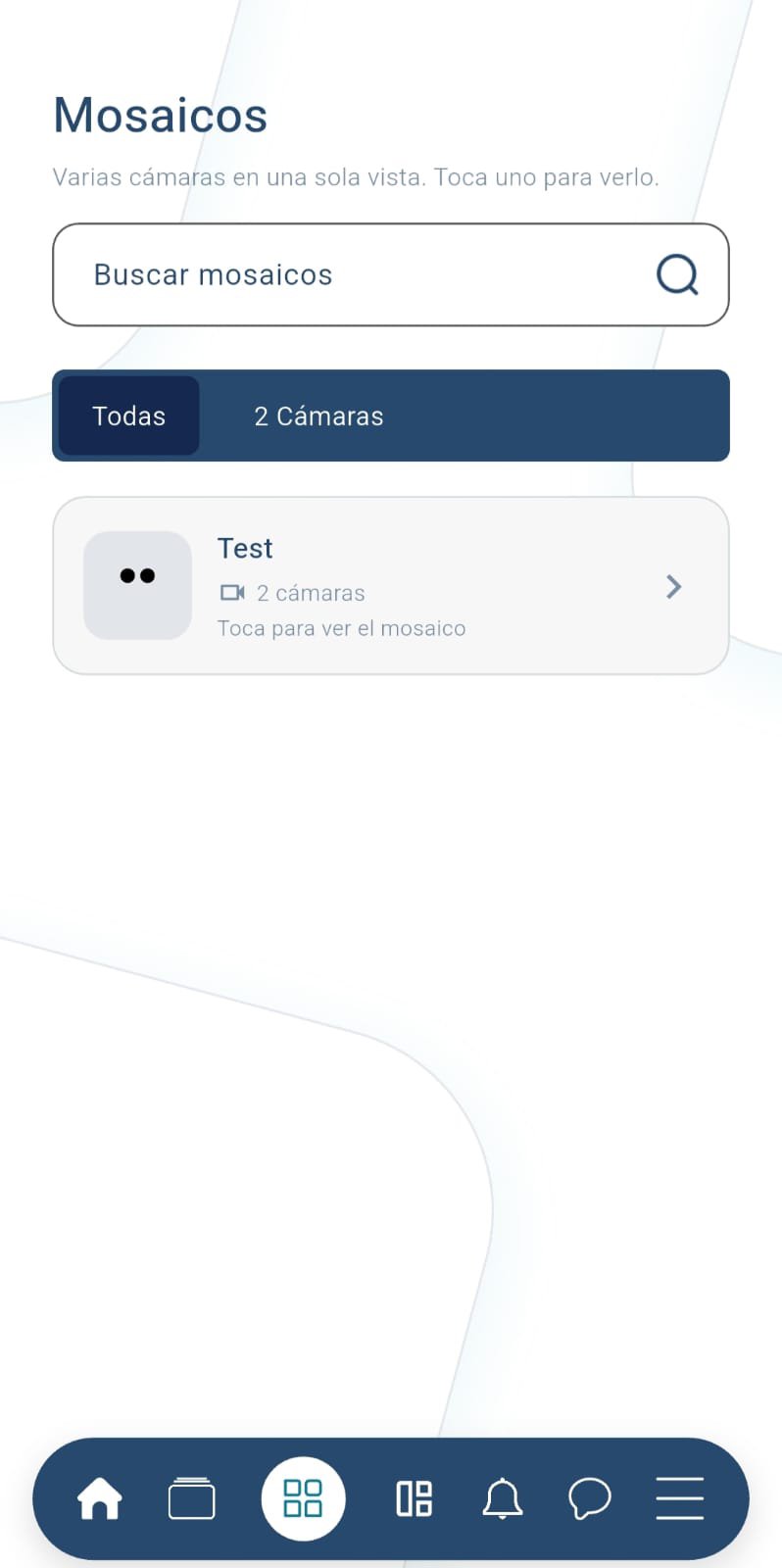
• View multiple cameras at once in a single mosaic.
• Access your smart mosaics to quickly review the areas that matter most to you.
• Search for any tile or camera by name.
CAMERA MAP
• Locate your cameras on the map and open the one you need directly from there.
• Search for locations and switch between map and list views.
ALARM MAP
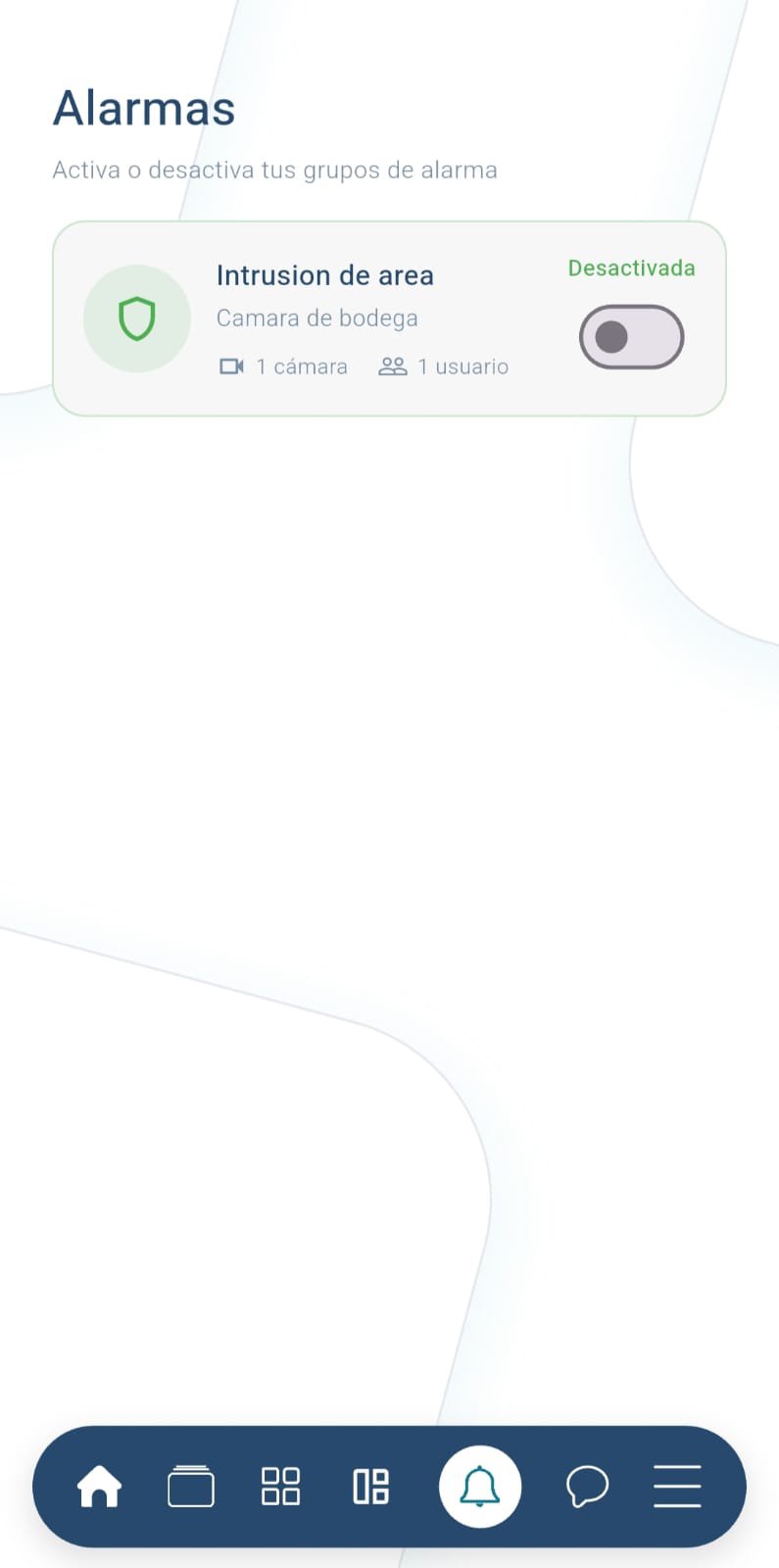
• Check your alarm groups and their status: armed or disarmed.
• Arm or disarm from the app with a switch.
NOTIFICATIONS
• Receive alerts on your phone when an event occurs in your system.
• Notification center with history and read receipts.
GROUPS AND CHAT
• Communicate with your team or your surveillance group using the integrated chat.
• Real-time messaging within each group.
WHAT YOU NEED TO USE THE APP
Flynet Security 360 works with an active Flynet service account and cameras that are already installed and configured. If you are not yet a customer, contact Flynet Security to subscribe to the service. The app requires an internet connection.
PERMISSIONS WE USE
• Location: To display your cameras on the map and center the map on your location.
• Notifications: To alert you of alarms and events from your cameras.
• Storage and photos: To save and share the video clips you download.
Do you have any questions or comments? Write to us, and we'll gladly help you get the most out of your security system.




One-click to install XAPK/APK files on Android!
Thanks for your rating and feedback!
You have already rated.