









Thanks for your rating and feedback!
You have already rated.

Nothing Glyphify is a customization app for the Nothing Phone’s Glyph interface.
Built by Fr4nKB and independent from Nothing Technology, Nothing Glyphify turns the LED Glyphs into richer, livelier tools across Nothing Phone (1), (2), (2a/Plus), (3a/Pro), and (3). Its main appeal is zone-level control that makes notifications, progress, and charging indicators both useful and fun. If you download Nothing Glyphify, you get features that go beyond stock options while staying practical day to day. Below are the key highlights that stand out in regular use.
Extential notifications let you map specific Glyph zones to contacts, apps, or chats, then pair them with animation styles that are easy to recognize at a glance. On Nothing Phone 2a and 3a, “Glyph fragmentation” simulates extra LEDs, which helps separate more people or apps on the back of the phone. The Nothing Glyphify app balances customization with control, but a few limits apply. Group chats only appear after at least one message is received, and single-conversation binding for some services is not ready yet. If the timeout slider does not respond, granting the Alarm permission resolves it.
Glyph Progress turns downloads, uploads, and media playback into visible progress bars that run across the back LEDs. It works on legacy Glyphs and the newer Glyph Matrix, and now it can display side by side with Extentials, so you do not lose your contact cues when monitoring a big file. Enabling Notification Content Privacy is required for full detail. App support can vary by device, so some services may not show progress consistently. The latest update improves stability, which helps progress indicators feel more reliable in daily use.
Charging Meter restores the missing on-device charging percentage on Phone 2a, 3a, and 3 models and can remain visible even after you unplug, so a quick flip shows where the battery stands. A configurable Battery Alarm adds sound and matching Glyph animations when your battery reaches a chosen level, useful for overnight charging or low-battery reminders. The Nothing Glyphify app focuses on quick glanceability, so you can check status without waking the screen. If you prefer a cleaner look, simply toggle the meter off when you want the LEDs to stay dark.
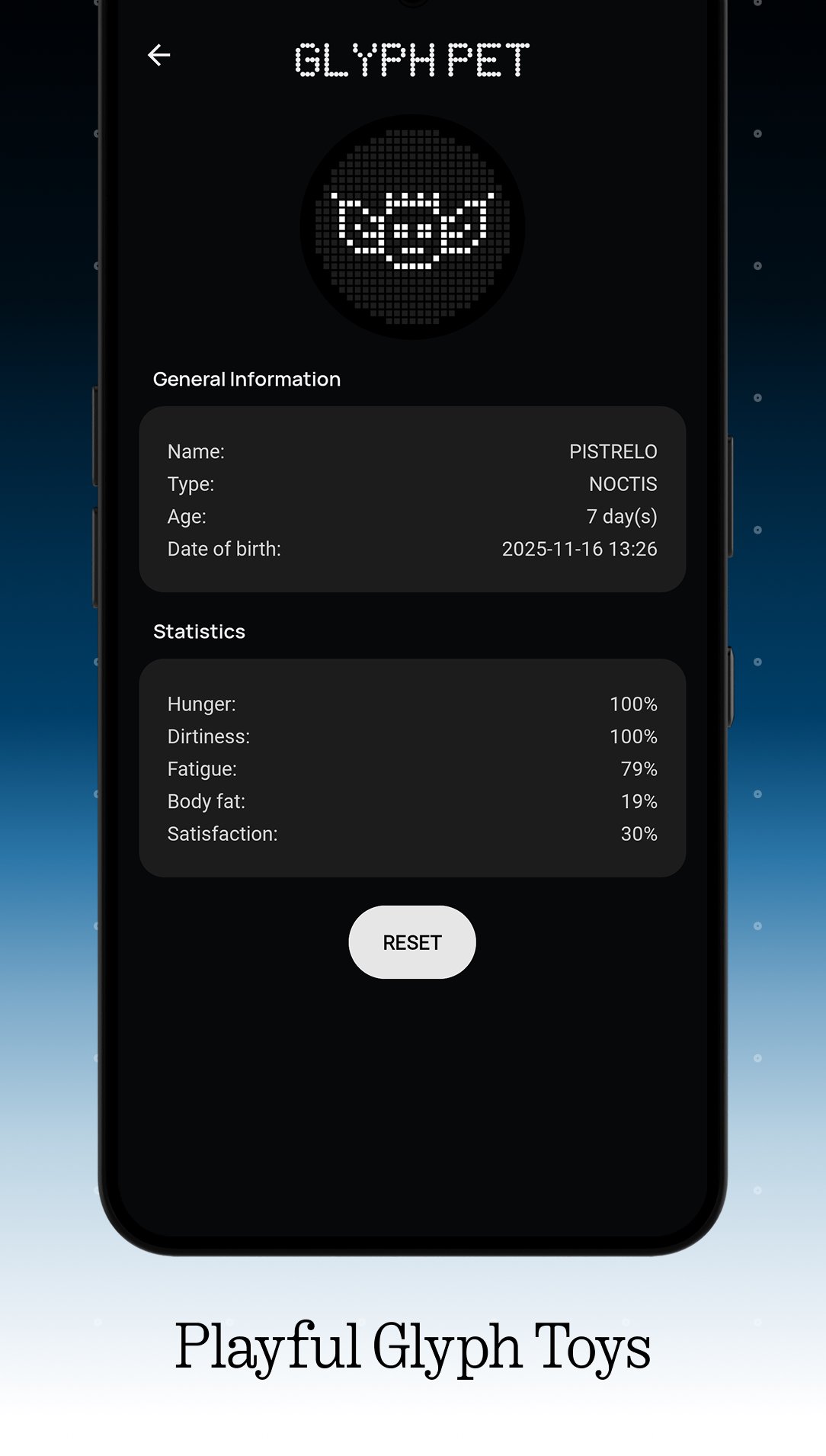
Owners of Glyph Matrix devices get playful and practical additions that make the back lights more than alerts. On Charge animations add a bit of flair while you top up. Ball Maze is a quick mini-game that turns idle moments into a small challenge. Glyph Dial enables quick calls to favorite contacts without unlocking, which is handy when rushing out the door. The evolving Glyph Pet brings a small companion to the lights, and its wake-up behavior is now smarter, rising when fatigue is very low. A real-world Minimap visualizes your movement on the Matrix, adding a novel on-the-go glance.
For older Glyph setups, Automatic Composer converts your favorite mp3 or wav tracks into ringtones that sync animations to the beat. After conversion, Glyphify Studio opens a waveform view for finer control, with auto keyframes and remix tools to refine the feel. Different conversion versions help match various musical styles, so a soft ambient track can pulse gently while an upbeat song hits harder. This is where personal taste shines; a short chorus loop often feels more readable on LEDs than a long verse. For proximity fun, Glyph Near can trigger animations when another user is close by.
You can get the Nothing Glyphify latest version on APKPure. The download time depends on your connection speed, and the size may vary depending on the APK version, so ensure sufficient storage before downloading. After installation, the app may request permissions like Notification access, Alarms, and content privacy for features such as Extentials, progress bars, and battery alerts.
During first launch, check the new What’s New section to see recent changes and tips. If you face device-specific limits, try toggling features on and off or revisiting permissions. For the smoothest setup, open the app and confirm each prompt before customizing zones or ringtones. When ready, start with one Extential contact and a single progress-enabled app to learn the patterns, then expand as needed. To begin, download the Nothing Glyphify APK and personalize the Glyph interface to fit your daily routine.




One-click to install XAPK/APK files on Android!
Thanks for your rating and feedback!
You have already rated.