











The days of no-limit app installs and verification are nearing their end for the entire Android community. In September 2026, a major shift will occur - a mandatory new developer identity verification policy will be rolled out in selected regions to enhance Android app security. Since then, developers are required to submit a non-refundable $25 registration fee to complete the enhanced Android Developer Verification for wide distribution. And users are not allowed to sideload an unverified app unless they complete the "Advanced Sideloading Security Flow" (Advanced Flow), a series of safeguards processes including biometric identification, pin code verification, etc.
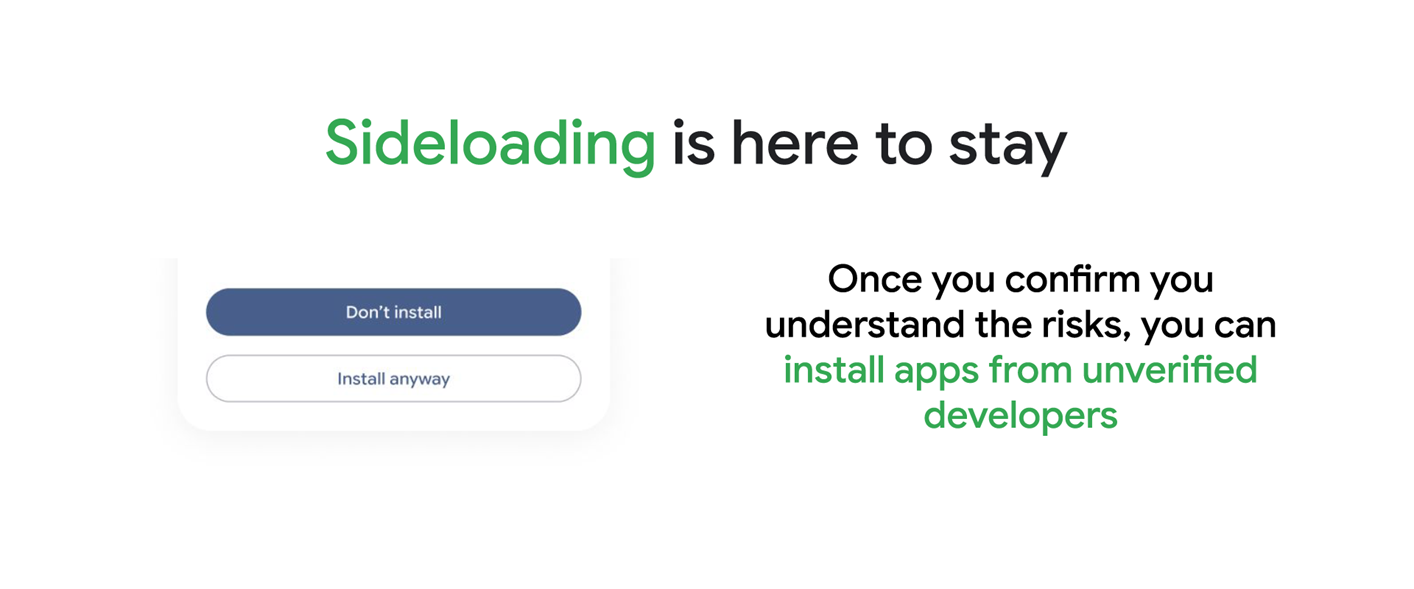
New Developer Verification Fully Launched in September 2026
September 2026 marks the full rollout of two distribution account options in Brazil, Singapore, Indonesia, and Thailand. On the Android Developer Console, developers are free to opt for the distribution plan that best suits their needs.
- Full Distribution Account: $25 paid plan for pro developers who want unlimited app distribution.
- Limited Distribution Account: Sign up for free, designed for students and hobbyists.
| Timeline | Account | Fee | Details | Limits |
| Nov 25 | Full Distribution | $25 Non-refundable fee | Early Access | No Limits |
| Mar26 | Full Access | |||
| Jun 26 | Limited Distribution | Free | Early Access | |
| Aug 26 | Full Access | |||
| Sep 26 | Full & Limited Distribution | $25 for full distribution and $0 for limited distribution | Mandatorily enforced in Brazil, Singapore, Indonesia, and Thailand | Unlimited number of apps to up to 20 devices |
| 2027+ | Further global markets |
Legal name, physical address, email address, and phone number are mandatory for registration and verification. Depending on the account type, additional checks may be required, such as a government-issued ID or a DUNS number. This rule applies to apps distributed not only through Google Play, but also via third-party app stores and personal websites.
Google Introduces "Advanced Flow" for Safe APK Sideloading
Starting September 2026, Android users must complete the "Advanced Flow" process before installing unverified apps. This series of safeguards is designed to protect against scams and social engineering.
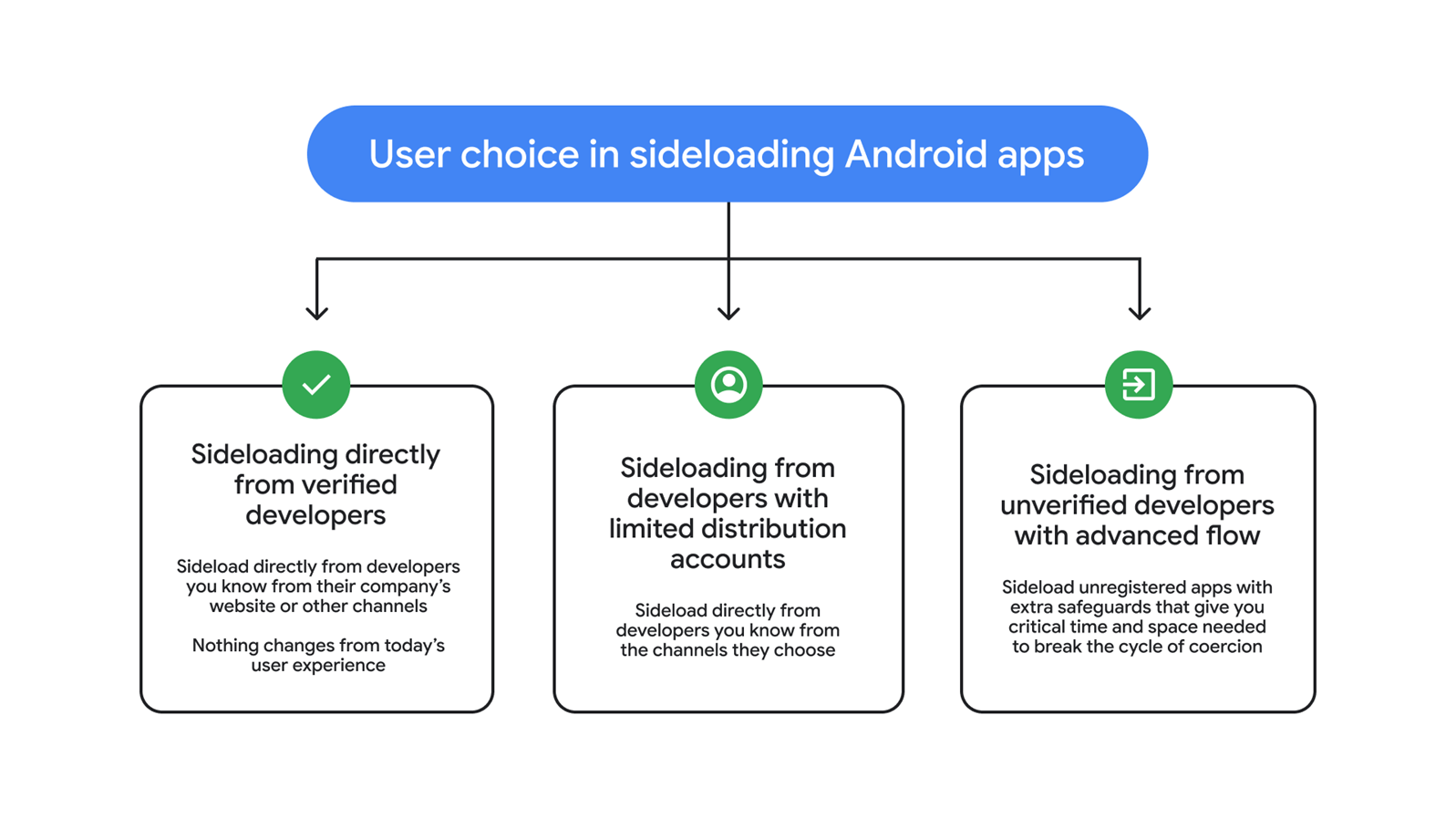
"Advanced Flow" is a mandatory, multi-step security process. It uses strict checks to stop scams, fraud, and harmful apps, making sure every action is safe and legitimate. To begin, users must manually enable Developer Options within Android Settings. This is typically accomplished by tapping the Build Number seven times in the About Phone menu.
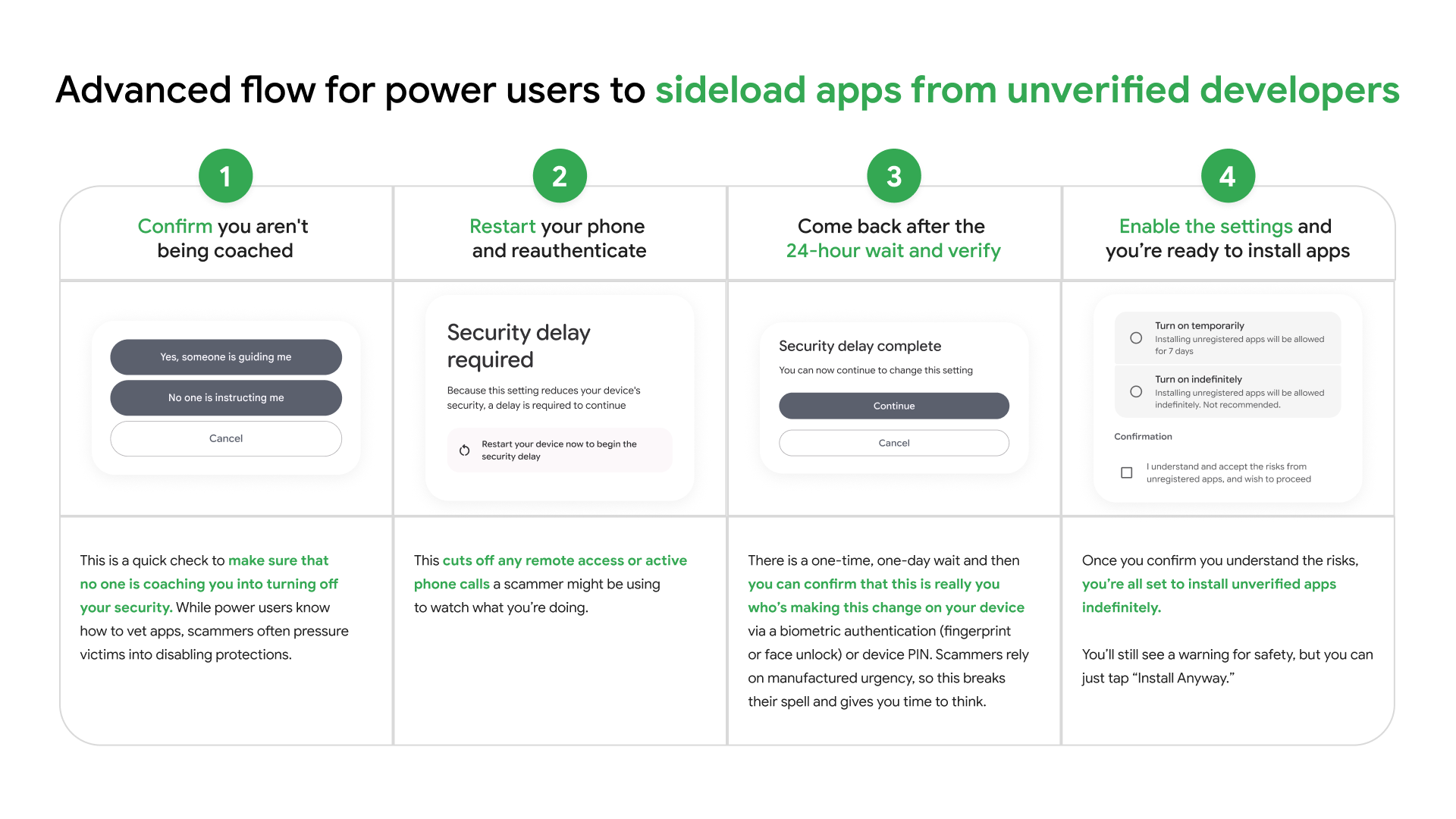
Step 1: Confirm It's You
A clear pop-up asks you to confirm no scammer (via call or remote control) is forcing the install. Check a box, and the system may log this to block hasty malicious app approvals.
Step 2: Reboot & Prove Your Identity Again
Your phone reboots immediately, then you log in or use biometrics to verify yourself, cutting off scammers' remote control or hidden malware.
Step 3: Wait 24 Hours
Right after reboot, a 24-hour timer starts - no app installs allowed. It fights urgent scam pressure and gives you time to think or ask for help.
Step 4: Final Security Check
After 24 hours, use biometrics or PIN to finish. Choose a 7-day temporary pass or permanent trust list, securely stored in your phone's keystore.
Why Google Is Launching New Android Developer Verification
- Google frames the policy as a move to cut down on malware and financial fraud, especially in regions where these risks are most severe, which is why it's launching first in places like Brazil and Indonesia.
- The company calls Advanced Flow a one-time setup that strikes a balance between flexibility and user protection.
- Data shows sideloaded apps have far higher malware rates than those on the Play Store, reinforcing its point that stronger user safeguards were long needed.
Pros and Cons of Google Android Verification for APKPure
Google's verification policy represents a clear tradeoff: security gains come at the cost of freedom. While the measures promise real-world benefits in combating fraud and malware, they also mark a visible step toward centralization. For APKPure, the change is a double-edged sword - boosting trust but threatening engagement.

Pros
- Beefed-up developer verification and the Advanced Flow process can slash scams and malicious app installs, offering critical protection for users who aren't tech-savvy.
- The policy keeps sideloading technically possible, ensuring Android's core open philosophy doesn't get completely tossed aside.
- Verified developer identities boost transparency, which could foster more trust between users, developers, and app distribution platforms alike.
Cons
- For third-party app stores, the extra hoops are a big problem. The lengthier process, verification roadblocks, and mandatory waiting periods might push casual users to give up on sideloading entirely.
- Independent developers lose much of the agility and anonymity that once made Android's creative space unique, facing new administrative red tape that could discourage experimental projects.
- By tightening Google's control, the policy edges Android closer to the closed ecosystems it once stood against - potentially slowing down diversity and innovation in the app market.
- From a user's perspective, the 24-hour delay and multi-step verification make sideloading far less convenient, especially for people who aren't familiar with technical steps.
Driven by the 2026 developer verification policy, Android has evolved significantly under Google's "security-first" approach. Whether this shift will effectively protect users from scams and malicious activity while preserving the platform's creative spirit - the very cornerstone that's long fueled developer innovation and user choice - remains one of the most critical questions shaping Android's future over the next decade.