
Safe & Fast APK Downloads on APKPure
APKPure uses signature verification to ensure virus-free Lucky Patcher Installer APK downloads for you.

Lucky Patcher Installer is an official installer utility for the Lucky Patcher app.
Developed by ChelpuS, it focuses on safe, straightforward installation from the official website, reducing the chance of fake packages and setup errors. It streamlines the process with clear prompts and guides you through common Android security steps. To help you decide whether to download Lucky Patcher Installer APK, here are the highlights:
The Lucky Patcher Installer app helps you get the genuine Lucky Patcher from the developer’s official website instead of relying on random downloads. This reduces the risk of counterfeit APKs and avoids common integrity problems that lead to failed installs. For users concerned about authenticity, this is the simplest way to ensure the package matches what the developer intended.
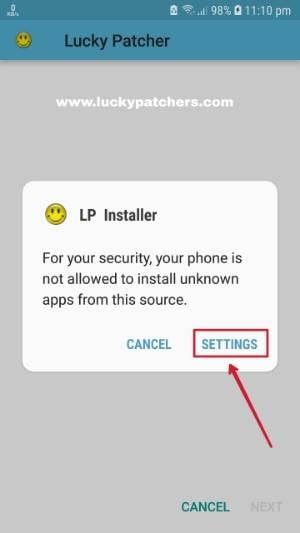
There are still standard Android checks to pass, such as allowing installations from unknown sources. These are expected and usually appear as system prompts. Recent Lucky Patcher updates include improved translations and bug fixes, so using the installer keeps you aligned with the latest release without having to chase separate sources.
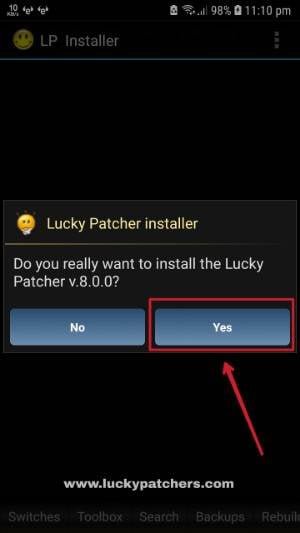
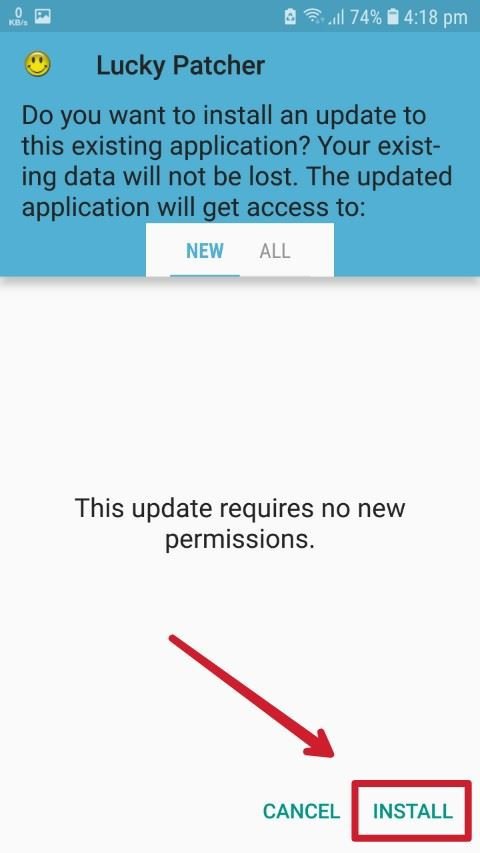
The Lucky Patcher Installer app uses a clear dialog flow to reduce confusion: you launch it, confirm you want to install Lucky Patcher, then follow the on-screen steps until the Install button appears. This keeps the process short and consistent, even if your device brand adds extra warnings or steps.
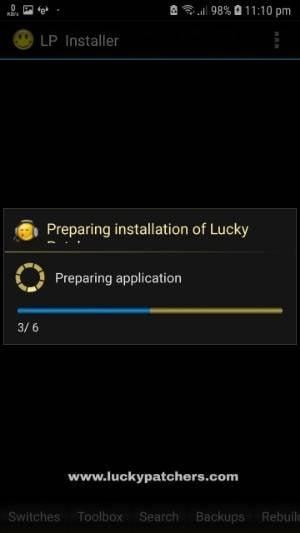
Because the installer prepares the required files and components for you, there’s less guesswork. Users who have had “installation blocked” messages on certain devices will appreciate the streamlined approach that gets straight to installation instead of sending you hunting through settings.
When Android blocks an install from outside the default app source, the Lucky Patcher Installer app offers a direct jump to the setting that enables “Allow from this source.” This is faster than manually finding the right toggle and reduces setup friction on newer Android versions where the path differs between skins.
If you see “App not installed,” it may be caused by device security scanning, including Play Protect. The installer explains how to adjust those scanning settings to proceed. Turning off scanning is a trade-off, so a practical approach is to install Lucky Patcher, then turn scanning back on afterward. This balances installation success with everyday protection.
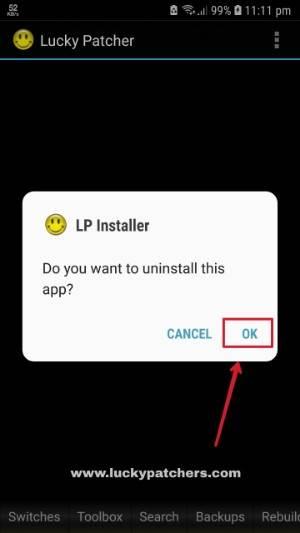
After Lucky Patcher is successfully installed, the Lucky Patcher Installer app prompts you to remove the installer. This keeps your app list tidy and reduces background clutter. It’s a helpful reminder for users who prefer a clean setup once the job is done.
For permissions, storage or file access may be needed during installation, while “Manage phone calls” can be declined because it’s not essential. Some devices or policies may still show warnings or block steps, especially on tightly secured systems. In those cases, follow the on-screen guidance, complete installation, and restore any security settings you temporarily changed.
You can download Lucky Patcher Installer APK on APKPure and start the guided setup right away. Download time depends on your network speed, and the size may vary by APK version, so ensure you have enough free storage before beginning.
After the download, open the installer and follow the prompts. You may see system warnings about unknown sources or security scanning; adjust settings as needed, then restore them once Lucky Patcher is installed. For users seeking Lucky Patcher Installer latest version, this approach keeps the process simple and consistent.
When installation is complete, consider removing the installer and re-enabling any security features you paused. This keeps your device clean and protected while still giving you the app you intended to install.


One-click to install XAPK/APK files on Android!

Thanks for your rating and feedback!
You have already rated.


