Package Name:jp.tanaike.menu
Show More

Create Menus Quickly & Easily
Create menus easily on your smartphone or tablet for restaurants, cafés, bars, food trucks, and other businesses.
Simply enter item names, descriptions, prices, and photos to create a clear and attractive menu.
No computer or specialized design software is required.
With an intuitive interface, even first-time users can create, edit, save, and print menus directly from a smartphone or tablet.
This app can be used for restaurants, cafés, pubs, bars, food trucks, takeout shops, bakeries, dessert shops, and many other food businesses.
Organize food and drink items by category and add names, descriptions, prices, photos, and other details.
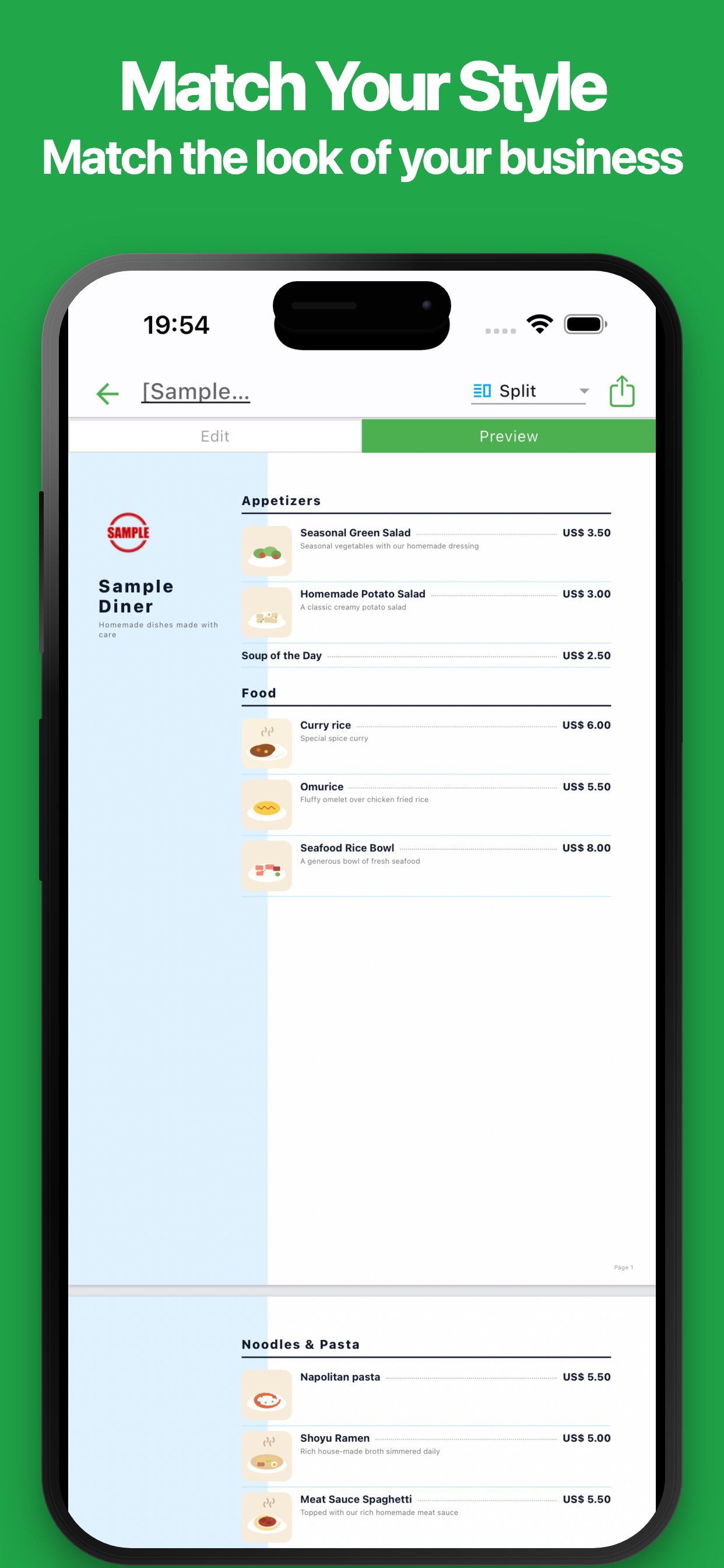
Choose a layout that matches your restaurant style and menu content to create your own original menu.
Created menus can be saved as images or PDF files for printing and sharing.
It is also useful when adding new items, changing prices, or updating seasonal menus.
This app can be used for:
・Restaurant food menus
・Café drink and dessert menus
・Pub and bar food and drink menus
・Lunch and dinner menus
・Food truck and street food menus
・Takeout and delivery menus
・Bakery and cake shop menus
・Limited-time and seasonal menus
・Course and set menus
・Chef’s recommendations and daily specials
Create menus that match your business and offerings directly from your smartphone or tablet.
Try the app and start making your own menu easily.
■ Features
・Easy menu creation
Create menus simply by entering item names, descriptions, prices, and other information.
No design experience or technical knowledge is required.
・Smartphone and tablet support
Create menus without using a computer.
You can review and update your menu in your store or while away from your desk.
・Intuitive interface
The app has a simple and easy-to-understand interface.
Even first-time users can create and edit menus without difficulty.
・Manage menu items
Add item names, descriptions, prices, and other information needed for your menu.
Edit the content to match the products and services you offer.
・Organize items by category
Group items into categories such as food, drinks, desserts, and lunch.
Create a menu that remains clear and easy to read even with many items.
・Choose a layout
Select a design from multiple layouts to match your restaurant and menu content.
Check the preview while choosing the layout you want to use.
・Add food and product photos
Add photos of dishes, drinks, desserts, and other products.
Use images to clearly show customers what each item looks like.
・Clear price display
Add a price to each item.
Display item names, descriptions, and prices in a clear and organized format.
・Manage multiple menus
Create separate menus for different purposes or times of day.
Manage lunch, dinner, drinks, seasonal menus, and more individually.
・Preview
Review your menu while editing it.
Adjust the content and design while checking the final appearance.
・Save as an image
Save your menu as an image.
This is useful for sharing on social media, messaging apps, or displaying digitally.
・PDF export
Export your menu as a PDF file.
Use it for saving, sharing, and printing.
・Easy printing
Print your menu directly from your smartphone or tablet.
Output your menu whenever you need it.
・Sharing
Share your menu by email, messaging apps, and other services.
It is also useful for checking content before printing or sharing updates with staff.
・Import
Import saved data and continue editing at any time.
Reuse an existing menu and update items, prices, and other information.
・No account required
No account creation or login is required.
Start creating menus immediately after installing the app.
Create, edit, save, share, and print menus with simple and intuitive controls.
This app is suitable for restaurants, cafés, bars, food trucks, bakeries, takeout shops, and many other businesses.





One-click to install XAPK/APK files on Android!

Thanks for your rating and feedback!
You have already rated.