Package Name:com.file.manager.xtreme
Show More

All-in-one File Manager, cleaner, player, PDF editor & status saver
•Full list of features here: ronalddwk.com
Features:
🗂️ Smart File Categorization Organizes all your files into clean, easy-to-browse categories so you can find anything in seconds:
•Images
•Audio
•Videos
•Zips
•APKs
•Documents
•Downloads
•GIFs
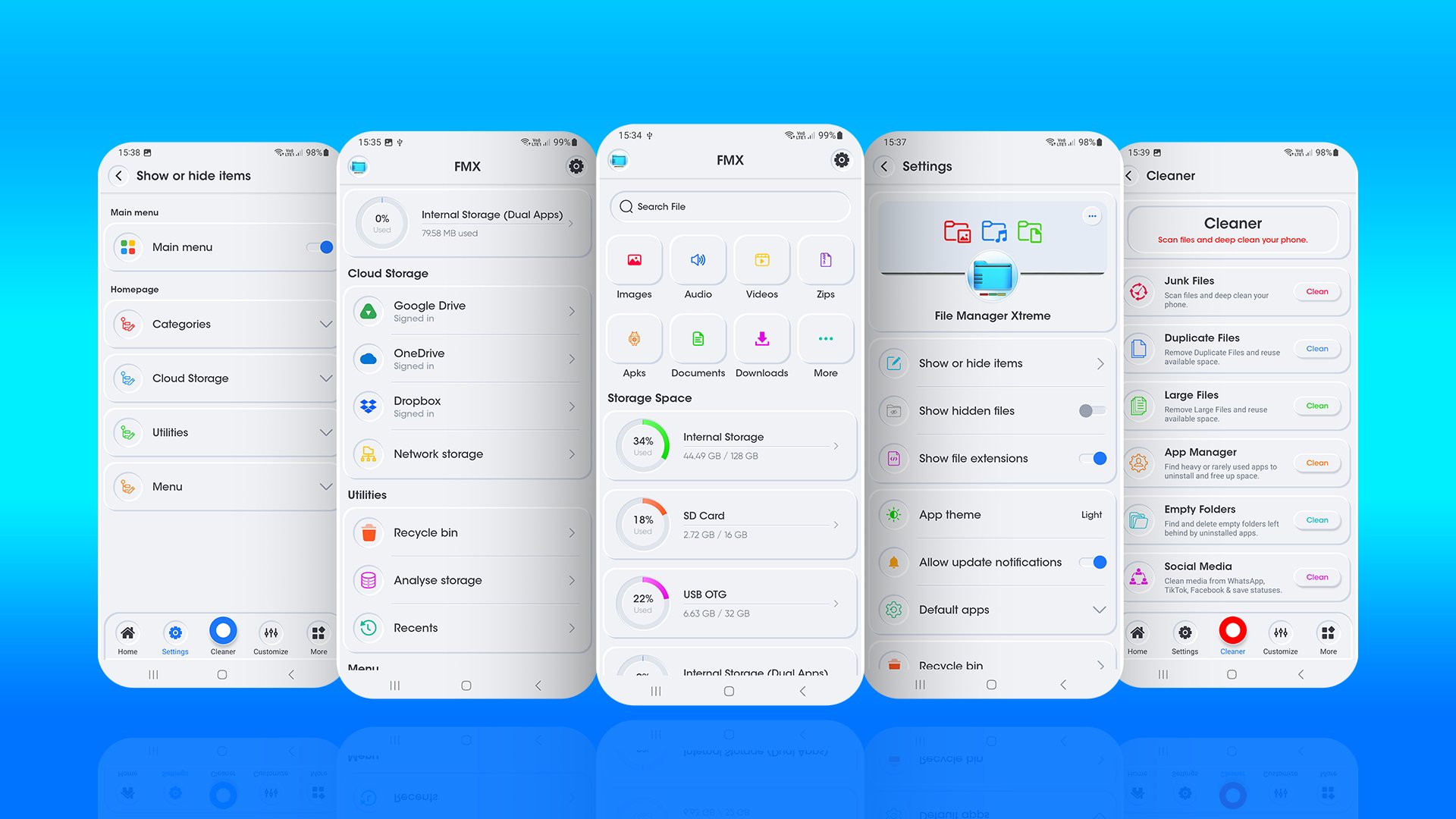
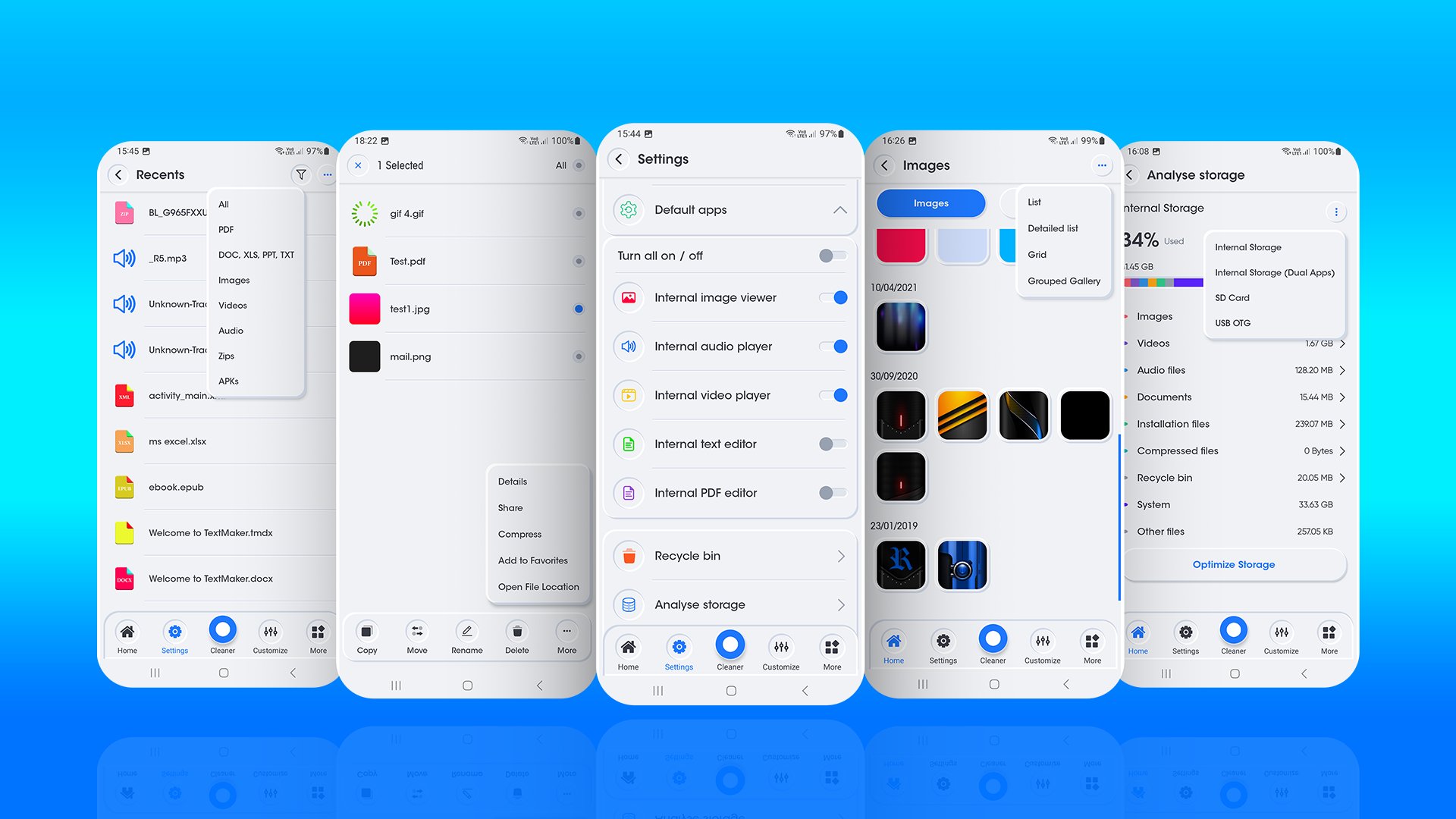
💾 Complete Multi-Storage Support Access
•Internal Storage
•SD Card
•USB OTG
•Dual Apps & Parallel Storage
•Storage Analysis & Clean-up
☁️ Cloud & Network Storage Integration Access
•Google Drive, Microsoft OneDrive, and Dropbox
•Network Storage
♻️ Recycle Bin (Trash Recovery)
•Accidental Deletion Protection
•One-Tap File Restoration
•Permanent Cleanup
🕒 Recent Files
•Instant Media Access: View newly downloaded files in a single timeline.
•Chronological Order: Automatically sorts files by date added or modified.
•Smart Filter Shortcuts: Filter recent items.
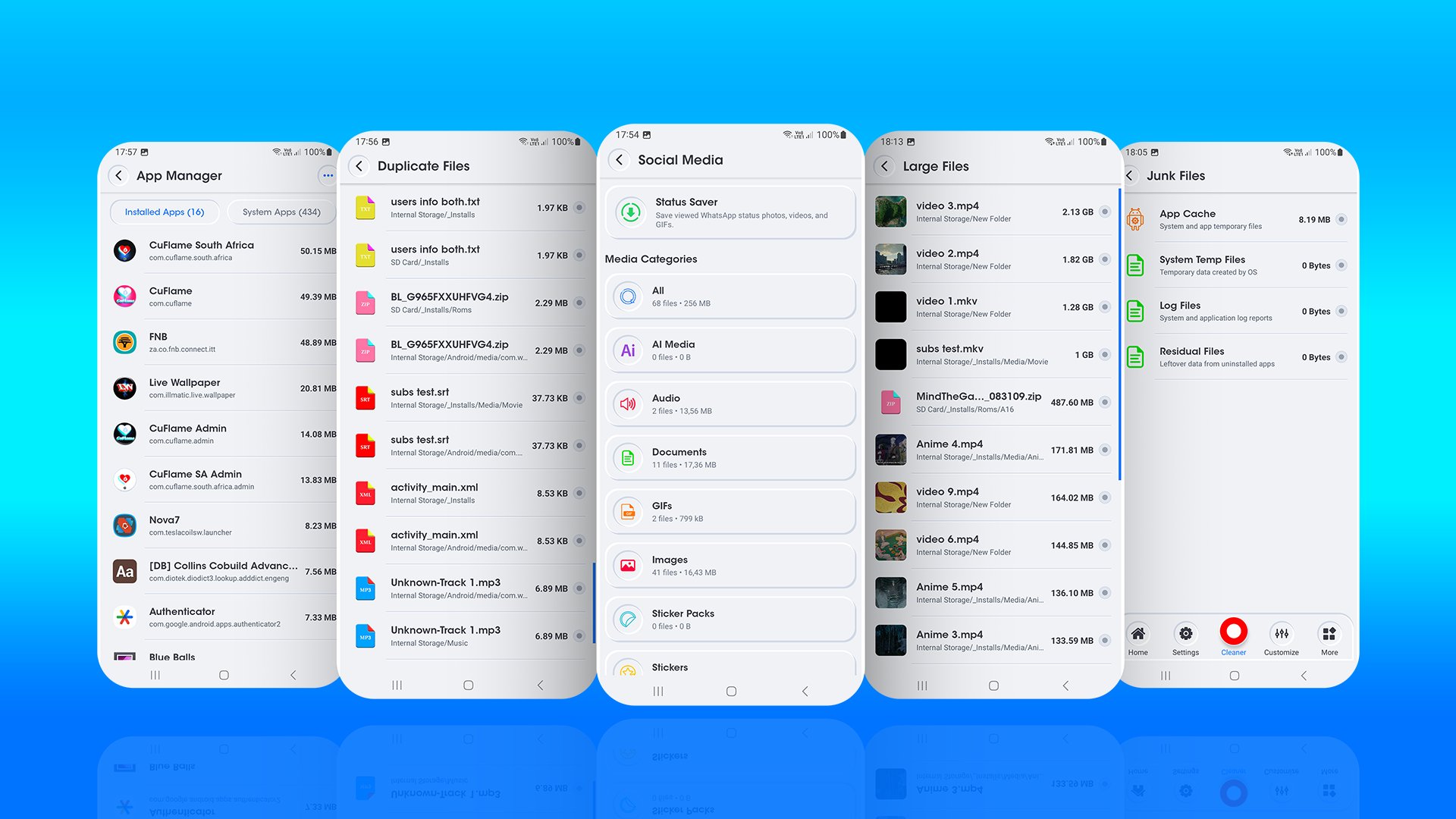
📊 Storage Cleaner & WhatsApp Status Saver
•Junk Cleaner
•Duplicate File Finder
•Large File
•WhatsApp Status Saver
•Social Media Cleaner
•App Manager & Uninstaller
•Empty Folder Remover
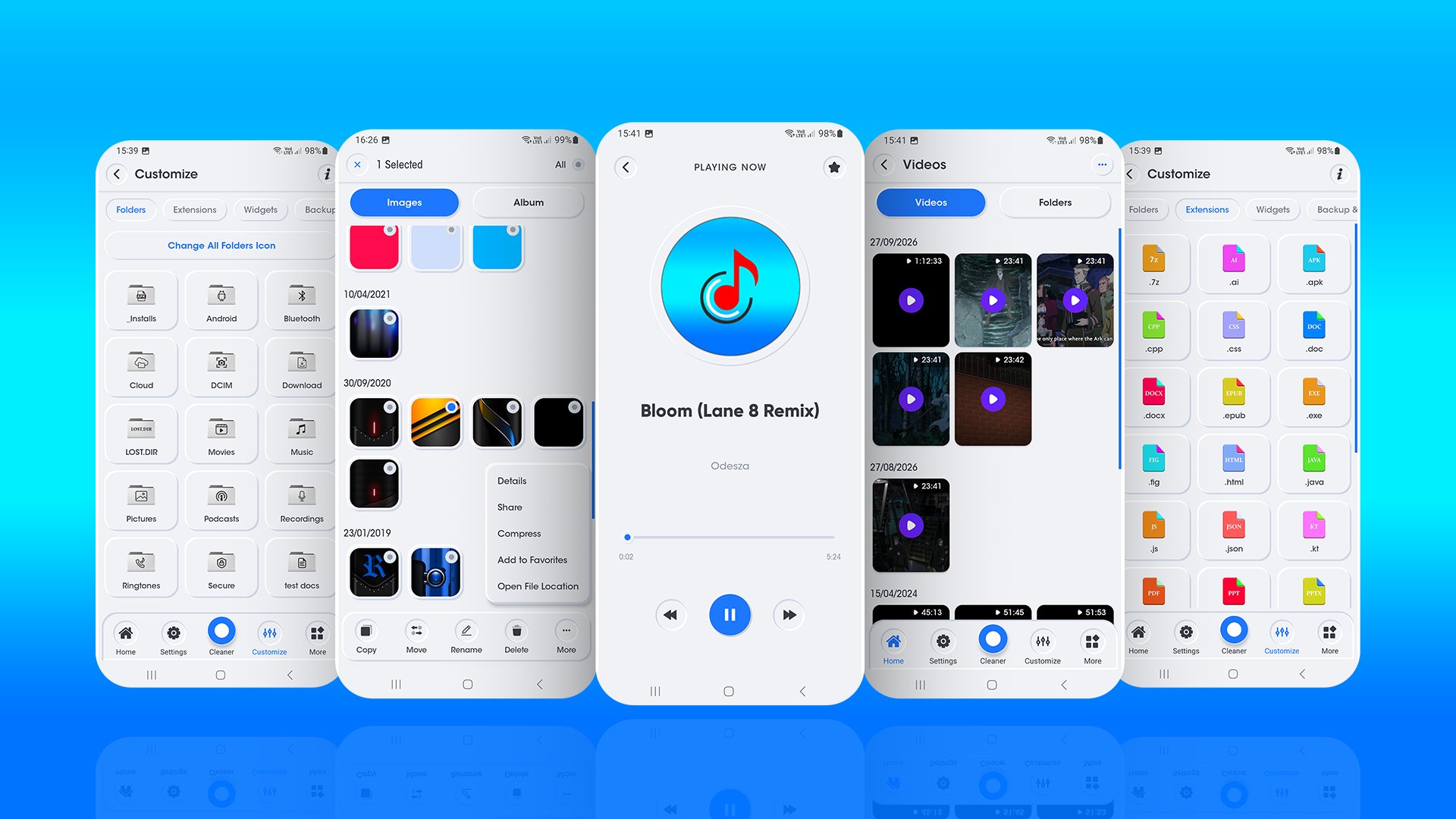
🎨 Customization & Widgets
•Custom Folder: Assign custom images, photos, or color tints to any folder.
•File Extension Customizer
•Home Screen Widgets
•Settings Backup & Restore
🖼️ Custom Gallery
•Full-Screen Photo Viewer
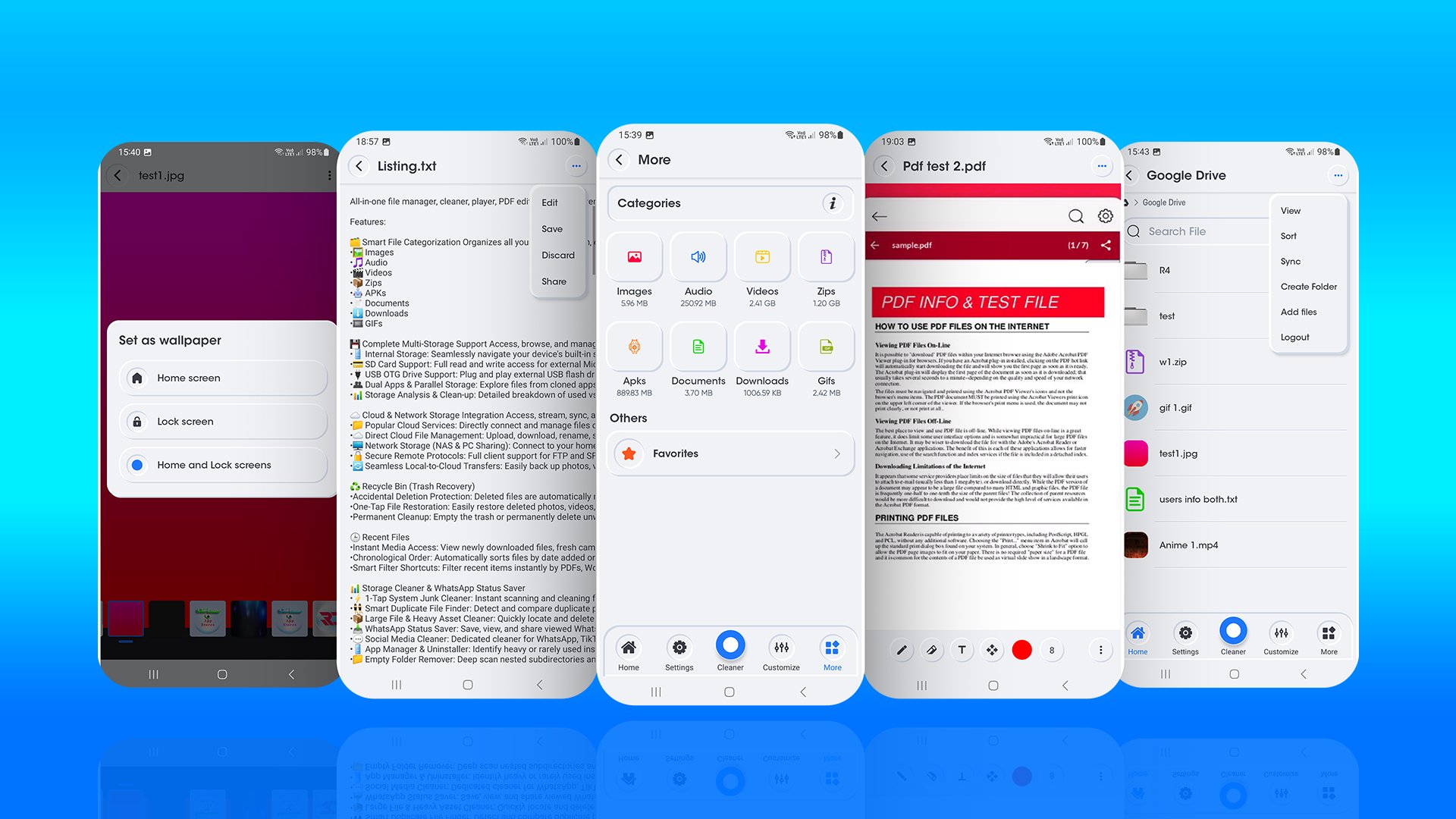
•Set as Wallpaper
•Animated GIF Player
🎵 Built-in Custom Music Player
•High-Quality Audio Playback
•Album Art & Tag Displays
•Smart Playback Controls
•Background Audio Playback
•Organized Music Folders
🎬 Built-in HD Video Player
•Universal Video Format Support: Plays MP4, MKV, AVI, MOV etc.
•Complete Subtitle Options:
◦Multi-Track Subtitles
◦External Subtitle Loader
◦Custom Subtitle Styling
•Dual Audio Track Selector
•Touch Gesture Controls
•Screen Lock
•Aspect Ratio & Fit Modes
⚡ PDF Viewier & Editor
•Annotate & Draw
•Add Text & Notes
•Digital Signatures & Images
•Move & Edit Tools
•Undo, Redo & Save
⚡ Text & Note Editing
•Code Syntax Highlighting
•Read & Edit Modes
•Smart Context Toolbar
•Full UTF-8 Encoding
•Fast Background Saving
📦 Complete Archive Manager (Zip & Unzip)
•Powerful Compression Formats:
◦.zip (High-speed compression & password encryption via Zip4j)
◦.7z (7-Zip high-ratio compression)
◦.tar (Unix Tape Archive)
◦.tar.gz (Unix Gzip Archive)
◦.gz, .bz2, and .xz
•Universal Archive Extraction:
◦.zip, .zipx, .rar, .7z, .tar, .gz / .tgz, .bz2, .xz, and .iso disc images.
🔍 Fast Universal Search & Smart Filtering
•Instant Global File Search
•Everywhere Search Access
•Time-Based Filtering
•Smart Category Filters:
◦Images
◦Videos
◦Audio
◦Documents
◦Installation files
◦Compressed archives
•Live In-Folder Filter
⚡ Complete File Action Menus
•Local Storage & Search Actions:
◦Open File Location
◦Copy & Move
◦Rename & Details
◦Delete & Restore
◦Share & Favorites
◦Compress & Extract
☁️ Cloud Drive Actions (Google Drive, OneDrive & Dropbox):
•Download & Sync
•Cloud Copy & Move
•Add Files & Create Folders
•Cloud Compress & Extract
•Cloud Account Controls
🎨 Flexible Layout Views
•List View
•Detailed List View
•Grid View
•Grouped Gallery View
•Per-Tab Customization
🔀 Flexible File Sorting & Document Filters
•By Name
•By Date
•By Size
•By Type
📑 Dedicated Document Type Filters
•DOC
•XLS
•PPT
•TXT
•Others
📊 Category Storage Dashboard ("More" Hub)
•Real-Time Total Category Sizes:
◦Images (e.g. 12.74 MB)
◦Audio (e.g. 237.99 MB)
◦Videos (e.g. 3.37 GB)
◦Zips (e.g. 1.20 GB)
◦APKs (e.g. 889.73 MB)
◦Documents (e.g. 21.50 MB)
◦Downloads (e.g. 600 KB)
◦GIFs (e.g. 1.69 MB)
⚙️ Deep Personalization & Customization
•Set your own custom Profile Picture, Cover Banner, and Username with no sign-in or login required!
🎛️ UI & Menu Customization ("Show or Hide Items"):
•Hide or show any homepage section or menu item (Main Menu, Categories, Cloud Storage, Utilities, and Menus) to create a clean, minimalist dashboard.
•Choose exactly which file categories (Images, Audio, Videos, Zips, APKs, Documents) appear on your homepage.
•Show Hidden Files
•Show File Extensions
•Default Viewer Toggles
•Light & Dark Mode Themes




One-click to install XAPK/APK files on Android!

Thanks for your rating and feedback!
You have already rated.