Package Name:app.mineora
Show More

56.6 MB
File Size
Everyone
Android 10.0+
Android OS
Turn your phone into a Minecraft server. Play from Console, PC, or mobile.
Host a Minecraft server right from your Android phone. Create a world, add mods or plugins, and invite friends to join from their own devices. Mineora brings server setup, files and controls together in one app.
Your phone hosts the server while you play from a PC, another phone or a compatible console. Give a spare Android device a new purpose and keep your world running on hardware you already own.
JAVA, BEDROCK AND CROSSPLAY
Choose the setup that fits your players:
• Java Edition: Host with Paper, Fabric, NeoForge or Vanilla.
• Java + Bedrock: Bring both editions into one Java world using Paper, Geyser and Floodgate.
• Bedrock: Create a Bedrock-only server with PowerNukkitX.
Console players may need extra connection steps. Crossplay uses Java world mechanics.
MAKE THE WORLD YOURS
Start fresh, choose a preset or import an existing world: a Java world ZIP or a Bedrock .mcworld file. Customize your seed, game mode and difficulty. Import a complete server ZIP to bring an existing setup into Mineora.
MODS, MODPACKS AND PLUGINS
Browse Modrinth for compatible mods and plugins, with required dependencies installed automatically. Discover modpacks, import compatible .mrpack files or add your own server files.
Compatibility depends on your server software, game version and add-ons. Modpacks can require substantial memory, and players need the matching client pack to join a modded server.
INVITE YOUR FRIENDS
Connect your own playit.gg account to get a public server address without router port forwarding. Share the address so friends can join from outside your Wi-Fi network. Playit's account limits and service availability apply.
STAY IN CONTROL
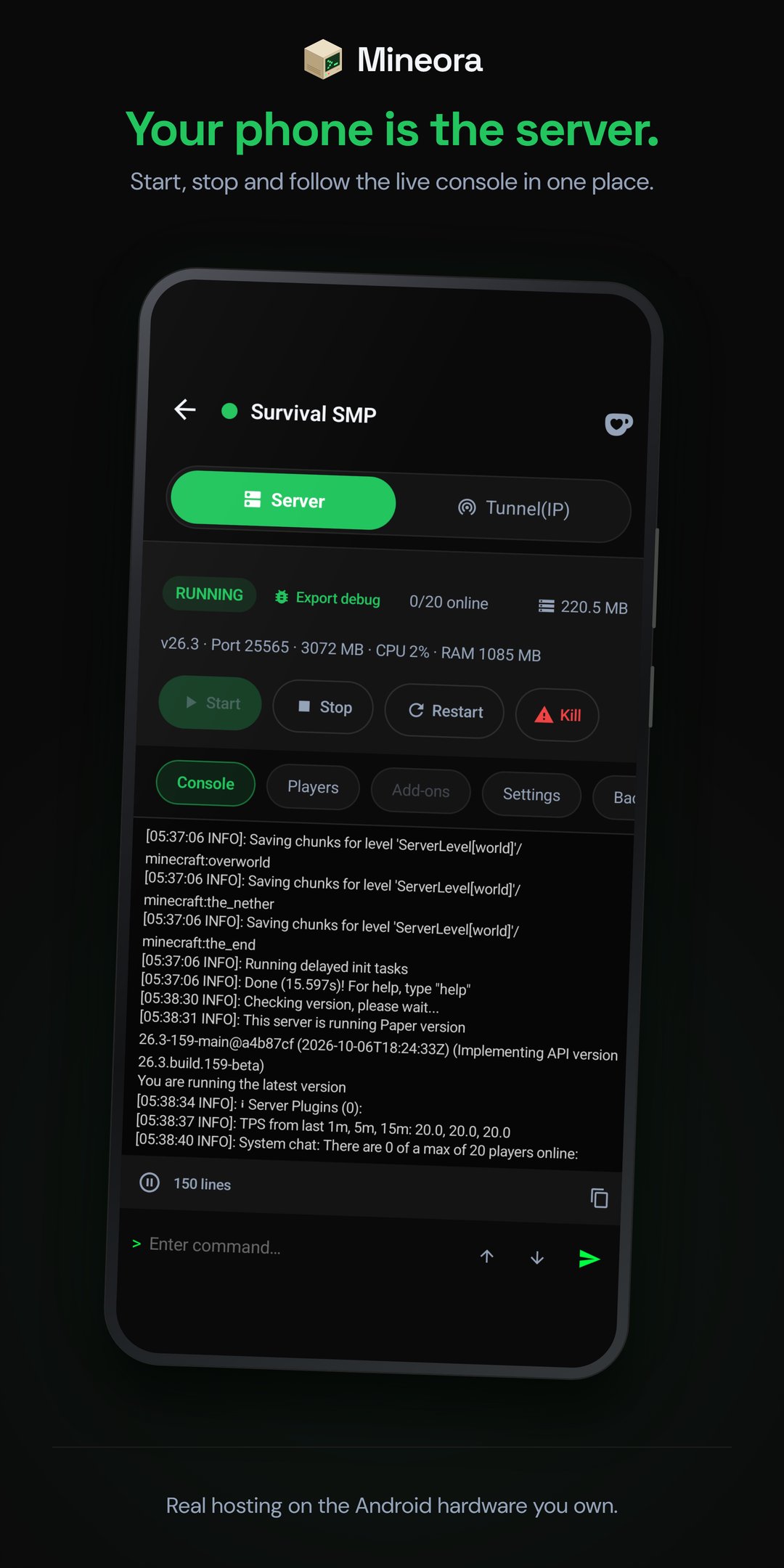
• Start, stop and restart your server.
• Follow the live console and run commands.
• Manage operators, bans and the whitelist.
• Browse server files and edit text files.
• Adjust memory, view distance, simulation distance and player limits.
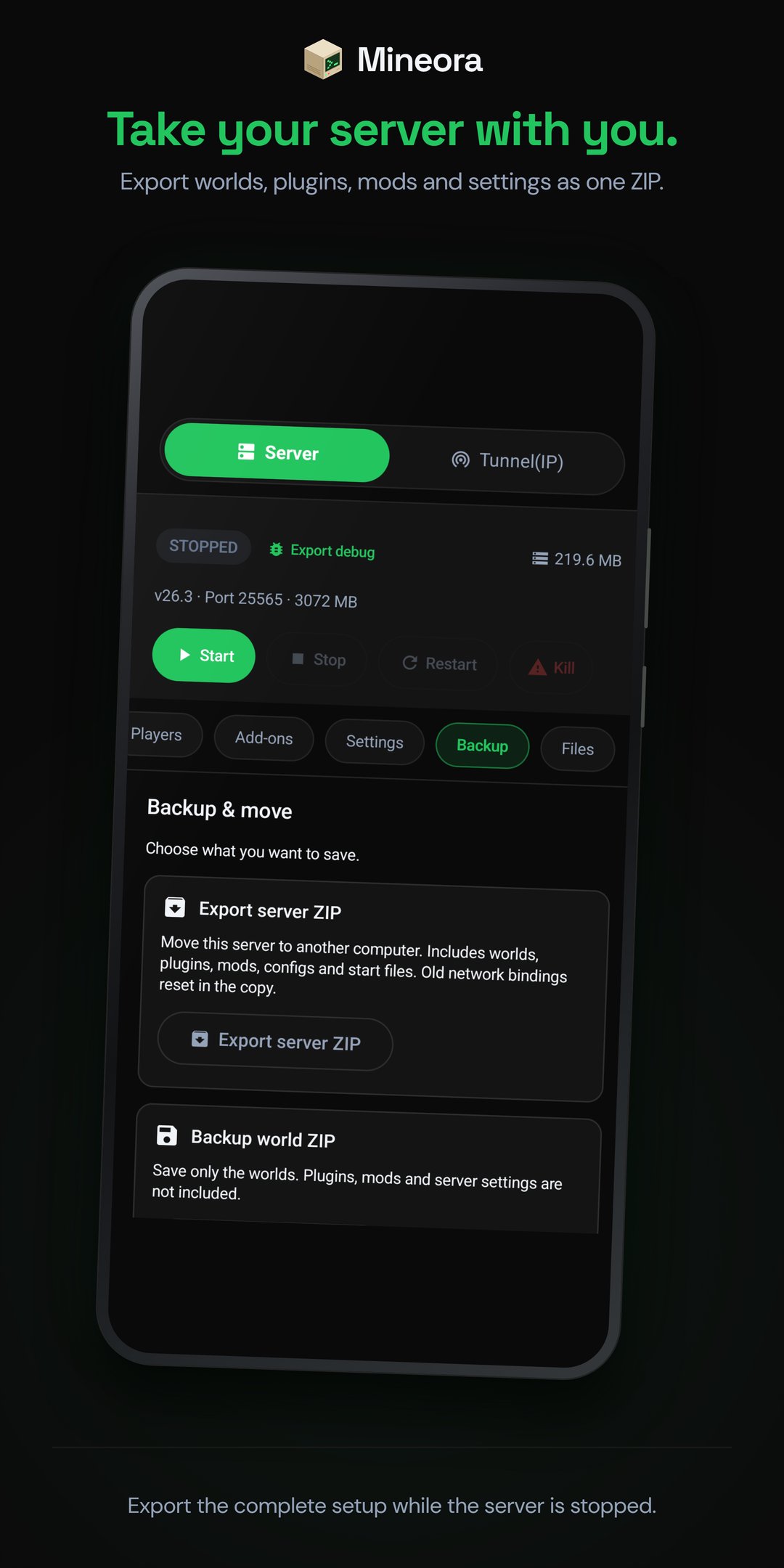
• Export a world backup or a complete server ZIP to save your setup or move it to another device.
BUILT FOR YOUR ANDROID
Mineora requires Android 8 or later on a 64-bit ARM64 device. Performance depends on your phone's memory, server settings, add-ons and network connection. Not every modpack or plugin is compatible. Keep the hosting phone powered and allow it to run in the background.
Mineora is supported by ads, with an optional one-time purchase to remove them. Optional tips support development and unlock nothing.
Community and help: https://mineora.app/discord
Support: [email protected]
Privacy policy: https://mineora.app/privacy
Mineora is not affiliated with playit.gg.
Not an official Minecraft product. Not approved by or associated with Mojang or Microsoft. Minecraft is a trademark of Mojang.




One-click to install XAPK/APK files on Android!

Thanks for your rating and feedback!
You have already rated.