Scan Date:Feb 3, 2026
Show More


2.0
1 Reviews
15.5 MB
File Size
Everyone
7.0
Android OS
Speed View GPS Pro is a GPS speedometer and trip tracker for everyday movement.
Developed by luozirui, Speed View GPS Pro focuses on showing clear real-time travel data while you drive, cycle, or walk. It brings speed, route, and trip records into one simple dashboard, which makes the Speed View GPS Pro APK useful for quick checks during a ride and later route review. These are the main features users can expect:
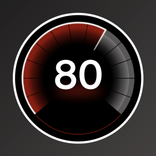
The main use of Speed View GPS Pro is to show current movement speed through GPS. Its dashboard also displays distance, travel time, start time, elapsed time, average speed, maximum speed, and altitude, so users can understand a trip without checking several separate tools.
This is helpful during common travel situations such as monitoring cycling pace, checking walking distance, or keeping an eye on speed during a road trip. The speed reading depends on GPS signal quality, so tunnels, dense streets, or weak signal areas may affect accuracy. For steadier results, it works best in open outdoor spaces where the phone can keep a clear location signal.
Speed View GPS Pro supports both car speedometer and bike cyclometer views, which makes the display feel more suitable for different movement styles. Drivers can focus on speed and trip distance, while cyclists can use the cyclometer-style view to follow pace and distance during a ride.
The mode switch is useful when the same phone is used across several activities, such as driving to a park and then tracking a bike route. The app also supports walking use cases through its GPS tracking and distance records, although its main visual modes are designed around car and bike travel. This keeps the app flexible without making the interface feel crowded.
Speed View GPS Pro can save track information, allowing users to open trip records after travel. Saved records help with reviewing where a route went, how long it took, and how the trip data changed across the journey.
This feature is especially useful after a cycling session or a longer walk, when users may want to compare distance, time, average speed, and maximum speed. Route review and playback can also help users remember a path taken through unfamiliar streets. However, automatic long-trip saving and restart recording are not clearly confirmed, so users who rely on long continuous records should check saved tracks after important trips.
Speed View GPS Pro includes map integration, so users can check current location and route-related movement information on a map. This adds useful context to the speedometer because the data is connected to where the user is moving, not just how fast the movement is.
The floating speed display is another practical feature for navigation. It can keep speed visible over map apps, which helps when a user wants route guidance and speed information on the same screen. This is most useful for cycling or driving scenarios where switching between apps would be inconvenient. Some user feedback suggests that expected Pro extras, such as fullscreen display or currently playing song information, may not be available, so the strongest value remains its GPS speed and route tracking tools.
Speed View GPS Pro supports mph, knot, and km/h, so users can choose the unit that matches local habits or specific travel needs. This matters for travelers, cyclists following different route references, or anyone who prefers a familiar speed format.
The app also includes custom color styles, allowing the speed display to be adjusted for better visibility or personal preference. A clearer color setup can make quick glances easier during daytime outdoor use or low-light conditions. The latest version was updated on 3 May 2026 with known bug fixes, which is a practical improvement for users who want a cleaner tracking experience.
The strengths and limits of Speed View GPS Pro come from its focus on GPS-based speed tracking, trip records, and real-world travel use. It offers many practical tools in a small package, but GPS conditions and a few missing expected extras may affect some users.
ProsUsers can download Speed View GPS Pro latest version from APKPure to get the current APK package with the latest listed bug fixes. The file is small, around 15 MB, so the download should usually finish quickly on a stable connection and will not require much storage space compared with larger navigation or fitness apps.
During installation, Android may ask for permission to install the APK and access location services. Location access is important because the app needs GPS data to show speed, distance, altitude, and route information. After installation, users can open the dashboard, choose a suitable unit such as km/h or mph, and try a short outdoor trip first to confirm GPS accuracy before using it for longer travel records.



One-click to install XAPK/APK files on Android!

Thanks for your rating and feedback!
You have already rated.