Package Name:com.smartpickle.dashdim
Show More

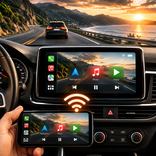
Automated night screen dimming for Android devices and car head units
Struggling with a blindingly bright screen during night driving?
Many Android devices and aftermarket Chinese Android Head Units (AHUs) have a high minimum hardware brightness level that remains too bright for dark cabin environments. DashDim solves this by creating a highly-customizable, system-level software overlay that dims your display beyond normal system limits. Works on all devices but it has extra features for Car Headunits
Drive safer and reduce eye strain with fully automated, context-aware dimming!
✨ CORE FEATURES:
• Context-Aware Dimming Modes:
1. Headlight Sync (For Car Head Units): Instantly dims the screen when you turn on your headlights, listening directly to your car MCU's backlight broadcast signals.
2. Smart GPS Sunset/Sunrise Auto-Dim: Uses an offline, math-based astronomical algorithm to calculate your local sunset and sunrise times. Dimming starts automatically at dusk and ends at dawn.
3. Manual Time Scheduling: Set a custom window (e.g., 20:00 to 07:00) with interactive pickers to schedule screen dimming. Supports crossing midnight.
4. Constant Manual Overlay: Disable automatic triggers and use DashDim as a constant manual screen filter set to your exact opacity preference.
• Physical Backlight Dimming (Optional Root required):
Directly dims the physical LED backlight of the screen by writing to kernel sysfs nodes. True hardware dimming reduces actual screen power consumption and provides a perfect dark cabin environment without glowing black software pixels. Features a built-in 3% safety floor to prevent completely blacked-out screens.
• Reverse Camera Safety Bypass:
Safety comes first. DashDim monitors when your vehicle is shifted into reverse and instantly removes the dimming overlay, ensuring your backup camera is 100% bright and visible. The overlay reappears once you shift out of reverse.
• Customizable Overlay Tints:
- Black: Traditional linear glare reduction.
- Amber: Warm brown-orange filter to block harsh blue light spectrums and ease night driving strain.
- Navy: Rich dark-blue tint that preserves background contrast and prevents gray washing on LCD panels.
• Touch-Through Window Technology:
The overlay is fully non-interactive and "touch-through," meaning you can interact with all underlying apps (Google Maps, Waze, YouTube, Spotify) without any touch delays or blocking.
• Advanced Full-Screen Layouts:
Force the overlay to stretch across physical screen dimensions, ignoring system safe margins, covering camera notches, status bars, and navigation bars on compatible setups.
• Ultra Battery-Efficient:
Designed with automotive battery safety in mind. The GPS auto-dim mode queries coordinates only once when activated and uses lightweight timers to check the clock, ensuring zero background GPS or CPU drain while driving.
• 100% Private & Offline:
No account required. DashDim does not access the internet, send telemetries, or track your data. All sunset math and triggers are calculated locally on your device.
ACCESSIBILITY SERVICE API USAGE DISCLOSURE
DashDim features an optional screen-dimming overlay capability ("Dim System Bars Safely") which requires the use of Android's AccessibilityService API.
Why we use it:
Android restricts standard applications from drawing overlays over system-controlled screen elements. We use the AccessibilityService API solely to display a translucent dark overlay layer over the system status bar and navigation bar, allowing you to dim the entire screen uniformally at night.
What we do NOT do:
• We do not collect, monitor, read, store, or share any screen content, personal data, user credentials, or keystrokes.
• The accessibility service operates 100% locally and offline on your device, with zero internet permissions.
• It does not alter your system settings or interfere with your interface controls in any other way.
You can freely enable or disable this feature at any time from within the application settings.



One-click to install XAPK/APK files on Android!

Thanks for your rating and feedback!
You have already rated.