





Thanks for your rating and feedback!
You have already rated.

Professional Remote Monitor, Control, and Playback Solution for Nikon Z & RED
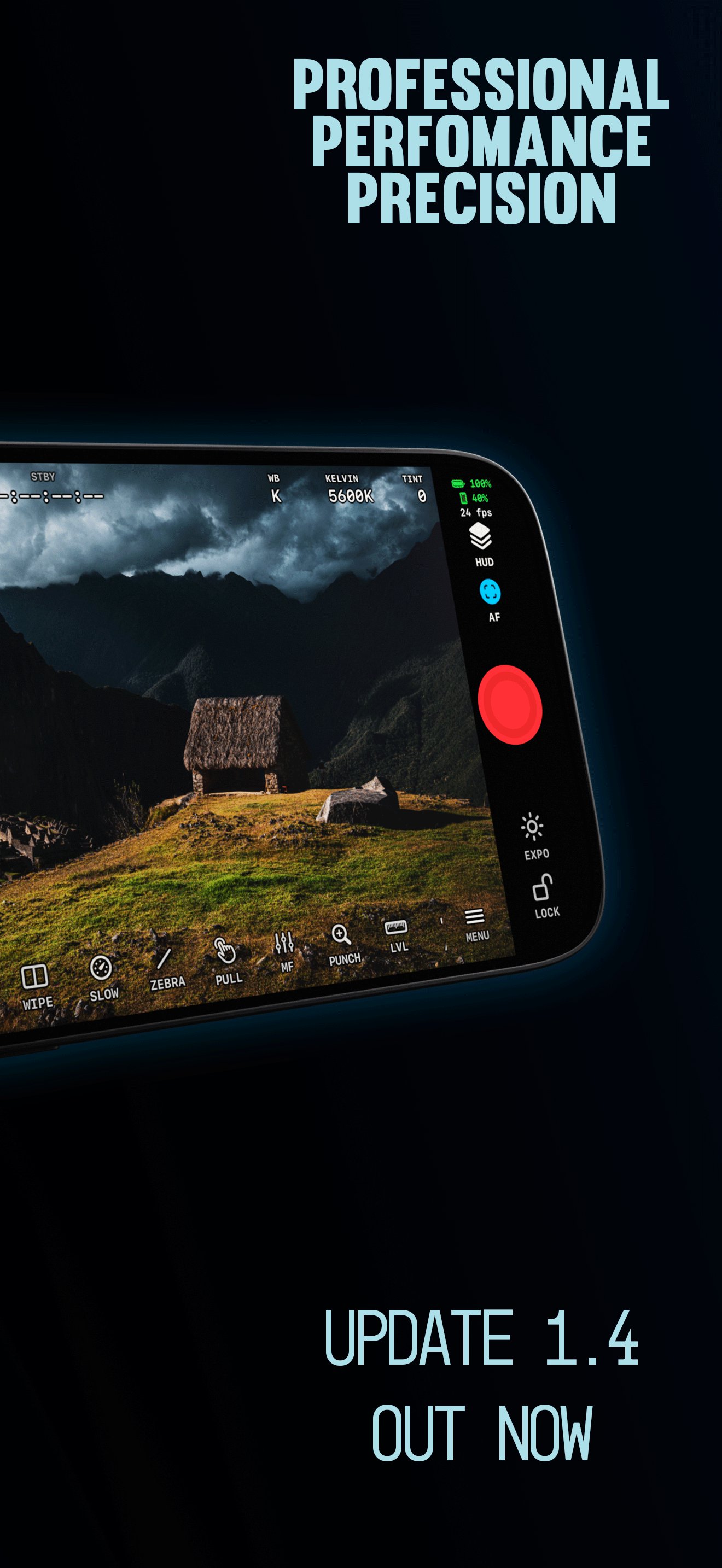
ZR Ctl turns your Android phone or tablet into a wireless monitor, remote control and playback workstation. Connect over Wi-Fi or USB-C, see a clean Live View with pro monitoring tools, control the camera, roll and cut, and review your clips — without leaving the app.
Built for filmmakers, camera operators and photographers using the Nikon Z-series and Modern RED Cameras.
NEW IN 2.1
• Time-lapse & intervalometer with in-app video creation
• HDMI capture card input as a Live View source
• Multicam with USB cameras, battery readouts and audio matching
• Manual (non-CPU) lens profiles, written straight to the camera
• GPU focus peaking with a new Ridge mode
• Guided setup, automatic Wi-Fi recovery and faster USB
• 21 languages
LIVE VIEW MONITORING
• LUT preview with custom .cube import, LUT Wipe and LUT Match
• Waveform, RGB parade, vectorscope and histogram
• False color, zebras (adjustable size and opacity) and Traffic Lights exposure assist
• N-Log calibrated exposure tools
• Focus peaking: Multi-Scale, Focus Plane, Adaptive and Ridge, with mono background
• Monitor Punch and Focus Punch magnification
• Frame guides, safe areas, grids and anamorphic desqueeze
• Audio meters, level, record border and timecode
• Hot Corners, a reorderable top bar and presets that save your whole layout
• Classic and Modern layouts tuned for phones, foldables and tablets
CAMERA CONTROL
• ISO, aperture, shutter speed and shutter angle, exposure compensation
• White balance, Kelvin and tint
• Resolution, frame rate, codec and card slot
• Focus mode, AF area, tracking, AF speed and tap-to-focus
• Auto ISO readout, U1–U4 user modes and slow-motion presets
• Remote record start/stop, stills capture and self-timer
• Audio input sensitivity and timecode
TIME-LAPSE & INTERVALOMETER
• Interval, count, duration and delay, including Bulb/Time exposures
• Pause, resume or stop from the notification; keeps running in the background
• Turn a sequence into a video in the app, up to 4K, H.264 or HEVC
• Export originals and RAW files
MULTICAM
• Monitor several cameras on one screen over Wi-Fi and USB
• Record all cameras with one button
• Match ISO, shutter, aperture, white balance and audio across bodies
• Group timecode tools and per-camera battery readouts
• Tap any camera to take full control, then return to the wall
HDMI INPUT
• Plug in a USB HDMI capture card and monitor the camera's HDMI feed with every scope, LUT and assist, while ZR Ctl controls the camera over Wi-Fi
SHARE LIVE VIEW
• Send Live View to other phones and tablets on the same network, Android or iOS, as H.264, HEVC or JPEG
PLAYBACK
• Browse the camera card with thumbnails, filters, ratings and color labels
• Stream video from the card with a LUT applied, with A/B LUT comparison
• Burst stacks, RAW+JPEG pairing and a Show RAW video filter
• Save photos and clips to your device
CONNECTIONS
• Wi-Fi router, phone hotspot, camera access point and USB-C
• Automatic camera discovery, Quick Reconnect and a step-by-step setup guide
• Clear fixes when a connection fails
• Built-in support logs and a USB self-test
RED CAMERAS (EARLY ACCESS)
• Connect a RED camera for Live View, controls, playback and Multicam
COMPATIBILITY
ZR Ctl is built around the Nikon ZR and tested on the Z8. It also works with many other Nikon Z-series bodies. Available controls vary by camera, firmware, connection and Android device. H.265/HEVC playback depends on your device's hardware decoder. Requires Android 9 or newer.
ZR Ctl is an independent app. It is not affiliated with or endorsed by Nikon Corporation or RED Digital Cinema.




One-click to install XAPK/APK files on Android!
Thanks for your rating and feedback!
You have already rated.