






Thanks for your rating and feedback!
You have already rated.


46.3 MB
File Size
Everyone
Android 7.0+
Android OS
AI Remodel is an AI home design and renovation planner for visualizing room changes before real work begins.
PulseApps Solutions OÜ builds AI Remodel around fast photo-based remodeling previews, making it useful when you want to compare design ideas without moving furniture or buying materials first. The app focuses on turning real interior or exterior images into styled renovation concepts, and these core tools show what users can expect from the AI Remodel APK.
AI Remodel helps users turn a real room or outdoor photo into several renovation concepts. It supports common spaces such as kitchens, bathrooms, bedrooms, living rooms, offices, patios, gardens, and hallways, so it works for both small refresh ideas and larger home planning.
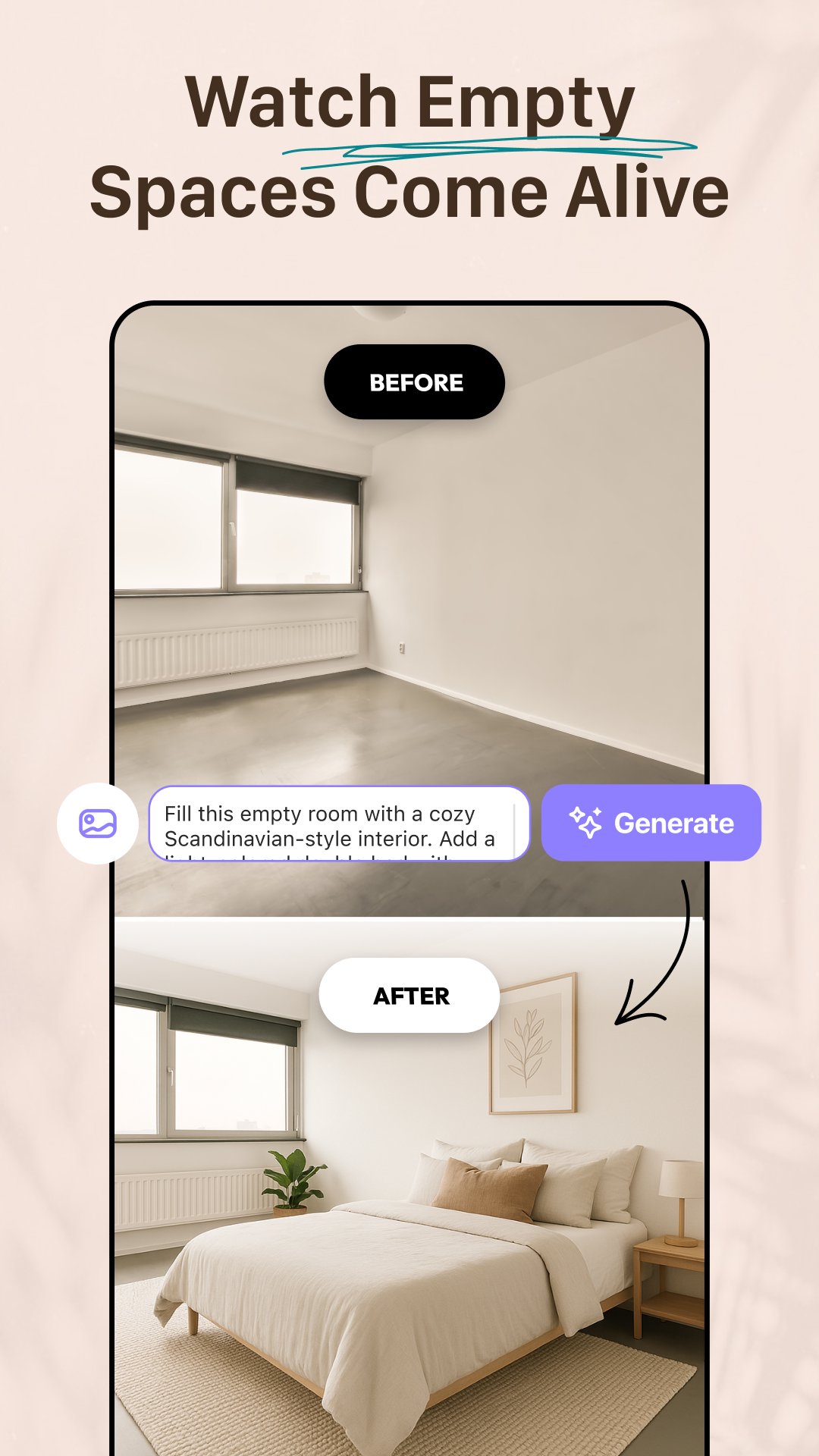
The basic flow starts with Interior Remodel, where a user can choose a gallery image, take a new photo, or use a sample image. The Advanced selection option is helpful when a room photo needs cropping, zooming, or a different aspect ratio before generating results. After choosing a style and tapping Generate, the app creates four design versions, which makes side-by-side comparison easier than judging one image at a time.
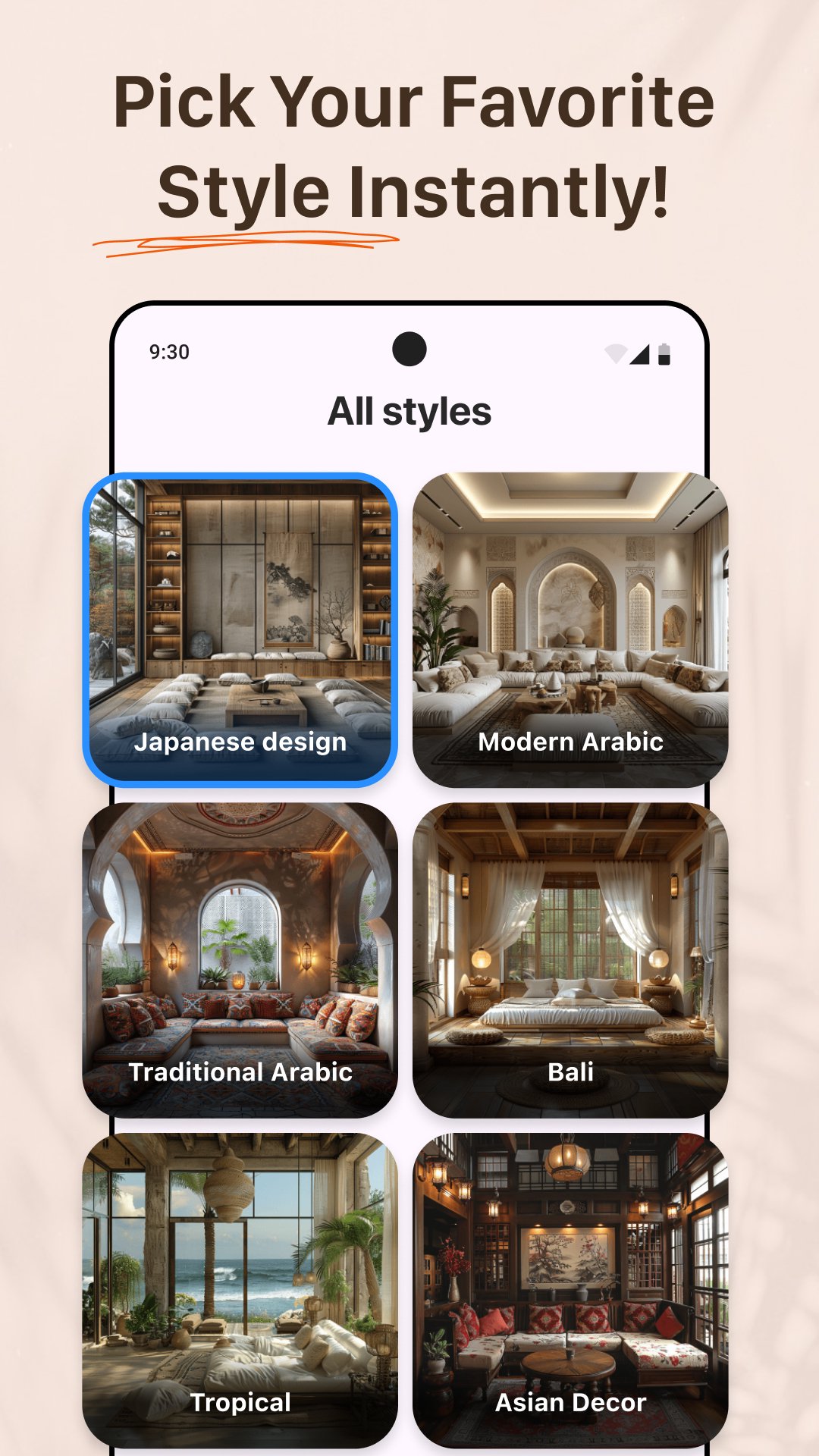
AI Remodel gives users several ways to control the look of a redesign. Preset styles are useful when you want quick direction, while a Custom Style prompt works better for more specific ideas, such as a brighter Scandinavian bedroom or a darker modern kitchen.
Users can also apply a source style image, which is practical when a certain furniture mood, color mix, or material feeling is hard to describe in words. This flexibility makes the app useful for homeowners testing realistic changes, renters planning decor that does not require construction, and designers collecting early visual ideas. Results can still vary, so running more than one generation is often the best way to find a layout or finish that feels usable.
AI Remodel includes controls for Room Type, Masking, and Fidelity, giving users more say over what changes and what stays close to the original image. Room Type helps the AI understand the space, while masking can focus changes on selected areas rather than the whole photo.
Fidelity is especially important because it affects how closely the generated result follows the original room. A lower setting may produce a more stylish concept, but it can also change the real layout too much. For practical planning, a higher fidelity setting usually makes more sense, especially when users need to keep windows, walls, or fixed furniture positions recognizable. Clear, uncluttered photos also improve accuracy because the AI can identify objects and room boundaries more easily.
AI Remodel makes comparison simple by letting users switch between a single image view, grid view, and an input comparison toggle. This matters when checking whether a new wall color, floor finish, or furniture arrangement still matches the original space.
Before saving a favorite result, Upscale can create a sharper and higher-resolution image. This is useful for sharing a concept with family, a contractor, or a client without the preview looking too soft. The More option also lets a result move into related workflows such as replace, flooring, or walls, so a promising concept can become the starting point for a more focused remodel idea.
AI Remodel is not limited to image generation because it also supports floor plans and interactive 3D room layouts. Users can drag, drop, and rotate items to test how a space might feel before making real changes.
This room planner 3D side is helpful when a photo preview looks good but the user still needs to think about furniture placement and walking space. It can support early planning for a new desk in an office, a different sofa layout in a living room, or a patio setup before buying outdoor furniture. Still, AI previews and 3D layouts should be treated as planning aids, not replacements for exact measurements or professional renovation checks.
These pros and cons reflect how AI Remodel performs as an AI home design and room planning tool for everyday renovation ideas and early visual decisions.
ProsYou can download AI Remodel latest version from APKPure to try its AI home remodel tools on Android. The APK is around 40MB, so the download should usually finish quickly on a stable connection, though slower networks may take longer.
After downloading, Android may ask for permission to install the AI Remodel APK, depending on your device settings. Once installed, it is worth starting with a clear room photo and testing a preset style first, then using Custom Style, Masking, or Fidelity controls when you want more specific results.
For the best first experience, choose a well-lit room image with visible walls, floors, and furniture edges. This gives the AI home design tools a cleaner starting point and makes the generated remodel ideas easier to compare.





One-click to install XAPK/APK files on Android!
Thanks for your rating and feedback!
You have already rated.