Scan Date:May 16, 2026
Show More

8.5
8 Reviews
4.3 MB
File Size
Everyone
Android 5.0+
Android OS
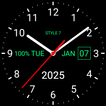
Transparent analog clock app, Live Wallpaper, app widget
App on the market place since 2013.
Set set your own logo text for the clock, choose a gradient or solid style, use your own colors: primary, secondary, text color and gradient color.
The analog clock also shows: digital clock, the current date, day of the week, month and battery charge (except for the app widget).
The analog clock can tell you the current time by voice by double tap on the clock.
Use the list of reminders and the clock will talk the current time and any text according to the schedule, which is very convenient for work and leisure.
Use the analog clock as topmost or overlay clock. The clock will be set above all windows. You can change position of the clock by drag and drop method and size of the clock.
Use analog clock as Live Wallpaper: set the clock size and position on the screen.
Use the analog clock as an app widget: it shows the second hand for Android 12 or high. Also the clock shows seconds for digital clock as option,
Use the analog clock as app in full screen mode with "keep screen on" option. You can add the second launcher for quick start in fullscreen mode.
Use the analog clock as screensaver while a device is charging.
🕒 Use analog clocks as “Night Clock” — a calm mode with economy style (black background and dark‑gray hands) that saves battery.
Random position change every minute protects the screen from burn‑in.
All options work in Fullscreen mode, Live Wallpaper, and Screensaver.
🌙 Use analog clocks as “Always on Screen” — the clock remains visible even when the screen is turned off. ⚠ Important: the function does not start automatically, you need to launch it manually in Fullscreen mode.
“Always on Screen” emulation works through additional options: 🔆 brightness control and Auto‑lock on exit.
📌 Atmospheric pressure always at hand!
Use the built‑in barometer and display atmospheric pressure right on your watch face.
Track pressure changes 🌡️ in real time — helping you monitor your health ❤️, forecast the weather ☁️, and stay prepared for any conditions.
Your personal barometer ⌚ is always with you — perfect for gardeners 🌱, fishermen 🎣, athletes 🏃, and travelers 🧭.
Select an image from the Gallery for the background.
Set the position to display the date, month, day of the week and battery charge.
Open the built-in alarm clock by the quick settings panel.
The app supports landscape and portrait orientation, all screen resolutions, as well as 4K and HD displays.
The application supports all languages and time and date formats.
So this application is: analog clock. analog clock Live Wallpaper, analog clock widget, transparent analog clock, clock widget with second hand, talking clock, voice notifications, clock reminder.



One-click to install XAPK/APK files on Android!

Thanks for your rating and feedback!
You have already rated.