Package Name:com.applock.lockapps.password
Show More

28.8 MB
File Size
Everyone
Android 7.0+
Android OS
Lock apps, photos & videos with fingerprint, PIN, or pattern lock
App Lock: Fingerprint Lock is a handy app that helps you manage privacy on your device. You can lock apps using fingerprint, PIN, or pattern lock. The app also lets you hide photos and videos in a vault and keep your content hidden from others.
With App Lock, you can lock social apps, hide personal photos and videos in a vault, and capture a photo of anyone who tries to open your locked apps
Key Features of App Lock: Fingerprint Lock:
• Lock Any App
Lock your social, messaging, gallery, and email apps with fingerprint, PIN, or pattern lock to keep them private.
• Photo & Video Vault
Hide personal photos and videos inside a vault. They stay invisible in your gallery and can be viewed only within the app.
• Fingerprint Lock
Access your apps easily with fingerprint lock.
• Intruder Selfie
Capture a photo of anyone who enters the wrong password and view it inside the app.
• Pattern & PIN Options
Choose between fingerprint, PIN, or pattern lock. You can select the lock method that suits you best.
•App Lock Screen Theme
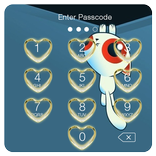
The App Lock screen offers multiple themes, so you can choose the look you like. Each time it appears, your lock screen feels fresh and unique.
•Uninstall Protection
To prevent accidental uninstall of App Lock, open the app settings and turn on “Uninstall Protection.” This option helps keep App Lock running until you turn it off.
App Lock: Fingerprint Lock helps you lock apps, photos, and videos with fingerprint, PIN, or pattern lock
Permissions Disclosure:
App Lock uses certain permissions for core functionality:
• Usage Access – allows App Lock to detect when locked apps are opened so it can display the lock screen.
• Display Over Other Apps – used to show the lock screen overlay when a locked app is launched.
• Device Administrator Permission – optional, used only to prevent accidental uninstall of App Lock. You can enable or disable it anytime in the settings.



One-click to install XAPK/APK files on Android!

Thanks for your rating and feedback!
You have already rated.