Safe & Fast APK Downloads on APKPure
APKPure uses signature verification to ensure virus-free App Locker Neo APK downloads for you.

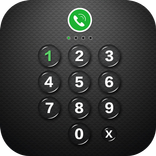
App Locker Neo can lock apps with password lock or pattern lock.
App Locker Neo can lock apps, photos, videos and other private data with password lock or pattern lock. App Locker Neo is a free app lock and it is fast and simplest App Lock.
App Locker Neo can lock Facebook, Whatsapp, Gallery, Messenger, Snapchat, Instagram, SMS, Contacts, Gmail, Settings, incoming calls and any app you choose. Prevent unauthorized access and guard privacy.
☞ App Locker Neo can lock all android apps, including:
- Social apps: App Locker Neo can lock Facebook, WhatsApp, Messenger, Vine, Twitter, Instagram, Snapchat, WeChat and so on. No one can peep at your private chat any more.
- System apps: App Locker Neo can lock Contacts, SMS, Gallery, Videos, Email and so on. No one can mess up your settings for system apps.
- Android pay apps: App Locker Neo can lock Android Pay, Samsung Pay, Paypal and so on. No one can use your wallet to purchase any item.
- Other apps: App Locker Neo can lock any third-party apps, including Gmail, Youtube, games and so on. Completely protect your privacy.
☞ App Locker Neo can lock photos and videos.
After locking gallery and video apps, no intruder can peep at your private photos and videos. No worry about privacy leakage.
☞ App Locker Neo provides pattern lock and Pin Code Lock options. No one can peep at your password or pattern. Completely safe!
-------FAQ------
1. How to set my password at the first time?
Open App Locker Neo -> Draw a pattern -> Next; or
Open App Locker Neo -> Enter PIN code -> Confirm PIN code
Note: For android 5.0+, allow App locker Neo to use usage access permission -> Find App Locker Neo -> Allow usage access.
2. How to change my password?
Open App Locker Neo -> Settings
Reset password -> Enter new password -> Reenter password
3. What should I do if I forget the App Locker Neo password?
At present, you can reinstall App Locker Neo if you forget the password.
★ With App Locker Neo, you will:
Never worry about friends borrow your phone to play games with mobile data again!
Never worry about a workmate gets your phone to look the gallery again!
Never worry about someone reads private data in your apps again!
Never worry about kids mess up Settings, send wrong messages, paying games again!
App Locker Neo uses the Device Administrator permission.
To enable Advanced Protection, please activate App Locker Neo as "device administrator". It's only used for preventing intruders uninstalling App Locker Neo.
Please be assured that App Locker Neo will never use these permissions to access your private data.
Feel free to send your feedback to us! [email protected]
Website: https://simplifyapps.blogspot.com/
Facebook: https://www.facebook.com/SimplifyApps



One-click to install XAPK/APK files on Android!

Thanks for your rating and feedback!
You have already rated.