Package Name:com.applocks
Show More

Secure your apps, photos & videos with PIN, Pattern or Fingerprint lock!
App Locks - Fast & Secure App Locker
Protect your privacy and secure your personal apps with App Locks. Lock your sensitive applications like WhatsApp, Gallery, Instagram, Facebook, Settings, and more using a PIN, Pattern, or Fingerprint lock.
Prevent unauthorized access and safeguard your personal data easily!
Key Features:
Lock Any App: Secure social apps, system apps, gallery, and payment apps with ease.
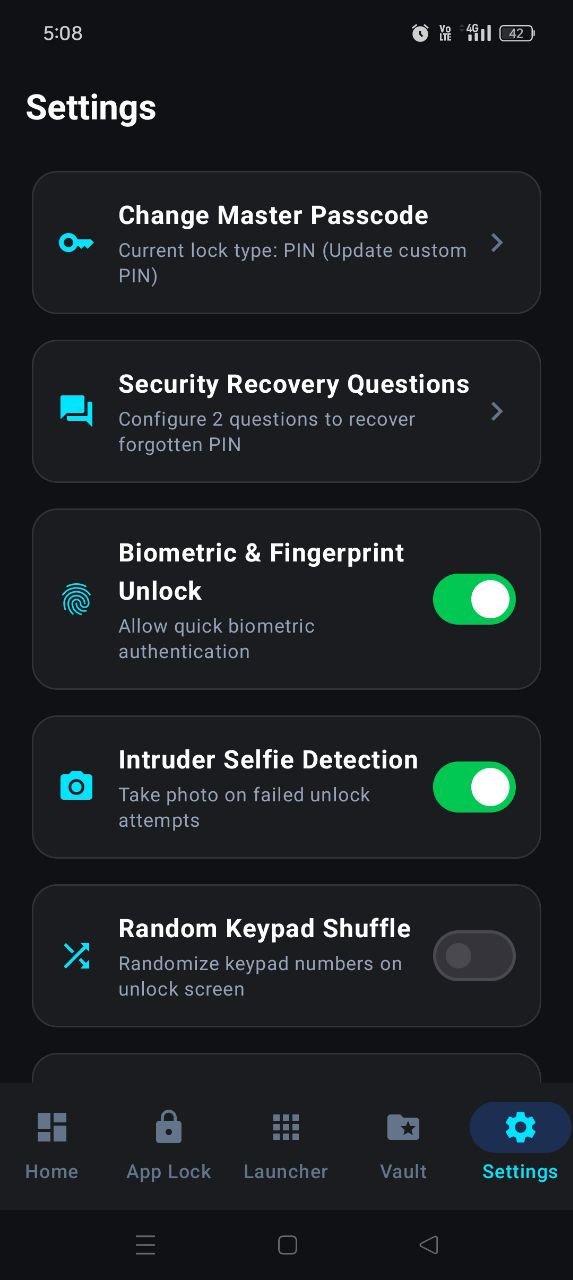
Multiple Lock Options: Choose between PIN, Pattern, or Fingerprint authentication.
Intruder Selfie: Capture photos of anyone trying to unlock your app with the wrong password.
Low Battery & Memory Usage: Lightweight design optimized for smooth performance.
⚠️ Accessibility Service API Disclosure (Important Notice)
App Locks uses the AccessibilityService API to provide essential security features.
Why do we use AccessibilityService API?
We use the Accessibility Service solely to detect when a protected app is launched on your device. This enables App Locks to immediately display the lock screen before the protected app opens, ensuring unauthorized users cannot view your sensitive information.
Data Privacy & Protection:
We DO NOT collect, store, or share any personal data, sensitive user information, or typed text through the AccessibilityService API.
We DO NOT change any user settings without permission.
We DO NOT bypass any built-in Android privacy controls or security notifications.
The Accessibility Service is used strictly for core app-locking functionality and nothing else.
You will be asked to explicitly grant Accessibility permission when you first enable the App Lock feature inside the app. You can disable this permission at any time from your Android settings.
Permissions Required:
Accessibility Service: Required only to detect locked app launches and show the security screen instantly.
Overlay Permission (Draw over other apps): Required to display the lock screen over locked applications.
Usage Stats Access: Required to check which app is currently running in the foreground.
How to Contact Us:
If you have any questions, feedback, or privacy concerns regarding App Locks, please reach out to our support team.



One-click to install XAPK/APK files on Android!

Thanks for your rating and feedback!
You have already rated.