Package Name:vcode.blurface
Show More

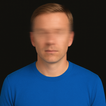
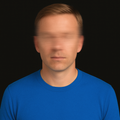
Automatically censor and blur faces. Blur and pixelated effects for photos.
Protect your privacy and anonymity with the fastest censorship tool.
Need to post a picture but want to hide your face from strangers, children, or protect your identity? Blur Face is the ideal editor to blur photos and apply censorship with just one tap.
With intelligent facial detection technology, our app automatically locates and blurs faces. Don't waste time editing manually; ensure the privacy of your images for Instagram, WhatsApp, and social media.
🚀 Main Censorship Features:
Automatic Detection: Our AI finds multiple faces in the photo and applies the Blur Face effect instantly.
Various Filters: Choose between soft blur (Gaussian Blur) or the Pixelated effect (Mosaic) for total censorship and digital style.
Precision Manual Editing: Tap to blur specific areas. Ideal for hiding license plates, documents, or background objects.
Intensity Control: Adjust the filter strength to create anything from a light blur to a complete black bar. Offline Privacy: All processing is done on your phone. Your photos are never sent to servers, guaranteeing total security.
🛡️ Ideal for:
Influencers: Post selfies in public places without exposing people in the background (Background Blur).
Parents and Families: Share moments while protecting the identity and faces of children.
Journalism and Reporting: Guarantee the anonymity of sources and comply with data protection laws (LGPD and GDPR).
How to censor your photos:
Open an image from your gallery.
The app detects and hides faces automatically.
Choose the style: Blur or Pixelate.
Save in high quality without losing resolution.
Download Blur Face now and have the best app to censor photos, hide identities, and pixelate images. Simple, fast, and secure.



One-click to install XAPK/APK files on Android!

Thanks for your rating and feedback!
You have already rated.