Package Name:me.matsumo.widget.material
Show More

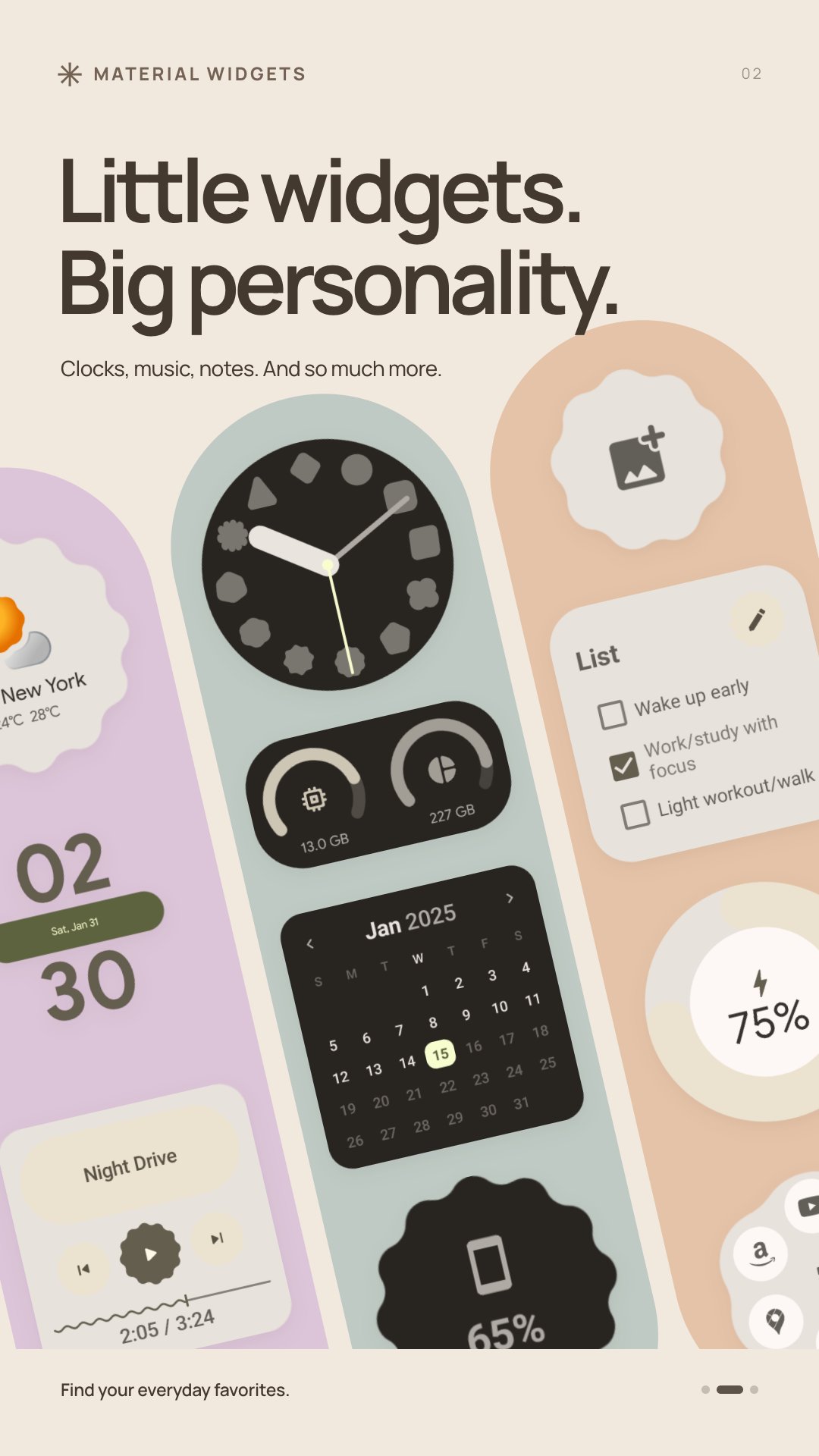
Expressive Material You widgets for clocks, weather, music, and more.
Give your home screen a little personality with Material Widgets. Choose Material You designs for everyday information, controls, and shortcuts, then arrange them to suit your home screen.
Clocks and calendars
Choose digital, analog, and world clock designs. Keep dates, monthly calendars, countdowns, and stopwatches close at hand.
Weather and device information
See weather forecasts for locations in Japan, battery information, memory and storage usage, and screen time. Weather information is based on Japan Meteorological Agency data.
Music, photos, and notes
Control playback from compatible music apps, display photos you choose, and keep notes, lists, and your own quotes on your home screen.
Shortcuts and everyday tools
Keep app folders, contacts, search shortcuts, quick settings, and a calculator within reach. Add a little play with tic-tac-toe widgets.
Make it yours
Use light or dark appearance, wallpaper-based dynamic colors, or a color you choose in the app's settings.
Getting started
Add a widget from your launcher's widget picker and configure its options. You can browse the collection in the app.
Some widgets need additional Android access: music controls use notification access, and screen time uses usage access. Contact and photo widgets let you select their content. Certain quick settings shortcuts open Android settings. Appearance and available actions depend on your Android version, launcher, and installed apps.
No account is required.



One-click to install XAPK/APK files on Android!

Thanks for your rating and feedback!
You have already rated.