Package Name:com.ocrkeyboard
Show More

70.3 MB
File Size
Everyone
Android 9.0+
Android OS
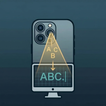
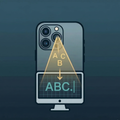
Point phone camera at any text, barcode; type for you on PC/Mac. No more typing!
See it; Scan it; Type it. CameraBoard turns your phone into a wireless OCR keyboard for your computer.
Point the camera at any printed text — a label, screen, book, whiteboard, form — and it instantly sends the recognized text to your computer as real keystrokes. No typing, no manual copy-paste, no OCR app switching and no more expensive scanners.
── CONNECTION MODES ──
• Bluetooth HID — pairs like a real keyboard, no software needed
• Wi-Fi Companion — reliable connection over wifi with the lightweight receiver app on PC/Mac
• Web Receiver — open a browser tab on your computer, no setup needed over same network but no typing capabilities
── KEY FEATURES ──
• Real-time OCR — fast, offline, on-device
• Adjustable scan box — drag and resize to target exactly what you need
• Filter modes — capture everything, or restrict to numbers, letters, or alphanumeric (Pro)
• Barcode scanning — scan QR codes, UPC, EAN, Code 128 and more
• Scan history — review and re-send previous captures (Pro)
• Works with any PC apps just like a keyboard
── PERFECT FOR ──
• Entering serial numbers, product codes, and license keys from labels in batch
• Transcribing printed forms, invoices, or documents into your computer
• Scanning barcodes directly into inventory or POS software
• Reading text from screens you can't copy from
• Accessible data entry without a physical keyboard
── PRO FEATURES ──
Upgrade to Pro to unlock:
✓ No ads
✓ Scan history (up to 200 entries)
✓ Advanced filter modes
No data collected; everything stays on your phone!



One-click to install XAPK/APK files on Android!

Thanks for your rating and feedback!
You have already rated.