Package Name:com.Gamnest.CandyRace
Show More

2.0
1 Reviews
75.5 MB
File Size
Everyone
Android 8.0+
Android OS
Candy Race Launcher is an Android launcher for colorful home screen personalization.
Gamnest builds Candy Race Launcher around one clear appeal: a candy race look that turns the usual Android home screen into something brighter and more playful. It is made for users who want visual change without losing everyday shortcut access. The Candy Race Launcher APK also includes practical controls for gestures, themes, and icons, as shown in the key features below.
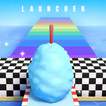
Candy Race Launcher changes the main Android home screen with a bright racing-inspired theme. The look is colorful, playful, and clearly aimed at users who want their phone to feel less plain during daily use. Instead of acting like a racing game, it works as a launcher that changes how the home screen appears and how shortcuts are arranged.
The themed backgrounds are the main visual part of the experience. A user can long press an empty area on the home screen, open the launcher menu, and reach Home Settings to manage the available options. This keeps the customization tied to normal home screen behavior, so the launcher feels familiar even when the design is much more decorative. Users expecting actual racing gameplay should note that the app focuses on appearance and launcher controls rather than races, cars, or game levels.
Candy Race Launcher includes themed backgrounds that bring the candy race style across the home screen. These backgrounds help create a consistent look behind icons and shortcuts, which matters for users who enjoy a phone layout with a clear visual identity. The design works best for people who prefer bright colors and a casual game-like mood on their device.
The launcher also supports bright and dark theme options. Bright mode fits the candy-like style more strongly, while dark mode can be easier to view at night or in low-light settings. Switching between them from the launcher settings gives users a simple way to match the home screen to different environments. If the colorful style feels too strong after a while, dark mode can soften the overall look without removing the launcher’s theme completely.
Candy Race Launcher adds gesture shortcuts for swipes, taps, and double taps. These controls are useful for users who want faster access to common actions without filling the home screen with too many icons. A gesture can be assigned to open an app, trigger a shortcut, or perform a regular phone action, depending on the available launcher options.
In daily use, this can make simple routines feel quicker. For example, a double tap may be used for a frequently opened app, while a swipe can connect to another common task. The feature is most helpful when users choose only a few gestures they can remember easily. Too many assigned actions may become confusing, so a clean setup usually works better than trying to turn every tap or swipe into a shortcut.
Candy Race Launcher offers an icon shapes panel for changing how app icons appear. This gives users more control over the home screen’s overall look, especially when the default icon style does not match the candy race theme. Different shapes and styles can make the layout feel more consistent with the selected background.
This feature is practical for users who care about visual balance. Rounded icons may feel softer with the colorful theme, while sharper shapes can create a more structured screen. The launcher may refresh or change parts of the existing home layout when applied, so users should expect some adjustment after switching. If the result does not match personal taste, Android’s Default Home App setting can be used to return to a previous launcher.
Candy Race Launcher latest version 1.0.3 focuses on optimized resource usage. This matters because launchers stay active during regular phone use, and smoother performance can make a noticeable difference when opening apps, moving between screens, or using gestures. The update supports the app’s main goal of keeping the themed home screen usable for daily routines.
Some users may still notice lag, ads, or visual changes they do not prefer, especially on older devices or phones with limited memory. Since the app changes the default launcher experience, it may also alter the way the home screen is arranged. A practical approach is to try the theme, adjust icons and gestures gradually, and return to the device’s previous home app if the new layout does not feel comfortable.
These points reflect how Candy Race Launcher works as a themed Android launcher, with strengths in visual customization and some limits tied to launcher behavior.
ProsYou can download Candy Race Launcher latest version from APKPure and install it as an Android launcher. The APK is around 75 MB, so download time should be short on a stable Wi-Fi connection and may take longer on slower mobile data. After installation, Android may ask you to choose a default home app before the new launcher appears.
Before switching, it helps to remember that launcher changes can affect the current home screen layout. If you want to download Candy Race Launcher for its theme, try the backgrounds, display mode, and icon shapes first, then set up gestures once the layout feels comfortable. If needed, the previous launcher can be restored through Android’s Default Home App setting.



One-click to install XAPK/APK files on Android!

Thanks for your rating and feedback!
You have already rated.