Package Name:app.quiet.cleanmanager
Show More


87.8 MB
File Size
Everyone
Android 8.0+
Android OS
Clean Manager: Storage Cleaner is a phone storage cleaner for managing media clutter on Android.
Developed by Shlag, Clean Manager: Storage Cleaner focuses on helping users find space-hogging photos and videos before storage becomes a daily problem. Its main appeal is the review-before-delete flow, which makes cleanup feel safer than removing files in bulk. For anyone planning to download Clean Manager: Storage Cleaner, these are the key tools to know first.
Smart Scan is the main cleanup entry point, and it gives Clean Manager: Storage Cleaner a clear focus on photos and videos. Instead of treating storage as one large folder, it separates scan results into useful groups such as duplicate photos, similar videos, screenshots, blurred shots, and large files. This helps users understand what is taking up space before deciding what to remove.
The experience is best suited for phones with months of saved camera shots, chat images, screen captures, and downloaded clips. After a scan, each category can be opened for closer review, so users are not pushed into deleting everything at once. This is helpful when storage is nearly full but important memories or work images may be mixed in with clutter.
Duplicate cleanup is one of the strongest parts of Clean Manager: Storage Cleaner because photos and videos often take up more space than apps. The app finds exact or near-matching media and presents them in groups, making it easier to spot repeated shots from burst photos, forwarded images, or saved edits. For similar photos, the side-by-side view helps users choose the sharper or better-framed version.
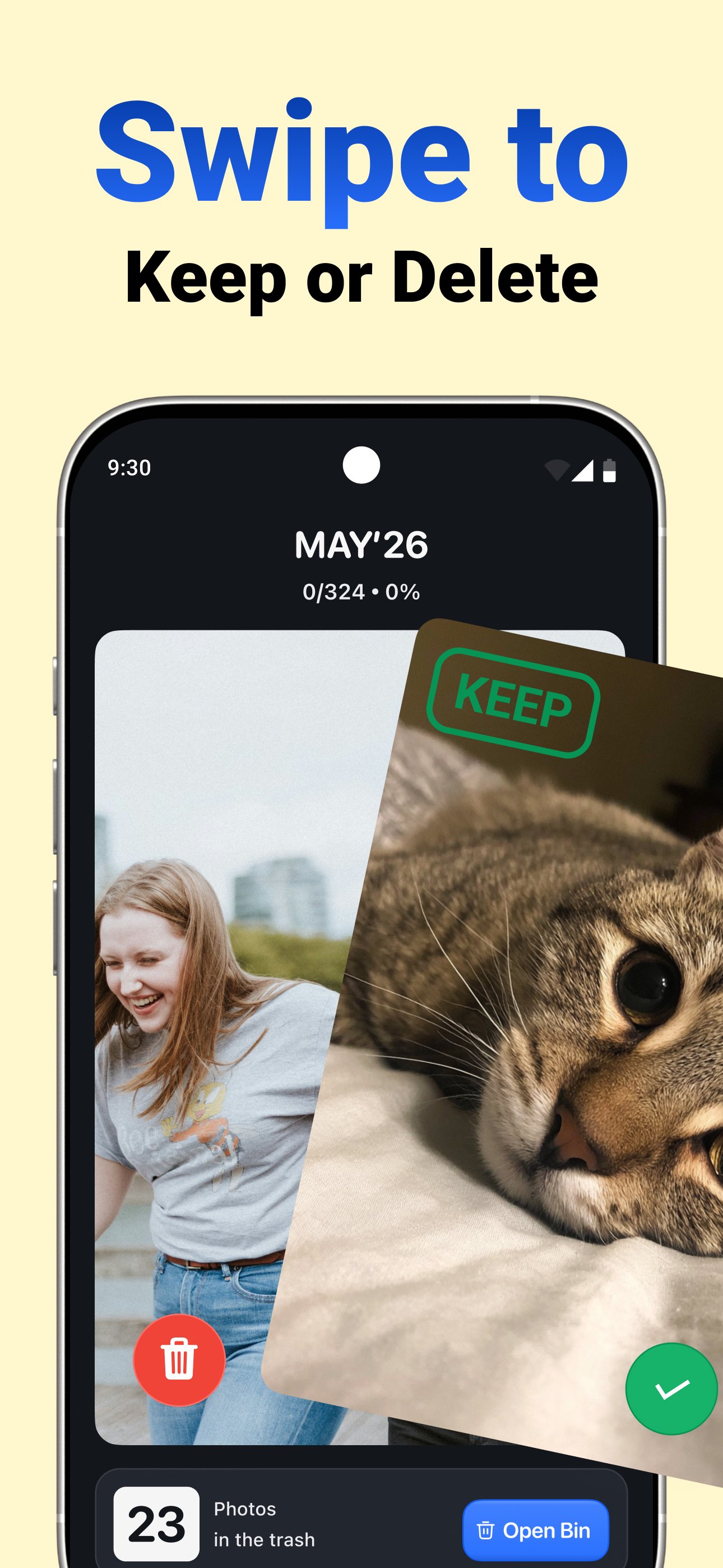
The app also supports simple swipe actions during review. Swiping left marks unwanted photos or duplicates for removal, while swiping right keeps important files. This works well for quick cleanup on a commute or during a short break, but similar file detection still needs attention. Users should check faces, text, and small details before deleting, especially when photos were taken seconds apart.
Screenshots and blurred photos are common storage clutter, and Clean Manager: Storage Cleaner collects them into separate cleanup areas. This makes routine cleanup faster because old receipts, temporary notes, app screens, and failed camera shots do not need to be found manually in the gallery. Large photo and video detection adds another useful layer by showing which files have the biggest storage impact.
This feature is practical when a phone shows a low storage warning but the user does not want to remove apps. A few long videos or high-resolution photos can take more space than dozens of small images. After reviewing the scan results, users can remove unnecessary files and may still need to clear the phone’s trash or Recently Deleted folder to fully free up space.
Compression gives Clean Manager: Storage Cleaner a more flexible option for users who want to save space without deleting media. It is useful for large videos, travel photos, or saved clips that are worth keeping but do not need to stay at their original file size. This makes the app more than a simple delete duplicates tool.
The compression tool is especially helpful before backing up, sharing, or keeping older media on a phone with limited storage. Users can choose large photos or videos and reduce their size while keeping the content available. As with any compression feature, image or video quality may change, so it is better to test it on less important files first and review the result before processing more media.
Clean Manager: Storage Cleaner also includes optional widgets for quick phone status checks. These widgets cover storage, battery, and basic device information, which can be useful for users who often manage limited space or monitor battery use throughout the day. They do not replace the main cleanup tools, but they keep key device details easier to see.
For everyday use, the widgets fit best as quick indicators rather than deep diagnostic tools. A user can notice when storage is running low, open the cleaner, and run a scan when needed. Some extra tools may require in-app purchases or subscriptions, and user feedback mentions possible unwanted ads, so expectations should stay realistic.
These pros and cons come from the app’s media cleanup focus, review flow, and reported user experience. Clean Manager: Storage Cleaner is strongest when used for careful photo and video cleanup rather than one-tap deletion.
ProsUsers can download the latest Clean Manager: Storage Cleaner APK from APKPure and install it on compatible Android devices. The APK is a little over 100 MB, so the download should be quick on a stable connection and may take longer on mobile data or weaker Wi-Fi.
After installation, the first scan may take extra time if the phone has many photos and videos. It is better to keep enough free battery before scanning a large gallery, especially when using compression afterward.
Clean Manager: Storage Cleaner latest version 6.0.7 includes performance improvements and user experience optimization. Before deleting files, review each cleanup category carefully and remember to empty trash or Recently Deleted if the phone does not show freed space right away.





One-click to install XAPK/APK files on Android!

Thanks for your rating and feedback!
You have already rated.