Package Name:com.cleanclock.app
Show More

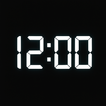
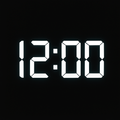
Simple and elegant digital clock with date, timer and color.
CleanClock is a modern digital clock application that combines simplicity, clarity, and functionality.
In today’s world, time is one of our most valuable resources. Whether you are working, studying, training, cooking, or relaxing, knowing the exact time helps you stay in control and avoid missing important moments. CleanClock was designed to give you a clear, stylish, and reliable way to keep track of time – anytime, anywhere.
✨ Main Features
• Large digital clock with seconds
• Always shows current date under the time
• Multiple background themes (black, dark gray, teal)
• Customizable number colors: yellow, green, cyan, or white
• Hide/Show menu for distraction-free mode
• Built-in timer and countdown for daily activities
• Optimized for both phones and tablets
• Lightweight, fast and battery-friendly
• GDPR-compliant with user consent management
• Free to use with Google AdMob banner and interstitial ads
🌙 Clear at night, bright in daylight
CleanClock was designed for maximum readability. In a dark room, the glowing numbers remain visible without straining your eyes. In bright sunlight, the high-contrast colors make the time stand out clearly. This makes it perfect for nightstands, desks, offices, kitchens, classrooms, or even while traveling.
💡 Who is it for?
• People who want a simple, elegant digital clock
• Students who need a reliable study timer
• Athletes who use countdowns for workouts or interval training
• Families using tablets at home as shared clocks
• Cooks who need precise timers in the kitchen
• Professionals who want a clear desk clock while working
• Travelers who want a portable and reliable digital timepiece
📱 Everyday use cases
• Use as a modern nightstand clock
• Keep track of cooking or baking times in the kitchen
• Place on your desk as a stylish secondary clock
• Manage workouts, meditation, or study sessions with the timer
• Help children and students focus with clear countdowns
🔒 Privacy and safety
CleanClock does not collect or store personal data. The only third-party service is Google AdMob, which provides advertisements to support free access to the app. All usage complies with Google Play policies and GDPR regulations.
🌍 Simple, minimal, and reliable
CleanClock is designed for everyone: young or old, tech-savvy or beginner. It is intuitive, easy to use, and adapts to all screen sizes. Its minimalist design ensures that the focus is always on time – no unnecessary distractions, just what you need.
⏳ Don’t waste time – value it.
CleanClock is the companion you can trust to always display the exact time in the clearest way possible. Download it today and enjoy the comfort of always being on time.



One-click to install XAPK/APK files on Android!

Thanks for your rating and feedback!
You have already rated.