











Thanks for your rating and feedback!
You have already rated.


8.0
1 Reviews
68.9 MB
File Size
Everyone
Android 10.0+
Android OS
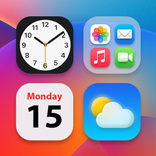
Color Widgets, Theme: iWidgets is a home screen customization app for Android.
Developed by AI Photo Team, it focuses on cohesive themes that keep your phone visually consistent. Matching widgets, wallpapers, and custom icons apply in one tap, with small, medium, and large sizes for any layout. It works on all Android devices and includes useful widgets like clock, calendar, weather, and photo slideshow. Users can download Color Widgets, Theme: iWidgets to refresh any Android home screen quickly. Browse the highlights below.
You pick clock, weather, calendar, or event timers, then place them in small, medium, or large to fit your layout. The Color Widgets, Theme: iWidgets app streamlines setup with a single Add tap, making it easy to build a home screen that feels tailored to daily routines. A compact weather tile helps with quick morning checks, while a month-view calendar supports weekly planning without opening an app. Countdown timers keep birthdays, anniversaries, and activities visible so important dates don’t slip by. Clock styles span analog and digital, with creative and vintage looks to match different themes. Some designs may require in-app currency and ads are frequent, so starting with free styles is a practical approach. If a widget doesn’t update instantly, re-adding it or refreshing your layout generally gets it back on track.
X‑Panel brings device info into one panel: date/time, network, Bluetooth, battery, and storage at a glance. Within Color Widgets, Theme: iWidgets, you also get quick toggles for flashlight and Wi‑Fi, which is useful when moving around the house or heading out at night. Instead of diving into system settings, you can turn the flashlight on, connect or disconnect Wi‑Fi, and confirm status in seconds. On some devices, toggles may need permission to function correctly; if a control doesn’t respond, open system settings to grant access. Data is encrypted in transit and not shared with third parties, offering extra peace of mind when checking status from the home screen.
Photo widgets turn favorite images into a living album on the home screen. In Color Widgets, Theme: iWidgets, select individual photos or an album, then enable slideshow to cycle through memories without lifting a finger. A small photo tile next to a large clock creates a balanced look, while a medium slideshow keeps trips and family moments visible throughout the day. If the widget resets to “tap to add photo” on certain devices, reselecting the album or replacing the widget usually resolves the issue. For cleaner visuals, pick a curated set of images so the slideshow feels intentional rather than busy.
Preset themes tie everything together with matching wallpapers, widget styles, and icons, giving the phone a unified feel in one tap. Color Widgets, Theme: iWidgets includes anime, neon, aesthetic, and human themes that quickly change mood and tone. Apply a theme, then fine-tune wallpaper and switch app icons via Custom Icons to suit personal taste. This way, you build a cohesive look without hunting across multiple tools or packs. Some premium assets may require in-app currency and ads appear during browsing, so exploring free sets first is a smart way to find a style that fits your device.
Download the Color Widgets, Theme: iWidgets latest version APK from APKPure to get started quickly. On a stable connection, the download usually finishes within moments, though time and size may vary by version. After the file saves, your device may ask to allow installation from this source and request permissions so weather and photo slideshows work as intended. Open the app, try a free theme, and place a clock or photo widget to preview your layout. Ensure sufficient storage before downloading, and keep your network steady to avoid interruptions.



One-click to install XAPK/APK files on Android!
Thanks for your rating and feedback!
You have already rated.