Safe & Fast APK Downloads on APKPure
APKPure uses signature verification to ensure virus-free Complete Control PC Remote Ads APK downloads for you.

Bluetooth mouse, keyboard and custom remotes for windows, linux or mac
A simple, easy to setup and customize yet powerful Bluetooth PC remote control.
This is still in Beta so please let me know of any problems or requests/ideas.
Main Features
- Mouse Pad with double tap to hold
- Full keyboard
- Macro remote. e.g Type your address with a single button.
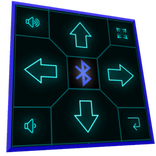
- HTPC Remotes with big eyes free Dpad.
- DIY Picture Remotes.
- Multiple Actions can be set for every button.
- Map any button to any file on your PC.
- Send keystrokes (like most other remote control Apps).
- Make your own Voice Commands to do anything you want.
- Use your Voice to type to your PC.
Full version requires no internet permissions or wifi.
Download the server here. (No install required)
Jar file-
https://drive.google.com/file/d/0B2Kzg0-c3JO9N3NyMzRYQ3cwNmM/view?usp=sharing
Server requires Java
Or here it is with java included. No install required, just start with the .vbs
https://drive.google.com/file/d/0B2Kzg0-c3JO9SUhSRUJFWDhkRDQ/view?usp=sharing
Here are some media control icons for The DIY.
https://drive.google.com/open?id=0B2Kzg0-c3JO9XzVWcXVaU3BYd1U
Tips-
- If you have problems connecting to server, try disabling your WiFi. You can re enable it after the connection is established.
- If mouse movement is not smooth, your device probably shares its Bluetooth antenna with its WiFi. Try disabling your WiFi to check.
- If you lose input when you open windows task manager (or anything with elevated privileges/admin rights)
you may need to run the server as administrator. Just use the Create Desktop Shortcut.vbs then you can right click on the created shortcut and Run as Administrator.
- Java does not need to be installed. You can just download the .tar.gz version and extract it, then you can create a shortcut to \bin\javaw.exe and add any .jar as an argument. (at the end of Target:)
Wifi version is now available.
- Fixed double tap hold



One-click to install XAPK/APK files on Android!

Thanks for your rating and feedback!
You have already rated.