Scan Date:May 24, 2026
Show More


20.4 MB
File Size
Everyone
Android 10.0+
Android OS
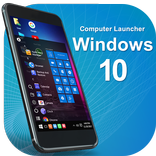
Turn your device into Computer with Start, This PC for file management & more
Computer Launcher – Bring Computer Experience to Your Android™ Device
Turn your Android phone or tablet into a stunning Computer-style PC with Computer Launcher. Inspired by the classic desktop experience, this PC-style launcher comes with a customisable Start Menu, smart XCenter (Control Center), full-featured This PC (File Manager), Recycle Bin, and many more tools to organise your device just like a computer.
Whether you're looking for a Computer launcher for Android, a modern file manager, or a complete replacement for your default home screen, Computer Launcher has everything you need.
🖥️ Why Choose Computer Launcher?
Computer Launcher offers a complete Windows desktop experience on Android. From Start Menu to File Explorer, every element is crafted to feel familiar and functional—built to replace both your home launcher and file manager.
Key Highlights:
* Start Menu – A Windows-style menu listing all installed apps, supports live photo tiles, and allows drag-to-desktop shortcuts.
* This PC – A file manager that mimics Windows Explorer: browse internal, external, and OTG drives, manage files with copy, move, delete, zip/unzip and more.
* XCenter – Your notification and quick settings hub, with toggles for Wi-Fi, brightness, Bluetooth, and more.
* Recycle Bin – Delete and recover files easily, just like your computer.
* Desktop Interface – A fully customisable home screen: add folders, change grids, sort icons, and support for live wallpapers.
File Management with "This PC"
Computer Launcher includes a powerful, PC-style file manager:
* Browse files from internal, SD card, and USB storage
* Sort files by name, date, size
* Perform all common operations: cut, copy, paste, rename, zip/unzip
* Create folders, share files, search instantly
* Adjust file window width and layout
* Requires MANAGE_EXTERNAL_STORAGE permission on Android 11+ for complete access
Personalisation & Customisation
* Change desktop layout: grid size, icon size, and wallpaper
* Apply live wallpapers and widgets like calendar
* Customize Start Menu layout, background, and tiles
* Hide apps from intruders with a single tap
* Supports landscape and portrait mode (great for tablets and TVs)
* Double-tap to sleep on desktop
* Switch to immersive full-screen mode (hide status/navigation bars)
XCenter – Your Smart Control Center
* Get all your notifications beautifully grouped
* 12 quick toggles: Wi-Fi, Bluetooth, brightness, sound, and more
* View and manage system controls easily
Additional Features
* Hide apps for privacy
* Reset or uninstall apps directly from launcher
* Beautiful Windows-style UI for all components
* Lightweight, fast, and responsive on any Android device
* Works on tablets and Android TVs
Computer Launcher Pro
* Unlock ad-free experience
* All Premium features unlocked
* Get access to all upcoming PRO features
* Frequent updates with new features & improvements & more
Permissions & Disclaimer
* MANAGE_EXTERNAL_STORAGE: Required for advanced file management on Android 11+
* Accessibility API (optional): Used to show recent apps from full-screen mode
* No personal data is processed or stored – all activity remains on your device
* Computer Launcher is developed by LauncherTrends and is not affiliated with any organisation
📩 Have suggestions, feedback, or facing issues? Reach us at: [email protected] ❤️ Love the experience? Please support us with a 5-star rating on the Play Store!



One-click to install XAPK/APK files on Android!

Thanks for your rating and feedback!
You have already rated.