















Thanks for your rating and feedback!
You have already rated.

Darko is a dark-themed Android icon pack for customizing supported launchers.
PhunktasticDesigns built Darko Icon Pack around one clear appeal: making home screens look deeper and more visually consistent. The Darko latest version adds more themed icons while keeping its shadowed, low-light style across apps and wallpapers. Here are the main points to know before using it:
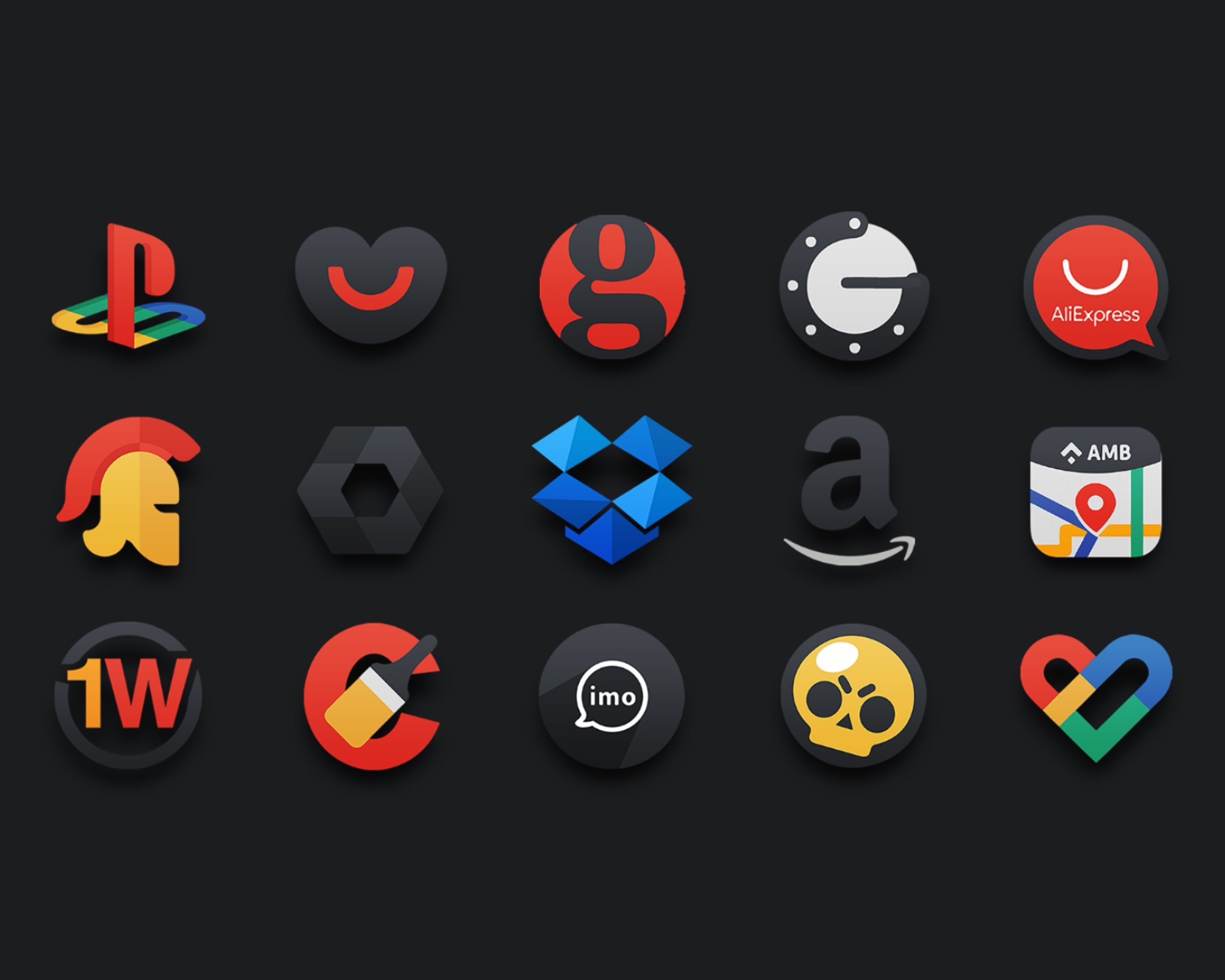
The main strength of Darko is its large set of HD icons with a consistent dark visual style. The pack includes more than 5,000 icons, so many common apps can take on a unified look instead of mixing bright default icons with a darker home screen layout.
The icons use shadow effects and darker tones to create a sense of depth without making the screen feel too busy. This works especially well for users who prefer black, gray, or muted wallpaper setups. Some less common apps may not have a dedicated icon yet, but the included masking helps them sit more naturally beside themed icons instead of standing out too much.
Wallpapers play a big role in how an icon pack feels in daily use, and Darko includes 250 HD cloud wallpapers that match its darker direction. These backgrounds help the icons look more connected to the rest of the screen rather than appearing like a separate layer placed on top.
Users who like a calm home screen can pair the icons with darker cloud wallpapers for a cleaner app drawer and launcher page. The effect is practical as well as visual, since darker backgrounds can make icon shapes easier to notice at a glance. The wallpaper choice is still personal, so users who already have a favorite dark background can keep it and still benefit from the icon style.
Darko is not a standalone home screen replacement. It is applied through a compatible launcher, which makes launcher support an important part of the experience. It works with popular options such as Nova Launcher, Niagara, Action, ADW, Apex, GO, Smart, and Solo, giving users flexibility across different Android setups.
In most launchers, users apply the pack from the themes, appearance, or icon pack area in settings. The exact wording depends on the launcher, so the setup may feel different from one phone to another. This also means users relying only on a phone’s default launcher should check compatibility first, because some default launchers do not support external icon packs.
Customization goes beyond applying one fixed look, because Darko also includes alternative icons for supported apps. This is useful when a user wants a slightly different symbol or style for a favorite app while keeping the same dark theme across the screen.
Alternative icons are usually selected from a launcher’s shortcut edit menu, although the process depends on the launcher being used. For users who enjoy fine-tuning a setup, this adds useful control. For users new to icon packs, browsing many choices may take time, and clearer categorization would make the experience easier. App masking helps fill that gap by giving unsupported apps a darker blended appearance when a custom icon is not available.
Nova Launcher users get an extra benefit through dynamic calendar icon support. With Darko applied in Nova Launcher, calendar icons can reflect the current date while still following the same dark visual style as the rest of the pack.
This small detail matters for users who keep calendar apps on the first home screen. It keeps useful information visible without breaking the theme. The feature depends on Nova Launcher support, so users on other launchers should not expect the same behavior unless their launcher offers similar calendar icon handling.
These points reflect how Darko performs as a visual customization tool for Android users who already use, or plan to use, a supported launcher.
ProsYou can download Darko APK from APKPure to get the latest available package for Android. Since the listed file size may change with updates, users should check the download page before installing and keep enough storage available for the icon pack, wallpapers, and future updates.
After installation, Darko needs to be selected inside a supported launcher rather than opened like a normal home screen app. If the icons do not change right away, checking the launcher’s theme or appearance settings usually helps. For the best result, pair the icons with one of the included dark wallpapers and review any unthemed apps that may need an alternative icon or masking.



One-click to install XAPK/APK files on Android!
Thanks for your rating and feedback!
You have already rated.