















Thanks for your rating and feedback!
You have already rated.

No more accidental/unwanted touch on screen edge/s.
Block unwanted edge touches or transform your display with customizable screen edge effects! ✨
Whether you are suffering from accidental palm touches on curved screens or want to add sleek visual accents to your device, Edge Touch gives you total control over your screen's edges. 🛡️🎨
☕ Buy me a coffee? https://play.google.com/store/apps/details?id=com.artvoke.edgetouch.donation
*(Both the free and donation versions are exactly the same! If you choose to buy me a coffee, please keep only ONE version installed on your device.)*
---
🌟 Who is this app for?
👻 Ghost & Accidental Touch Prevention
Stop registering accidental edge touches on curved or bezel-less screens while holding your phone or gaming (PUBG, Mobile Legends, and more).
✨ Phone Personalization & Aesthetics
Add stylish screen borders, ambient edge highlights, or vibrant neon light effects—with or without touch blocking enabled!
🎯 App-Specific Customization
Automatically activate or deactivate edge blocking and decorations for specific applications.
---
🛡️ Why Edge Touch? (The "No" List)
Because I build and rely on this app for my daily use, it is designed with extreme respect for your privacy and resources:
❌ No storage/disk permissions requested
❌ No Ads
❌ No personal data collection
❌ No sneaky in-app purchases (except buying me a coffee! ☕)
❌ No battery drain or performance slowdowns
❌ No persistent background notification spam
---
⚡ Features & Customization
🧱 Edge Touch Blocking & Decorative Lighting
Use full blocking, non-blocking visual effects (like neon glow borders), or combine both!
📐 Multi-Edge Support
Top, bottom, left, and right edges in portrait and/or left/right landscape modes.
🎨 Deep Visual Styling
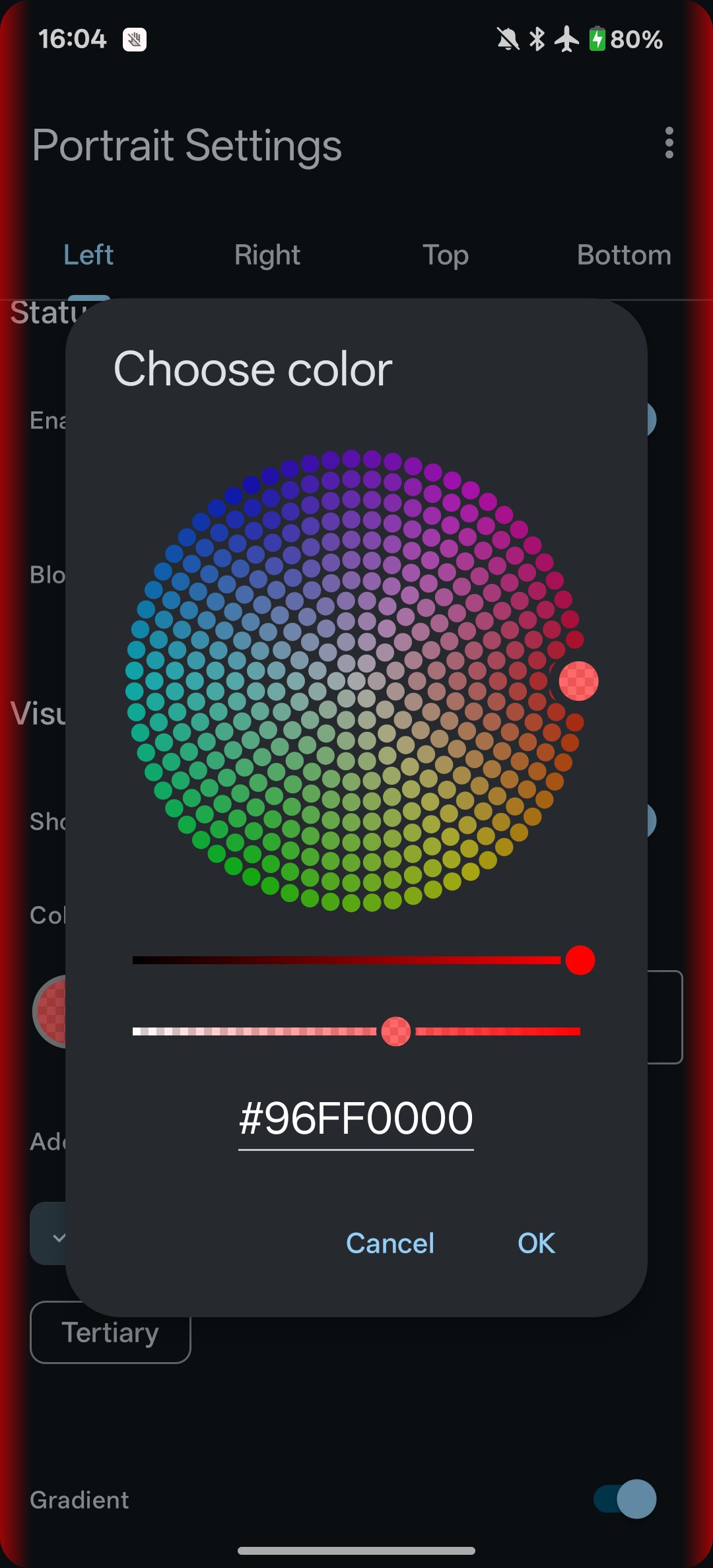
Full ARGB color controls, gradients, neon accents, thickness, length, and screen positioning.
🧠 Smart App & UI Avoidance
Enable or disable edge rules when specific apps are running. Automatically pause, hide, shift, or disable blocking when overlapping with System UI (status bar, navigation bar, volume panels) or the soft keyboard.
🚀 Quick Controls
Supports Quick Settings notification tiles, quick controls, and persistent bubbles.
🔄 Auto-Start
Automatically resumes protection and lighting effects on device boot.
---
🔒 Privacy, Security & Permissions
🛡️ Privacy First:
This app does not collect, track, or transmit personal data or usage metrics. It requests no storage permissions, making it impossible to read or store your personal files.
🔑 App Permissions Explained:
- Accessibility Service: Used strictly to render edge overlay views (to block touches or display light effects) and detect the foreground app package name/system UI state so Edge Touch knows when to avoid them. Edge Touch never reads, controls, modifies, or records screen content.
- Internet Access: Used solely to transmit anonymous crash logs via Firebase Crashlytics and diagnostic analytics via Google Analytics to help fix bugs and debug edge cases quickly.
- Boot Completed: Used so the app can launch and automatically resume protection or lighting effects immediately after your device boots up.
- Query All Packages: Used for Smart App Avoidance, allowing you to select specific installed applications to trigger or pause edge rules automatically.
- Request Delete Packages: Used to prompt an uninstall dialog if both the free and donation versions are installed simultaneously (running both causes conflicts).
- Foreground Service: Queries running apps to seamlessly toggle edge rules on or off based on your current app.
---
If you made it this far and find the app useful, consider buying me a coffee! ☕ TeeHee





One-click to install XAPK/APK files on Android!
Thanks for your rating and feedback!
You have already rated.