Package Name:com.pedros73.equalizer
Show More


3.8 MB
File Size
Everyone
Android 8.0+
Android OS
Equalizer, Bass Boost, Volume Boost & Bluetooth EQ profiles.
Equalizer – Bass Booster Volume is a clean, lightweight equalizer that works on all audio played from your phone — music apps, video, and games.
No ads, no tracking, no data collection.
🎚️ THREE EQUALIZER MODES
• Standard: your device's native equalizer (typically 5 bands)
• 10-Band: finer control across ten frequency bands
• 21-Band: highly precise adjustment (Android 9+) – Pro
🎛️ 10 READY-MADE PRESETS + YOUR OWN
Flat, Rock, Pop, Jazz, Classical, Bass, Treble, Vocal, Dance, and Electronic — or adjust the bands yourself and save your own sound under your own name.
🔊 CONTROLS
• Bass Boost emphasizes low frequencies
• Treble lifts the high frequencies
• Volume Boost raises loudness beyond the device's normal maximum
• Master Volume controls media volume right from the app
• Balance shifts audio between the left and right channels
• 3D Surround widens the stereo image — Pro
• Compressor evens out loud and quiet parts — Pro
• Find the balance that suits your headphones
🎯 HEADPHONE CORRECTION CURVE — Pro
Is there a measured correction curve for your headphone model? Download the file yourself from whichever service you prefer and import it into the app — the EQ adjusts to match. Common ParametricEQ and GraphicEQ text files are supported. The app downloads nothing on its own, and Settings includes step-by-step instructions.
📱 WIDGET AND QUICK SETTINGS — Pro
Toggle the equalizer and switch presets straight from your home screen or the notification panel, without opening the app.
💾 BACKUP
Export all your settings to a file and import them on a new phone. Free for everyone.
🎧 YOUR OWN HEARING CURVE
A minute of listening shows which frequencies need more level, and the equalizer is shaped to match – on every preset and every pair of headphones. Measuring is free, switching it on is Pro. Note: not a hearing test, and it says nothing about the health of your hearing.
🎧 SMART DEVICE PROFILES
The app automatically detects the connected output and remembers a separate EQ profile for each – Bluetooth headphones, wired headphones, USB devices and the phone speaker. Switch headphones and the right settings load automatically.
🔋 HEADPHONE BATTERY LEVEL
If your headphones report their battery level, you see the percentage right at the top of the app and in the notification. Note: not all headphones and phones support this — if the level cannot be read, nothing is shown and nothing else is affected.
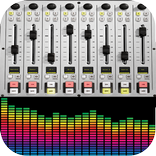
📊 REAL-TIME SPECTRUM ANIMATION
Watch the music's frequencies come alive while it plays. Four styles to choose from — bars, mirror, curve and waveform — and your own EQ curve shows behind the animation.
🌗 LIGHT, DARK, OR SYSTEM THEME
Pick the look you prefer.
🔓 PRO
The yearly subscription unlocks 21-Band mode, the correction from your own hearing curve, headphone correction curve import, unlimited presets of your own, 3D Surround, the compressor, and the widget and quick settings tile. It renews automatically and can be cancelled at any time in your Google Play subscription settings. Everything else — measuring your hearing curve, finding the balance, the automatic device profiles, the headphone battery level, and settings backup — is free.
⚠️ NOTE ON DEVICE COMPATIBILITY
The app adjusts Android's system-wide audio. Some manufacturers (including vivo, Oppo, realme and Xiaomi) play music on a path that bypasses these effects — the sound then does not change even though the app otherwise works normally. If that happens, try turning off the phone's own audio effects, allowing the app to run in the background, and using wired headphones. Please test with the free features before buying Pro.
🔒 PRIVACY FIRST
No ads, no tracking, no data collection. All settings are stored only on your own device. Internet access is used only if you choose to send feedback from Settings.
Available in eight languages: Finnish, Swedish, English, Portuguese, Indonesian, Thai, Hindi and Spanish.



One-click to install XAPK/APK files on Android!

Thanks for your rating and feedback!
You have already rated.