Package Name:dicom.studio
Show More

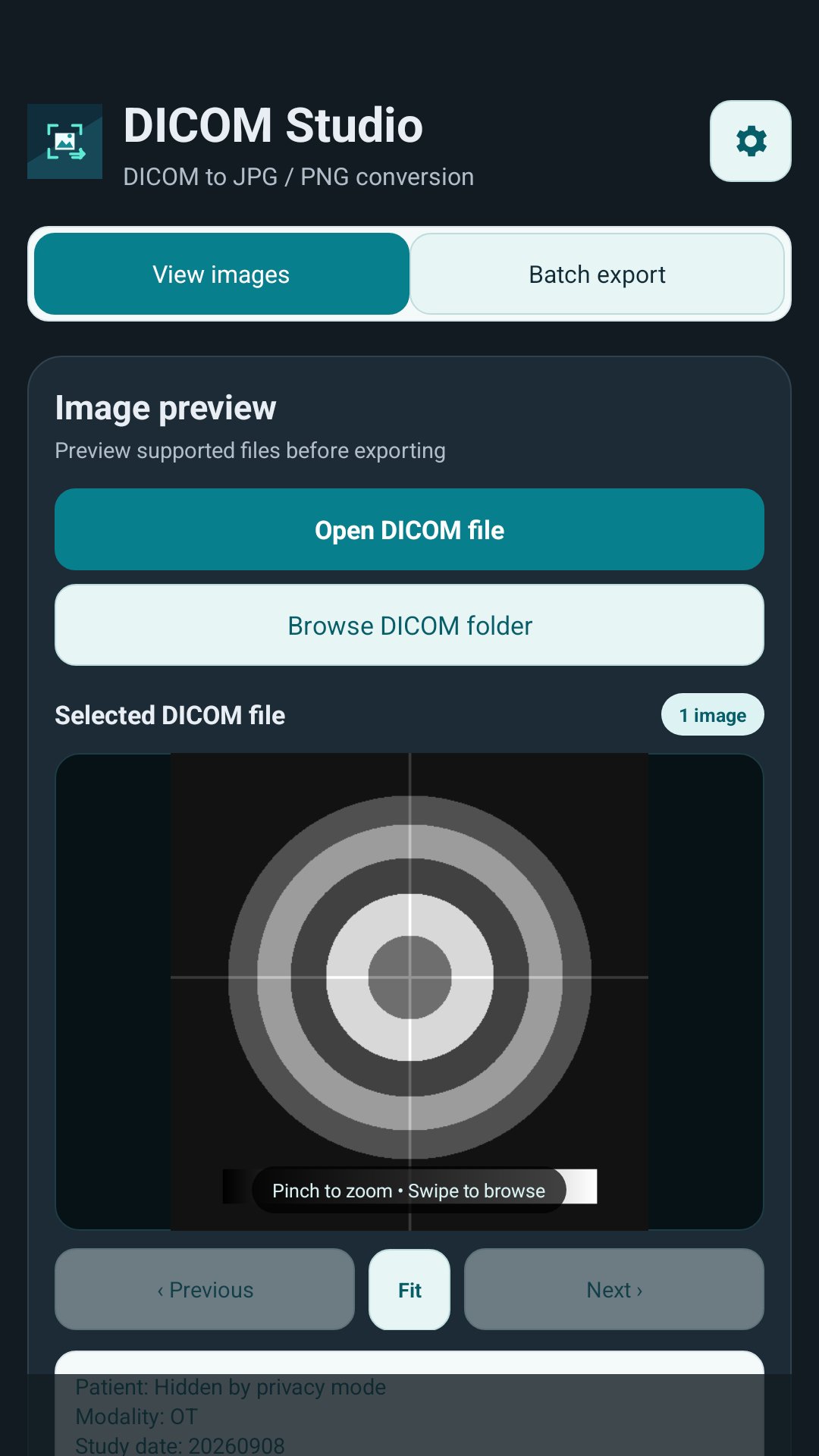
Convert DICOM files to JPG or PNG, and view DICOM images.
DICOM Studio is a file preview and image conversion utility for supported DICOM files. It does not interpret medical findings or provide diagnosis, treatment recommendations, or clinical decision support.
CONVERSION FEATURES
• Export supported DICOM images to JPG or PNG.
• Choose JPEG quality and optionally create a dated output folder.
• Include subfolders when needed.
• Follow conversion progress, review failures, and retry failed files.
• View recent conversion history.
• Share converted files using an app or service you choose on Android.
PREVIEW YOUR FILES
• Open a supported DICOM file or browse a folder.
• Zoom, pan, fit the image, and move between files.
• Adjust brightness and contrast for viewing.
• View selected file and DICOM metadata.
• Switch between light and dark appearance.
SUPPORTED FILES AND EXPORT LIMITATIONS
This version supports single-frame, uncompressed, 8-bit or 16-bit grayscale DICOM images.
Compressed, multi-frame, color, and LUT-sequence images are not supported. Other uncommon encodings may also be rejected. Images above 16 megapixels are rejected, and practical limits depend on available device memory.
JPG and PNG exports are rendered 8-bit grayscale representations. They do not preserve the original DICOM dataset, complete metadata, or original 16-bit precision. JPEG compression can also discard image detail.
Keep your original DICOM files and verify exported results. Previews and exports are not intended for diagnosis, treatment decisions, or other clinical decisions.
PRIVACY
DICOM files may contain sensitive information, including images, names, study dates, and other identifying information. DICOM Studio accesses this information only as needed to open selected files, display selected metadata, and perform conversion.
The app reads files and folders you select through Android's file picker. It does not upload DICOM images or associated metadata to the developer. If you select files from a cloud storage provider, that provider may transfer or synchronize files according to its own settings and privacy policy.
When you choose to share an exported file, Android passes it to the app or service you select. Android backup may include app settings and conversion history.
Privacy mode hides only the name field in displayed metadata. It does not anonymize source files or exports, remove identifying filenames or other metadata, or erase identifying text embedded in image pixels.
Only process files you are authorized to access. Review exported images and filenames before sharing.
This version contains no ads or analytics SDKs. Read the app's Privacy Policy for more information about data access, storage, sharing, retention, and deletion.
IMPORTANT NOTICE
DICOM Studio is a general-purpose file viewing and conversion utility. It is not intended to diagnose, treat, cure, or prevent any medical condition.
Do not use previews or exported images for diagnosis, treatment decisions, or other clinical decisions. Consult a qualified healthcare professional for medical advice, diagnosis, or treatment.



One-click to install XAPK/APK files on Android!

Thanks for your rating and feedback!
You have already rated.