Package Name:com.tah.endoscope
Show More

Endoscope Camera – USB OTG Inspection Camera
Endoscope Camera – USB OTG Inspection Camera
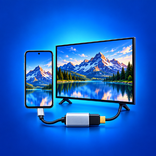
Turn your Android phone into a practical endoscope camera viewer. Connect a compatible USB camera, OTG camera, borescope camera, or inspection camera to view areas that are difficult to reach directly.
Use the Endoscope Camera app for pipe inspection, plumbing checks, vehicle maintenance, engine inspection, home repairs, machine inspection, and other tasks that require a closer look inside narrow or hidden spaces.
Endoscope Camera Features:
• USB & OTG Camera Connection
Connect a compatible USB endoscope camera through an OTG adapter or supported Type-C connection.
• Live Endoscope Camera View
Display the live feed from your connected inspection camera directly on your Android device.
• Photo Capture
Take clear JPG photos during an inspection and save important details for later.
• HD Video Recording
Record inspection videos in MP4 format at up to 720p, depending on the connected camera and device capabilities.
• Audio Recording
Use your phone’s microphone to add audio while recording inspection videos.
• Built-In Gallery
Access your captured photos and videos from one place. View, delete, or share inspection media easily.
• USB OTG Checker
Check whether your Android phone or tablet supports USB OTG before connecting an external camera.
Compatible Camera Types:
• Endoscope camera
• USB camera
• OTG camera
• Borescope camera
• Inspection camera
• Pipe camera
• Microscope camera
• Type-C endoscope camera
Useful for Different Inspection Tasks:
• Inspect pipes, drains, and narrow spaces
• Check vehicle engines and mechanical parts
• Examine walls, vents, and hidden areas
• Support plumbing and home maintenance
• Inspect equipment, machines, and small components
• Capture photos and videos for repair documentation
How to Use Endoscope Camera:
1. Connect a compatible USB or Type-C endoscope camera to your Android device using an OTG adapter when required.
2. Open the Endoscope Camera app.
3. Allow access to the connected USB camera.
4. Start the live inspection view.
5. Capture photos or record videos when needed.
Endoscope Camera provides a simple way to connect and use a compatible USB inspection camera from your Android phone. View hidden areas, record inspection footage, and keep your captured media organized in one convenient app.
Compatibility Notice:
USB camera support depends on your Android device, USB OTG capability, connected camera model, and supported USB video standards. Some cameras or devices may not be compatible. An OTG adapter may be required and is not included with the app.



One-click to install XAPK/APK files on Android!

Thanks for your rating and feedback!
You have already rated.