Package Name:com.dattatech.materialdock
Show More

Turn your charging phone into a bedside clock with weather, alarms and music
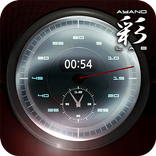
Material Dock turns your charging Android phone into a glanceable display for your nightstand or desk. Put it on the charger and the time, date, weather and your next alarm fill the screen in big, colourful Material tiles.
FREE
• Bento and Cookie screens, in landscape and portrait
• A big clock, the date and your next alarm
• Weather for a city you type, or your approximate location
• Steps from your phone's step counter
• Now playing, with its buttons
• Opens by itself on the charger as the screen saver
• Night mode: a dim red, amber or white clock when the room gets dark, using the light sensor
• Extra dim, darker than the screen's lowest brightness, with flicker-free dimming
• Drag up or down on the left half to make it brighter or dimmer
• Burn-in protection, and a black background that keeps OLED pixels off
• Swipe sideways for the next screen
MATERIAL DOCK PRO
One payment, yours for good.
• All 13 screens: Digits, Now playing, Charging, Weather, Blocks, Power, World, Forecast, Focus, Music and Agenda join Bento and Cookie
• Edit any screen: move, resize, add and remove tiles, including world clock, focus timer and battery
• Put other apps' widgets on a screen
• Today's calendar events on their tile
• Every clock style: Split, Cookie and Blocks
• Opens in place of the lock screen and Always-on display when you lock the phone on charge
• A Quick Settings tile to open Material Dock without a charger
PRIVATE
No ads and no advertising IDs. Calendar titles and other apps' widgets can stay hidden until you unlock. Anonymous usage sharing can be switched off in the app.
Forecast from MET Norway (CC BY 4.0).



One-click to install XAPK/APK files on Android!

Thanks for your rating and feedback!
You have already rated.