Package Name:app.edge.slider
Show More

20.0 MB
File Size
Everyone
Android OS
Slide the floating screen edge to set brightness and volume in any app.
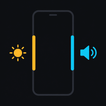
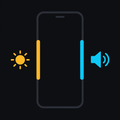
Two thin strips, one down each side of your screen. Slide one and the value changes right away, without leaving the app you are in.
No pulling the shade down to dim the screen. No hunting for the volume keys one-handed.
WHAT EACH EDGE CAN DO
Set the left and right edges separately, and pick from:
• Brightness
• Media volume
• Ring volume
• Notification volume
• Alarm volume
• In-call volume
• Off, if you only want one side active
MADE TO FIT YOUR HAND
Every part of the strip adjusts, so it sits exactly where your thumb rests:
• Length, from a short tab to most of the screen
• Position, high or low along the edge
• Touch width, from a narrow sliver to a wide target
• Handle visibility, all the way down to invisible
• Sensitivity, so a full sweep takes a short flick or a long, precise drag
• A gentle tick of vibration on each step, or none at all
A floating readout shows the exact level while you drag, then fades away.
MAKE IT YOURS
• 18 colors for each edge, set independently, so left and right are easy to tell apart at a glance
• Or let each strip take the color of whatever it controls
• Five accent colors for the app itself
• Light, dark, or follow your phone
WHY IT ASKS FOR WHAT IT ASKS FOR
• Draw over other apps: the strips sit on top of whatever you are using. This is the only way an edge slider can work at all.
• Change system settings: used only to set screen brightness. Skip it if you do not put brightness on an edge.
• Notifications: Android shows a quiet, ongoing notice while the strips are running.
PRIVATE BY DEFAULT
Edge Slider has no internet permission at all. No account, no sign up, no ads, nothing collected and nothing sent anywhere. It all works offline.
GOOD TO KNOW
If you use gesture navigation, the strip shares space with the back swipe. Keeping the strip short and placing it where your thumb naturally rests avoids most of the overlap.
Turn it on once and it can bring itself back every time your phone boots.



One-click to install XAPK/APK files on Android!

Thanks for your rating and feedback!
You have already rated.