Scan Date:Nov 13, 2026
Show More


58.7 MB
File Size
Everyone
Android 8.0+
Android OS
Timers, stopwatches and clocks that float over any app. Always in sight.
🕒 Floating Timer & Stopwatch — Always On Screen, or Full Screen
How many times have you lost track of time switching apps just to check a stopwatch? With Floty, the time is always in front of your eyes: floating over any app, or full screen when you need a big, clear clock.
A floating timer and stopwatch for Android that stays on top of any app as an overlay, with a full-screen mode made for studying, presentations and workouts.
⏱️ Two Ways to Keep the Clock Visible
Floating widget — an overlay timer or stopwatch that floats over any app while you cook, game, read or work
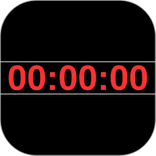
Full-screen mode — a large stopwatch that fills the screen, easy to read from across your desk or the room
📖 Example: Timing a Study Session
Open Floty, switch to full-screen mode and place your phone beside your books. Start the stopwatch and the time stays big and visible while you focus — no switching apps, no picking up your phone to check. Pair it with the timer for Pomodoro-style study blocks.
🌟 Why Choose Floty?
Unlike other stopwatches, Floty stays visible while you use any other app — or takes over the whole screen when visibility matters most. Whether you're studying, cooking, gaming, or giving a presentation: no switching, no interruptions, no losing your focus.
⚙️ Key Features
Floating stopwatch & timer — track elapsed or remaining time without closing your apps
Full-screen stopwatch — large display for maximum visibility while studying, presenting or training
Three floating widget sizes — small, medium, or large to fit your screen and needs
Simultaneous stopwatch and timer — control two different countdowns at the same time
100% customizable widget — adjust colors, transparency, and clock style
Voice alerts & alarm — spoken notifications when time is up
Runs in the background — keeps tracking even with the screen locked
Smooth animations — real-time progress bars for hours, minutes, and seconds
One-tap close — quick button to hide the floating widget when not needed
Accidental close protection — confirmation prompt before closing the timer
🛡️ Safe Mode — Control Without Accidents
Do you accidentally tap the widget and stop the stopwatch at the worst moment? Safe Mode solves that.
Smart context menu — press and hold the widget to open a menu with all available options
No accidental taps — no action is triggered by a simple touch while Safe Mode is active
Perfect for presentations, cooking, or workouts — where stopping the timer by mistake is not an option
👆 Simple & Intuitive Controls
One tap → start or pause the stopwatch
Double tap → reset
Drag → reposition the floating widget anywhere on screen
Press and hold → opens the context menu in Safe Mode
🤖 Create Widgets with Artificial Intelligence
Want a floating widget exactly as you imagine it? Now you can create it through conversation — with text or with your voice.
Local AI with Gemma 4 — create and customize floating widgets on your device, no internet required and no data shared
Gemini integration — connect with Google Gemini to create more advanced widgets using natural language
Voice and text — describe the widget you need by speaking or typing and the AI builds it for you
💡 Perfect For...
📖 Study & Pomodoro — full-screen stopwatch for focused sessions without distractions
🎤 Speakers & presenters — control your time during speeches or presentations
🍳 Cooking — floating timer while you follow a recipe on screen
🎮 Gamers — time your sessions in your favorite games
📋 Meetings & readings — track timing for parts, talks, and readings with precision
🏋️ Fitness — time your sets, rest periods, and workout routines
⏱️ The floating timer and full-screen stopwatch for Android — download Floty free today.



One-click to install XAPK/APK files on Android!

Thanks for your rating and feedback!
You have already rated.