Safe & Fast APK Downloads on APKPure
APKPure uses signature verification to ensure virus-free GameGuardian APK downloads for you.


9.1
40 Reviews
7.2 MB
File Size
Everyone
Android 3.0+
Android OS
GameGuardian is an Android game modification tool for searching and editing in-game memory values.
Developed by the GameGuardian team, it focuses on powerful value searches across many data types. The main appeal is precise control over currency, HP, and timers with fast, flexible scanning. Many users download GameGuardian to run inside virtual spaces when a device is not rooted. Below are the features that matter in everyday use.
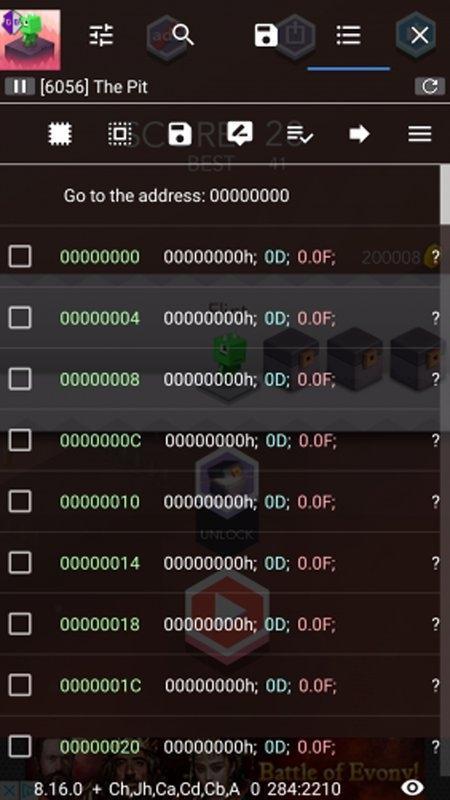
Value search is the core tool for finding and changing memory values such as currency, HP, or skill points, even when exact numbers are unknown. The GameGuardian app supports exact, fuzzy, unknown-difference, mask, encrypted/XOR, and Array-of-Bytes searches across data types like Dword, Float, Double, Byte, and Qword.
A common pattern is starting with a rough guess, then narrowing results with greater-than or less-than filters while playing. You can freeze a found value to lock a timer, or batch-edit all matching results at once. Background search keeps the game responsive while scans run. Some titles obfuscate values, so encrypted and XOR modes help uncover them.
Speedhack changes how fast in-game time flows, while Time Jump moves timers forward or backward. The GameGuardian app offers acceleration and deceleration on x86 and 32/64-bit apps running on 64-bit devices.
Players use it to slow down tough boss phases, or fast-forward resource refresh cycles in supported games. Quick tweaks can make crafting or energy refill feel less tedious. Anti-cheat systems may block or flag these adjustments, and some games will crash. If stability drops, reduce the speed change, try emulator mode, or switch to a virtual space.
Lua scripting lets you automate searches, edits, and repetitive tweaks to save time. The GameGuardian app can run scripts, modify all results at once, apply filters, and use Fill to populate ranges.
Typical scripts scan for experience points, adjust them within safe bounds, then freeze the value during grinding. Memory dump and copy help script authors inspect structures before writing automation. The latest version, 101.1, improves virtual spaces and fixes Lua bugs, and updating is recommended to avoid malicious scripts. Always review scripts from others before running them.
Not every device is rooted, so virtual spaces enable limited modification without system access. The GameGuardian app works inside F1 VM with Android 5.1 or 7.1 ROM options and supports popular emulators like Nox, BlueStacks, and LDPlayer.
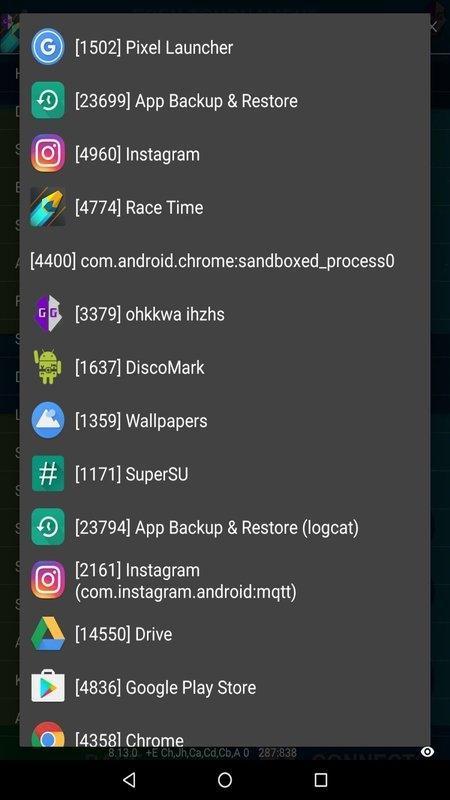
Users typically grant permissions, add the tool to the virtual environment, then attach it to the target game from the floating icon. Choosing the right ROM and disabling child process restrictions can improve detection of processes. Compatibility varies on very new Android builds and strict anti-cheat protections. If a game resists changes or crashes, try a different emulator build or adjust the virtual setup.
You can download the latest GameGuardian APK from APKPure. Download time depends on your connection speed, and the size may vary by version, so ensure sufficient storage before starting. After the file is saved, Android may prompt to allow installation from unknown sources and to grant overlay permissions for the floating icon.
If your device is not rooted, plan to use a virtual space for limited functionality. For stability, keep the GameGuardian latest version installed to benefit from the 101.1 fixes and improved virtual support. Once installed, open your game, attach the tool, and start with small changes to gauge compatibility. Avoid running untrusted scripts, and keep backups when experimenting with memory edits.


One-click to install XAPK/APK files on Android!

Thanks for your rating and feedback!
You have already rated.