







Thanks for your rating and feedback!
You have already rated.

Secondary metabolic dashboard and telemetry mirror for data visualization.
IMPORTANT MEDICAL DISCLAIMER
GlucoGlance is NOT a medical device. It does not diagnose, treat, cure, or prevent any medical condition. This software is a secondary mathematical utility for data visualization only. Never use GlucoGlance to make medical decisions or hardware adjustments. Always consult your physician and rely on your primary FDA-approved medical hardware for glucose monitoring and insulin delivery.
The Ultimate Telemetry Mirror
GlucoGlance is a high-fidelity data visualization suite designed for advanced metabolic monitoring. It acts as a passive telemetry mirror, retrieving records from your existing CGM and insulin delivery systems to provide a centralized, glanceable dashboard across all your Android and Wear OS surfaces.
Supported Apps & Hardware Integrations
GlucoGlance passively processes health telemetry from a wide range of ecosystem sources:
CGMs (via Notifications): Dexcom G6, Dexcom G7, Eversense 365
Insulin Pumps: Omnipod 5
Companion Apps: Gluroo, GlucoDataHandler, Juggluco, xDrip+
Follow Services: Dexcom Follow, LibreLinkUp
Glucometers: mySugr
Bridging the Eversense 365 Data Gap
Eversense 365 currently lacks a native follow service to mirror telemetry across multiple secondary devices. GlucoGlance solves this:
Direct Local Capture: Captures notification telemetry directly on your primary phone from Eversense 365, pumps, or companion apps.
Seamless Local Relay: Syncs directly via Bluetooth to your Wear OS watch face and Android Auto dashboard for real-time local monitoring.
Zero-PII Remote Mirroring: Leverages our lightweight web relay to feed data to GlucoGlanceWearLite on secondary Wear OS watches, remote phones, and automotive displays—giving followers and secondary devices real-time access.
Predictive Metabolic Variance Modeling
Correlate your glucose trends with real-time physiological stressors using local mathematical modeling:
Cardiac Vitals: Monitor Heart Rate, HRV, and Resting Heart Rate.
Respiratory & Physical Stress: Track SpO2, Respiratory Rate, EDA, and Skin Temperature.
Activity Integration: Visualize how steps, cadence, and movement impact your glycemic stability.
Mobile: Total System Integration
Dynamic UI & Desk Display: A comprehensive metabolic dashboard that doubles as a high-visibility bedside clock for 24/7 monitoring.
Status Bar & Quick Settings: View your real-time glucose and trend data directly in your system tray and quick-toggle menu without opening the app.
Smart Notifications: Visual and spoken alerts ensure you stay informed hands-free.
Live Wallpaper Service: Transform your home screen into a live data stream with integrated TIR (Time in Range) graphs and trend icons.
Interactive Widgets: Multiple widget sizes and styles to bring your metabolic data directly to your home screen.
Wear OS: On-Tap Intelligence
Advanced Complications: Highly configurable "on-tap" complications with multiple states, providing instant data transitions on your favorite watch face.
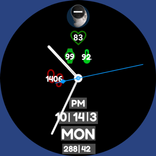
Glanceable Tiles: Swipe into a dedicated metabolic summary with integrated cardiac and respiratory vitals.
High-Fidelity Watch Faces: Optimized for Galaxy Watch Ultra, Pixel Watch 3, and other modern Wear OS devices.
Privacy-First, Local-First Architecture
100% Local-First by Default: All metabolic modeling, data processing, and device-to-device sync run entirely on your local hardware.
Zero Automatic Uploads: Health telemetry is never sent to any external server automatically.
Opt-In Anonymized Sharing: Choose to share data with loved ones or lightweight companion apps using a secure, user-initiated UUID and 6-digit access code—completely free of names, emails, or personal identifiers.



One-click to install XAPK/APK files on Android!
Thanks for your rating and feedback!
You have already rated.