Package Name:com.basitce.mobai_assist
Show More

Turn any photo into a 3D model with AI — completely on your device.
Image to 3D Model brings the power of on-device AI to your pocket. Capture any object with your camera or pick a photo from your gallery, and watch it transform into a detailed 3D model in seconds — no cloud, no subscriptions, and no data sent to any server.
Powered by the TripoSR architecture and optimized for mobile with ONNX Runtime, Image to 3D Model runs the entire 3D generation pipeline locally on your Android device. From image segmentation and triplane extraction to marching cubes mesh reconstruction, everything happens offline.
Key Features
One Photo, One 3D Model
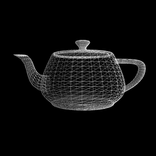
Choose any image with a clear subject and a simple or transparent background. The AI analyzes the object, removes distractions, and reconstructs a full 3D mesh you can rotate, inspect, and export.
Private & Offline
Your photos never leave your device. All inference runs locally using ONNX Runtime, so your images and generated models stay under your control. Perfect for sensitive prototypes, personal projects, or professional work.
Built-in 3D Viewer
Preview your generated model right inside the app. Pan, zoom, and rotate the mesh before exporting. No external viewer required.
Export as OBJ
Save your 3D models in universally supported OBJ format. Open them in Blender, Unity, Unreal Engine, Nomad Sculpt, or any other 3D tool. Share them via messaging apps, cloud storage, or USB.
Quality & Performance Controls
Pick from Fast, Balanced, High, or Max quality presets. Advanced users can tweak resolution, density threshold, foreground ratio, and chunk size to balance speed and detail on their device.
On-Device AI
No internet required after the initial model download. Generate 3D models anywhere — on a plane, in the field, or at a client meeting.
How It Works
1. Select or capture a photo of an object.
2. The AI segments the subject and extracts 3D features.
3. Marching cubes reconstructs a watertight mesh.
4. View, export, and share your 3D model.
Use Cases
3D printing prototypes and reference models
Game asset creation and concept modeling
E-commerce product visualization
Education and anatomy study
Personal art and social media content
Download Image to 3D Model today and give your photos a third dimension.
Note: This app performs heavy on-device AI computations. Best performance is achieved on modern Android devices with powerful processors and at least 6 GB of RAM.



One-click to install XAPK/APK files on Android!

Thanks for your rating and feedback!
You have already rated.