
















Thanks for your rating and feedback!
You have already rated.

ITsMagic Engine 2.0 - PRO is an Android 3D game engine for mobile creators.
ITsMagic designs this editor around one clear appeal: building complete 3D games directly on an Android device. It supports scene creation, scripting, testing, and APK export without moving the whole project to a desktop setup. Users looking for an Android 3D game engine can use its tools to shape playable ideas from early prototypes to shareable builds. The main tools cover these areas:
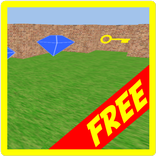
ITsMagic Engine 2.0 - PRO lets users create and organize 3D game scenes from a mobile editor. The workflow focuses on placing objects, shaping environments, and building worlds that can be tested on the same device. Version 2.0 adds a new Vulkan graphics core, which helps the editor handle larger scenes with cleaner visuals and better performance than earlier builds.
The editor is useful for creators who want to sketch a level during travel, adjust object positions quickly, or refine a test scene without opening a desktop tool. Users can work with terrain editing, physics, animation systems, and 3D spatial audio to give scenes more structure. Very dense worlds may still need a stronger Android device, so keeping early prototypes lighter can make editing smoother.
ITsMagic Engine 2.0 - PRO supports Java, Lua, and NoCode visual logic blocks for creating game behavior. This gives different types of creators a practical entry point, whether they prefer writing scripts or connecting visual actions. Logic can control gameplay events, waits, materials, actions, and other scene responses that make a project feel interactive.
For example, a creator can use NoCode blocks to test a simple trigger, then move to Java or Lua when a system needs more control. This mix is helpful for small games, learning projects, and prototypes where ideas change often. Beginners may need time to understand scripting and performance tuning, but the visual logic option lowers the barrier for basic interactions.
ITsMagic Engine 2.0 - PRO can import many common asset formats, including OBJ, FBX, GLTF, GLB, PNG, JPG, MP3, and WAV. This makes it easier to reuse models, textures, animations, and audio that creators already have. A project can bring together characters, environments, music, sound effects, and visual materials inside one mobile workflow.
The asset process fits real mobile creation habits. A user might import a character model, apply textures, add a sound effect, then test how it behaves in a scene. Because file quality and model complexity affect performance, lighter assets are often better for quick testing. More detailed assets can be added later once the game structure is stable.
ITsMagic Engine 2.0 - PRO includes advanced real-time visual options for creators who want stronger presentation on Android. Its Vulkan-based rendering supports shaders, cascaded shadows, Bloom, fog, filters, color grading, motion blur, Depth of Field, and SSAO. These effects can make a small scene feel more polished when used carefully.
Visual tuning is also tied to performance. A scene with heavy post-processing, detailed shadows, and many animated objects may look better but can run slower on lower-end phones. Users can test scenes on-device, reduce demanding effects, and balance image quality with frame stability. This is especially useful before exporting a project for friends or testers.
ITsMagic Engine 2.0 - PRO completes the mobile development loop by allowing finished projects to be exported as APK files. This matters because users can build, test, refine, and package a game from the same Android environment. The export option is useful for sharing prototypes, installing builds on another device, or preparing a small playable demo.
The engine is mainly focused on Android output, so creators targeting several platforms should consider that limitation before starting a large project. For Android-first projects, however, APK export keeps the workflow practical. After testing a scene and checking performance, users can create games that are easier to share outside the editor.
These points come from the core workflow, tool depth, and Android-focused design of ITsMagic Engine 2.0 - PRO. The engine offers strong creation tools, but some advanced features need patience and capable hardware.
ProsUsers can download ITsMagic Engine 2.0 - PRO latest version from APKPure and install the APK on a compatible Android device. The app package information may vary by release, so download time mainly depends on the current file size, network condition, and available storage. A stable connection is recommended because game development tools can include editor resources and rendering components.
After installing the ITsMagic Engine 2.0 - PRO APK, users can create a new project, import basic assets, and test a small scene before building something larger. Anyone planning to download ITsMagic Engine 2.0 - PRO for serious 3D work should also keep extra device storage free for project files, textures, audio, and exported APK builds.



One-click to install XAPK/APK files on Android!
Thanks for your rating and feedback!
You have already rated.