Clock Vault: Hide photos

Clock Vault: Hide photos

Code Motion Labs
Sep 19, 2026
  • 5.8 MB

    File Size

  • Security
  • Everyone

  • Android 7.0+

    Android OS

About Clock Vault: Hide photos

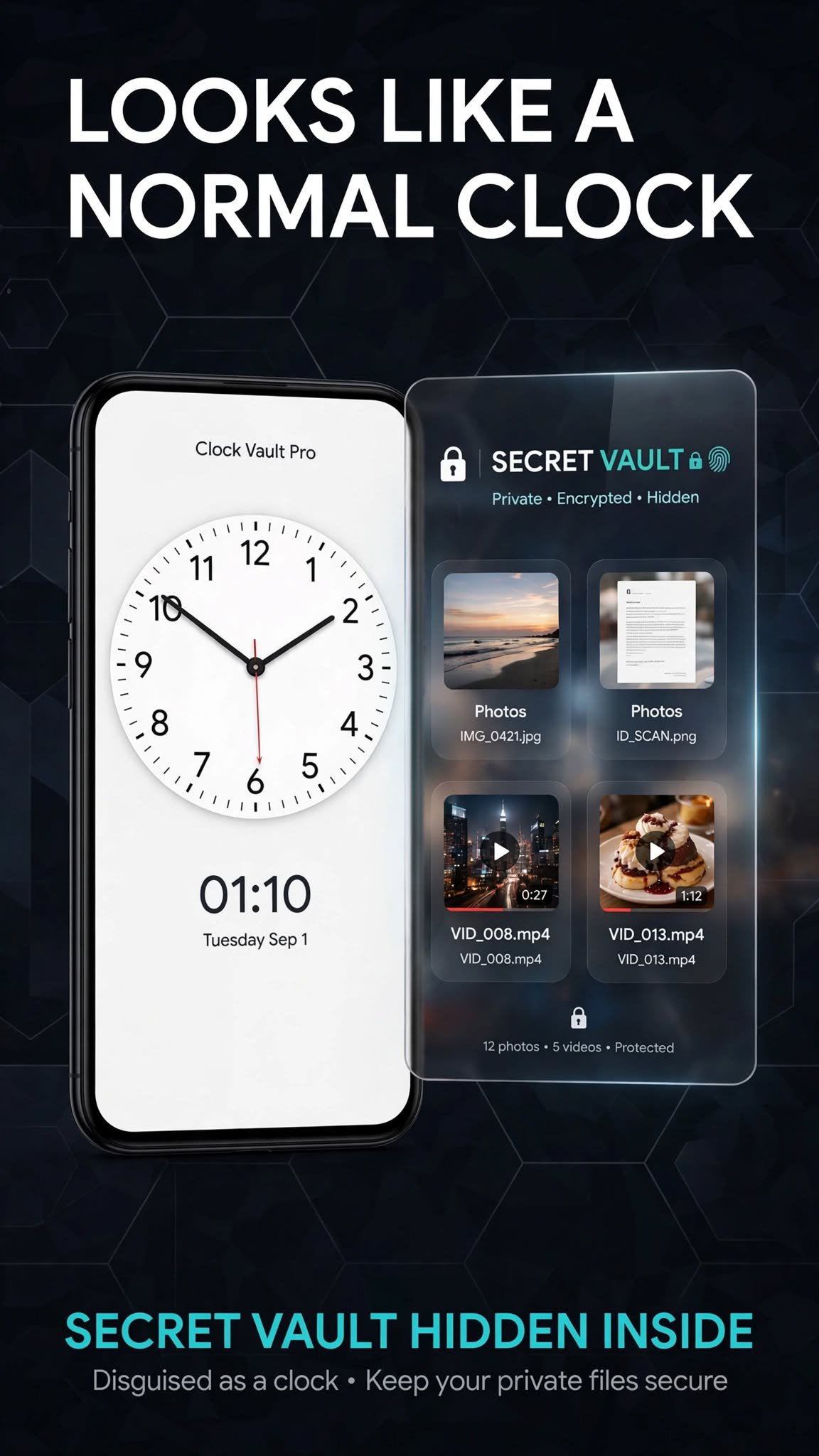
Hide photos and videos behind a real-looking clock. Private. On-device.

Clock Vault Pro looks like a normal analog clock. Your private photos and videos stay in a locked vault on this device.

How to unlock

• Tap the center of the clock

• Set the hands to your secret time

• Tap the center again

Optional fingerprint unlock is available after you set a clock password.

What you can do

• Import photos and videos into folders

• Open, share, or move files inside the vault

• Restore deleted files from Recycle

Privacy

Files stay on your phone. This app does not upload your vault to our servers and does not show ads.

Important

Uninstalling Clock Vault Pro permanently deletes vault files on that device. This is not a cloud backup.
Show More

What's new in the latest 1.8

Last updated on 2026-09-14
Bug fixes and UI improvements.
Show More

Videos and Screenshots

  • Clock Vault: Hide photos poster
  • Clock Vault: Hide photos screenshot 1
  • Clock Vault: Hide photos screenshot 2
  • Clock Vault: Hide photos screenshot 3
  • Clock Vault: Hide photos screenshot 4
  • Clock Vault: Hide photos screenshot 5

Clock Vault: Hide photos APK Information

Latest Version
1.8
Category
Tools
Android OS
Android 7.0+
File Size
5.8 MB
Available on
Content Rating
Everyone
Security Report
Check Now
Security Check Completed
No Virus
No Spyware
No Malware
No Virus
No Spyware
No Malware
Package Name:com.clockvault.pro
SHA-256:d2a4528f1ab638e9ccbf1e588f3662bea007714282dcd942cd6d5baa041565c5
SHA-1:eebd081286933242df620133552ccd3fd118a9db
Show More
Verified by: APKPURE

Old Versions of Clock Vault: Hide photos

APKPure icon

Super Fast and Safe Downloading via APKPure App

One-click to install XAPK/APK files on Android!

Download APKPure
thank icon
We use cookies and other technologies on this website to enhance your user experience.
By clicking any link on this page you are giving your consent to our Privacy Policy and Cookies Policy.
Learn More about Policies