Package Name:app.deckpointer
Show More


8.4 MB
File Size
Everyone
Android 9.0+
Android OS
Use your phone as a keyboard, mouse, gamepad and remote for PC, Mac and TV
Your phone controls all of this: a PC, a Mac, a Steam Deck or another handheld, a tablet and your TV. Deck Pointer turns your Android phone into a keyboard and mouse, a gamepad for PC games, a pad of shortcuts for your favorite apps and a remote for your TV.
MOUSE AND KEYBOARD
• Trackpad with left and right click, scrolling and a scroll strip.
• Live typing: type on the phone and the text appears on the other device as you go.
• Esc, Tab, Enter, Backspace and system keys one tap away.
FOR YOUR HANDHELD
• A mouse and keyboard for Steam Deck and other handheld PCs: launchers, sign-in fields, the browser, Desktop Mode.
A GAMEPAD FOR PC GAMES
• Two sticks, a D-pad, face buttons, bumpers and triggers in a landscape layout.
• For PCs, Macs and Steam Deck. Gamepad support depends on the game.
SHORTCUTS FOR YOUR FAVORITE APPS
• Ready layouts of macOS, Windows, iPad and Android tablet shortcuts: undo, copy, paste, find, switch apps and more.
• Layouts for video editing, streaming, calls, coding, DJ sets and 3D modeling, with big colored keys and icons.
• Use it as a Mac remote, a presentation remote for your slides or a macro pad on your desk.
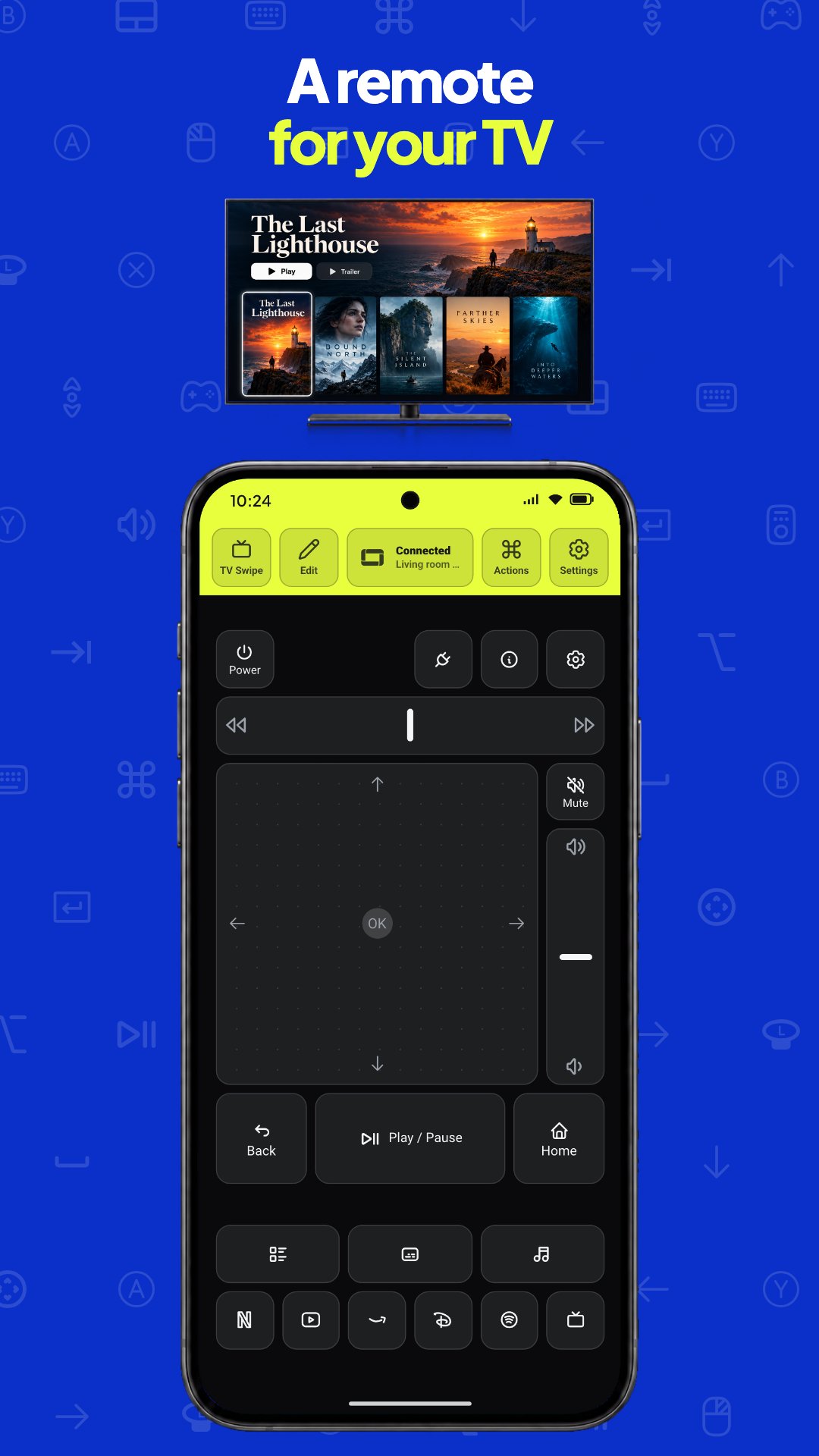
A REMOTE FOR YOUR TV
• D-pad, OK, back, home, volume and play/pause on your phone.
BUILD YOUR OWN LAYOUT
• Add keys, trackpads, sticks, scroll strips and text fields, resize them and give each key an icon and a color.
MACROS
• Record clicks, mouse moves, typed text, key presses and waits once, then replay the whole sequence with one tap.
CONNECT IN A MINUTE
• Pick your device in the app and follow the short steps.
• Save your devices and switch between them from one list. Deck Pointer controls one device at a time.
DECK POINTER PRO
• Without Pro you get the Trackpad, TV Remote and Gamepad layouts, live typing and one saved device.
• Deck Pointer Pro is an in-app purchase: a weekly or yearly subscription, or a one-time purchase. It adds editing layouts and building your own, macros, more than one saved device, and every other ready-made layout: shortcuts for Mac, Windows, iPad and Android tablets, TV buttons, live TV and YouTube, and layouts for Zoom, Slack, CapCut, Blender, streaming, coding and DJ sets.
• Everyone who used Deck Pointer before Pro keeps it at no cost.
Guides on our site show how to connect each device, set it up and fix common problems: https://deckpointer.com/guides/
Available controls depend on the device, its system and the game.
Support: [email protected]
Privacy policy: https://deckpointer.com/privacy/
Deck Pointer is an independent app and is not affiliated with or endorsed by Valve, Apple, Microsoft or Google. Steam Deck is a trademark of Valve Corporation. Mac, macOS and iPad are trademarks of Apple Inc. Windows is a trademark of Microsoft Corporation.





One-click to install XAPK/APK files on Android!

Thanks for your rating and feedback!
You have already rated.