
Scan Date:Aug 8, 2026
Show More

Notify others if you haven't used your device in a given period of time
Keep Alive will send a custom message via SMS to one or more people if you haven't used your device in a given period of time. Intended to be used as a failsafe for those living alone in case of an accident or other emergency. Once the settings are configured, no further interaction is required.
- 100% Device-based, no cloud services or accounts required
- Free with no ads or trackers
- Open Source (https://github.com/keepalivedev/KeepAlive)
- Minimal Battery Usage
- Multiple SMS Recipients
- Custom Alert Message
- Optional: Include Location Information in SMS
- Optional: Place a phone call with speakerphone enabled
- Optional: Send an HTTP request to a custom URL
Requirements
Keep Alive requires that your device has an active cellular plan. WiFi calling and messaging will be used if the device supports it.
How it Works
Keep Alive uses either your device's lock screen or another app(s) to detect activity. If your device hasn't been lock or unlocked for a set period of time, or if you haven't accessed the selected app(s), you will be prompted with an 'Are you there?' notification. If this notification is not acknowledged an Alert will be triggered. Based on the configured Emergency Contact Settings, one or more SMS messages and/or a phone call will be placed to notify others that you may be in need of assistance.
WARNING: If your device restarts, Keep Alive will not be able to check for recent activity until the screen is unlocked. On Android 7.0+, Keep Alive can still send an alert before the screen is unlocked but must assume you have been inactive based on its last saved state. On older Android versions, Keep Alive cannot run at all until the screen is unlocked and alerts will not be sent.
Main Settings
- Monitoring Method - Choose between using the lock screen or another app(s) to detect activity. If using another app(s), you will be prompted to select the app(s) to monitor.
- Hours of Inactivity Before Prompt - how many hours since your phone was last locked or unlocked before you are prompted with an 'Are you there?' notification. Defaults to 12 hours
- Minutes to Wait - if the prompt is not acknowledged within this time, an Alert will be sent based on the configured emergency contact settings. Defaults to 60 minutes
- Rest Period Time Range - a range of time during which inactivity will not be counted. For example, with 'Hours of Inactivity' set at 6 hours and a Rest Period of 22:00 – 6:00, if the device is last used at 18:00, the 'Are you there?' check would not be sent until 8:00. Note that an alert can still be sent during a rest period if the 'Are you there?' check was sent BEFORE the start of a rest period.
- Auto-Restart Monitoring After Alert - If enabled, monitoring will be automatically restarted after an Alert is sent.
- Alert Webhook - Configure an HTTP request to be sent when an Alert is triggered
Emergency Contact Settings
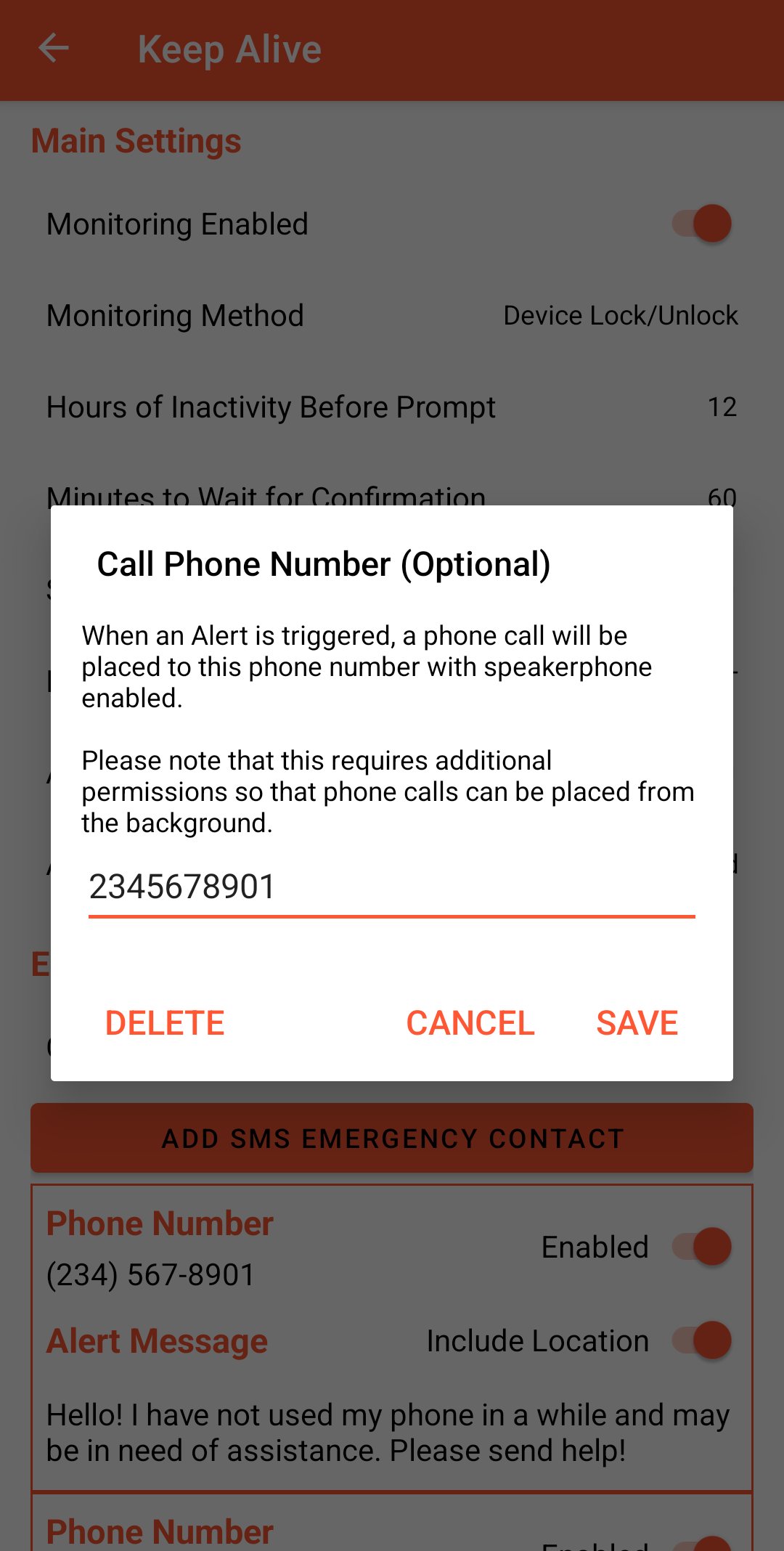
- Phone Call Number (Optional) - when an Alert is triggered a phone call will be placed to this number with speakerphone enabled
One or more SMS recipients can be configured with:
- Phone Number - the phone number to send the Alert SMS to
- Alert Message - the message that will be sent when an Alert is triggered
- Include Location - if enabled, your location will be included in a second SMS
Privacy/Data Collection
No data is collected other than the configured settings and nothing is shared with the developers or any 3rd parties. The only data transmitted is to the configured emergency contacts.
Disclaimer
- Not responsible for SMS or phone call charges incurred by the use of the Keep Alive app
- The operation of the Keep Alive app is dependent on the device, software, and network connectivity. The developers are not responsible for any failure due to device malfunctions, software incompatibilities, or network issues.





One-click to install XAPK/APK files on Android!

Thanks for your rating and feedback!
You have already rated.